28
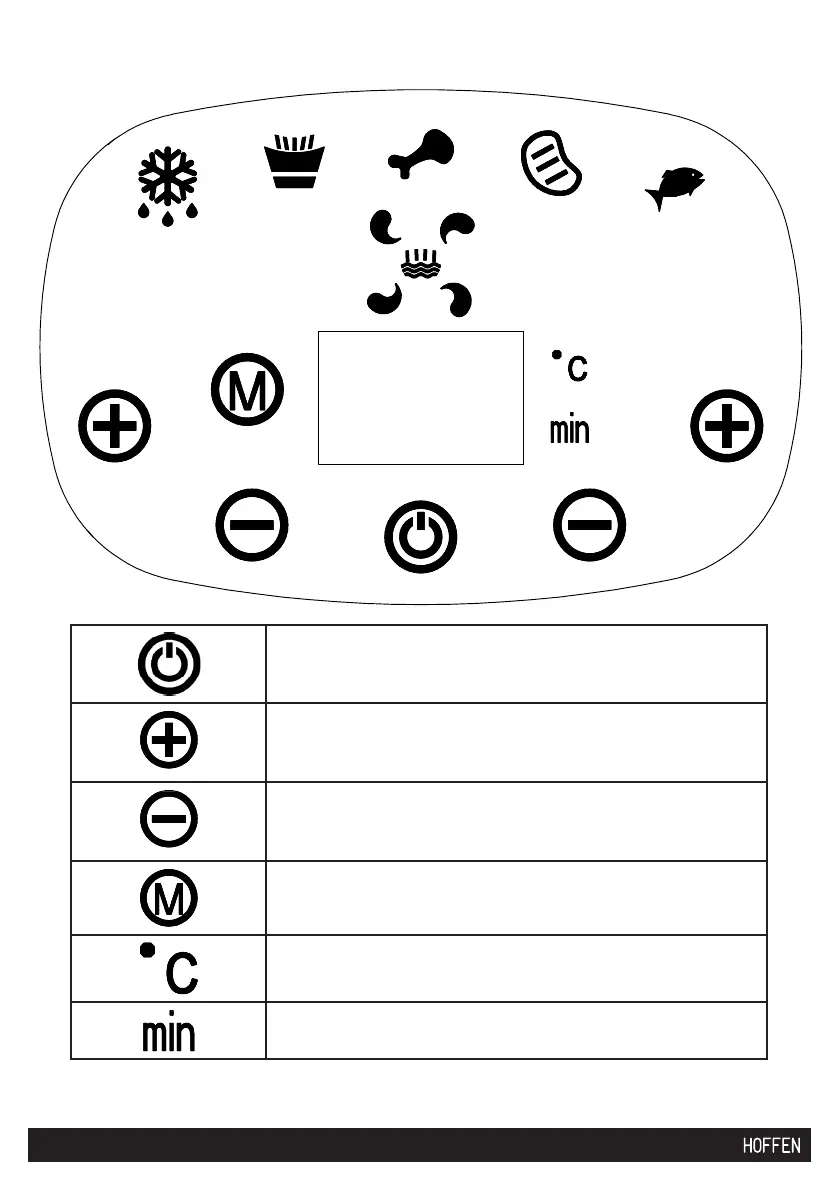
On/Off (stand-by) touch button
Parameter value increase:
temperature (left side of the control panel) / time (right
side of the panel)
Parameter value decrease:
temperature (left side of the control panel) / time (right
side of the panel)
Operating mode (pre-recorded programs) switch button
Set temperature / temperature being set indicator -
degrees
Set operating time indicator - minutes
Control panel


 To Next Page