3
24
• Swallowing a battery may have fatal consequences! Keep batteries
away from children and pets. Seek medical assistance immediately if
a battery is swallowed.
7.2 Weighing
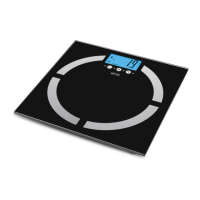
1. Place the scale on a level, stable, and dry surface. In order to ensure a correct
reading, do not place the scale on a rug/carpet.
ATTENTION! Do not stand on the scale with wet feet. Always stand on the scale
with bare feet (take off your shoes and socks).
2. Press the central part of the scale with a bare foot to switch on the device.
3. When 0.0 is shown on the display, the device is ready for weighing.
4. Step on the scale and wait for the result to start flashing. You will be shown
the nal result in a moment.
ATTENTION! It is recommended that you stand still during weighing.
5. The scale will turn off automatically after about 10 seconds of inactivity.
7.3 Changing the weight units
After switching the scale on, you can change the weight unit by pressing the
UNIT button at the bottom of the scale. Each press of the button selects the unit
of weight in the following order: kg (kilogram) / lb (pound) / st (stone).
7.4 Entering user settings
After switching the scale on, you can enter individual user parameters such as
sex, age, or height. For this purpose:
• Turn the scale on.
• Press the SET button, then by pressing UP and DOWN, select the required
parameters, each time conrming the selection by another press of the SET
button.
• The user parameters are displayed in the following order:
1. P01, P02, P03 … – user no. 1, 2, 3, etc. You can congure up to 10 user proles.
2. sex
3. age
4. height (inches, centimetres)
CAUTION! To change the unit of height, press the UNIT button located at the
bottom of the scale.
• To access individual user data, press the SET button and select the appro-
priate prole from those flashing on the display.
• Step onto the scale. Remember to keep the scale on an even surface and to
step with bare feet on the metal sensors.
• Stay still for a moment. The scale is performing calculations, which is indica-
ted by the subsequently displayed square symbols.



 To Next Page