3
29
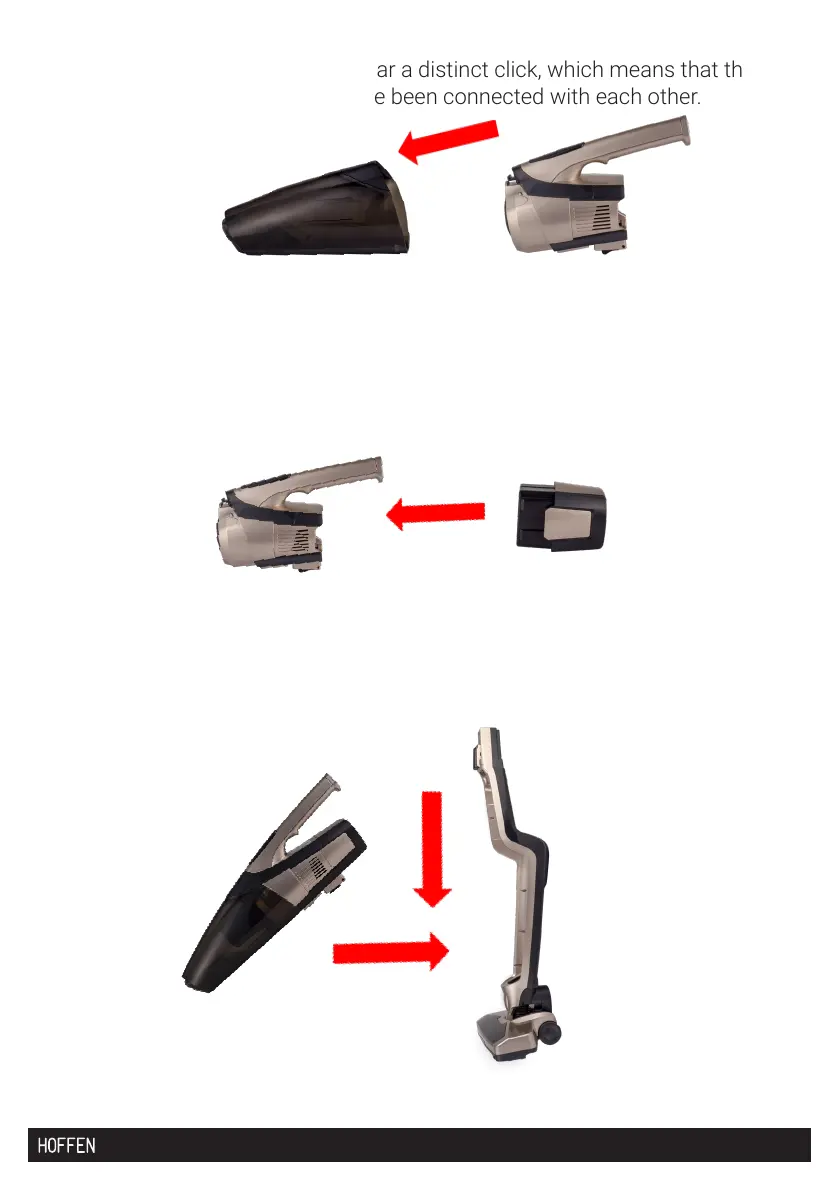
4. Connect the dust container and the battery base. Press the “PUSH” assembly
button and press down. You will hear a distinct click, which means that the dust
container and the battery base have been connected with each other.
5. Check whether there is the battery in the battery base.
6. If not, insert the battery in the base, press the assembly button, then press
down. You will hear a distinct click, which means that the battery base and the
battery have been connected with each other.
7. Then insert the connected parts (the dust container with the battery base and
the battery) into the charging base.


 To Next Page