
 Need help?
Do you have a question about the Hoggan Scientific ergoFET and is the answer not in the manual?
List of items included with the ergoFET wireless digital force gauge.
Details on weight, power, operating temperature, humidity, capacity, and test ranges.
Guidance on cleaning the exterior surface of the ergoFET with a soft cloth.
Information on initial calibration and recommended annual recalibration by Hoggan Scientific.
Recommendation to store and transport the ergoFET in its hard-sided protective case.
How to use the sliding switch to turn the ergoFET unit on and off.
Description of the automatic sleep mode for battery preservation and how to awaken the unit.
How to use the reset button to activate, clear displays, and reinitialize the ergoFET unit.
Explanation of threshold levels (High/Low) and their impact on recording test data.
Details on the Peak Force and Duration/Sec. LCD windows and their displayed information.
Steps to adjust the LCD brightness using the Threshold and Reset buttons.
How to change the unit of measure (lbs, Newtons, KGF) via the Force Measurement mode.
Instructions to turn on RF (wireless) power for use with software via the threshold button.
Explanation of the Bluetooth/FET Stick's necessity for software testing with ergoFET.
Steps to check remaining battery power percentage using the power check feature.
Details on ergoFET's self-activating sleep mode to extend battery life and signal interruption.
Tips for proper attachment installation and unit positioning for accurate force measurements.
Guidance on holding the ergoFET for compression testing and performing one-hand direct push tests.
Information on using the one-hand handle for tension/compression tests and examples of its application.
How the ergoFET stores up to 30 tests and how to retrieve them.
Explanation of how test duration is displayed in tenths of seconds or whole seconds.
Indicators for low battery power such as fading LCD displays and unlit segments.
Details on the 3.7V LI-ION batteries and the procedure for changing them.
Information on the one-year warranty period and coverage for defects.
Details on purchasing extended warranties and the 30-day grace period.
Steps to identify and order original Hoggan manufactured replacement parts and attachments.
Information that all repair services are performed at the Hoggan Scientific LLC Manufacturing plant.
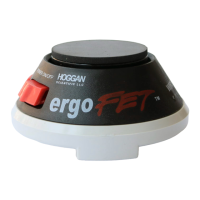
The ergoFET is a portable, dual-function push/pull force gauge designed for objective and quantifiable force measurements in various job activities and force measurement applications. This battery-operated, handheld device weighs less than a pound and is ergonomically designed to fit comfortably in the palm of your hand. It utilizes sophisticated digital technology with strain gauge elements within the transducer that react independently to measure external forces from multiple angles, allowing it to account for subtle changes in force.
The ergoFET can be used as a standalone gauge for individual force measurements. It also incorporates wireless technology, enabling its use with data collection software to enhance analysis capabilities. This wireless feature provides greater freedom and movement during testing by eliminating the need for instrument cables, allowing users to move freely without being tethered to a computer.
The device features two LCD windows: "Peak Force" and "Duration/Sec." The Peak Force LCD displays the actual force applied against the transducer pad during both compression and tension tests, and at the test's conclusion, it shows the maximum force value. The Duration/Sec. LCD window indicates the elapsed time in tenths of a second from when the force threshold was crossed until pressure was released. This duration monitoring helps maintain consistency between tests. The Duration/Sec. window also displays the selected threshold setting (Low or High).
The ergoFET includes an On/Off switch for powering the unit. It also has a "Sleep Mode" battery saver feature that activates if the unit is left on for approximately 3 minutes without input, helping to preserve battery life. The unit can be awakened from Sleep Mode by turning the power off for at least five minutes or by pressing the Reset button.
The Reset button activates the ergoFET, clears the displays, and reinitializes the unit. It can also be used to wake the gauge from sleep mode or clear occasional stray readings caused by static discharge. It's not necessary to press reset after each test, as the ergoFET automatically begins recording new data once the force threshold is crossed.
The "Threshold Button" allows users to set the force threshold level to either High or Low. The threshold refers to the amount of force required before the ergoFET starts recording test data. The High Threshold, commonly used, requires three pounds of force (12.1N) to be exerted before recording begins, which helps with easier unit placement and reduces false starts. It displays force in 0.1 lb increments (.44N) up to 300 lbs (1320N). The Low Threshold is designed for more sensitive, lower force readings, such as those for finger and hand muscle weakness. It requires 0.8 lbs (3.6 N) to be crossed before recording, and users must exercise greater care when positioning the unit in this setting. It also records data in 0.1 lb increments up to 300 lbs (1320N). Pressing Reset does not change the threshold setting.
Users can adjust the LCD brightness by holding down the Threshold button and clicking the Reset button twice to enter display mode. Once in display mode, holding the Threshold button will cycle through brightness levels from dim to bright. Pressing the Reset button returns the unit to test mode.
The unit of measure (lbs, Newtons, KGF) can be selected by entering Force Measurement mode. This is done by pressing and holding the Threshold button for five seconds. The display will go blank, showing only a hash mark for the currently chosen unit. Pressing the Threshold button toggles through the available options. Pressing the Reset button returns the unit to test mode.
For wireless operation with software, the ergoFET can be set to RF mode. This involves holding the Threshold button down for 5 seconds to enter force measurement setting mode, then continuing to hold it for another 5 seconds to turn on wireless power. The Peak Force display will show "RF" (wireless), and the Duration/Secs display will show "on" or "Off." Pressing the Threshold button toggles the RF power on or off for use with software.
The ergoFET is ambidextrous, allowing it to be held in either the left or right hand for compression testing. A strap can be placed over the hand to secure the ergoFET for one-hand direct push tests. For tension and compression tests not involving direct hand force, a one-hand handle can be attached to the underside of the gauge by pushing aside the strap, threading the screw portion of the handle into the insert, and tightening until snug. This handle can also be used with two hands in certain situations.
The ergoFET stores and retrieves results for the 30 most recent tests. In test mode, only the most recent test results (peak force and duration) are displayed, replacing previous results. To enter data retrieval mode, hold down the Threshold button and click the Reset button once. The unit will display the peak force, the number representing the most recent test, and the test duration. Test duration is displayed with a decimal point for 0.1 to 9.9 seconds and without for 10 to 99 seconds. Pressing the Threshold button scrolls through the stored test results, moving backward through the 30 most recent tests. The 31st test will bump the oldest test, making it no longer retrievable. To return to test mode, press the Reset button; the unit will display 0.0 for peak force, "L" or "H" for threshold, and .0 for duration/secs.
The ergoFET is built for long-lasting, reliable service and should be handled with care, avoiding drops or impacts. The exterior surface can be cleaned with a damp soft cloth and a small amount of household spray cleaner, ensuring any residue is removed with a clean, damp cloth.
The ergoFET comes with a calibration certificate, ensuring its accuracy at the time of shipment. To maintain accuracy and reliability, annual recalibration by Hoggan Scientific, LLC is recommended.
For transport, it is strongly recommended to store the ergoFET in the provided hard-sided protective carrying case.
The ergoFET is equipped with a "power check" feature to allow users to see the remaining battery power. To conduct a power check, put the unit into data retrieval mode by holding the Threshold button and clicking the Reset button. Then, press the Threshold button for five seconds. The peak force LCD will display "AP" (indicating power check), and the Duration/Secs LCD will show a number from 1 to 100, representing the percentage of remaining battery power. The unit will return to data retrieval mode after five seconds, and pressing the Threshold button again for five seconds will re-access the power check. To return to test mode, press the Reset button.
Fading LCD displays or unlit segments indicate low battery power. If segments remain unlit after pressing Reset, the batteries should be changed. To avoid interruptions, it is recommended to change batteries when the power check reading reaches approximately 15%. The ergoFET uses two 3.7V 1/2AA LI-ION rechargeable batteries, which can be purchased from Hoggan Scientific LLC. To change batteries, remove the attachment from the main unit, carefully remove the old batteries from their holders, and install new ones, ensuring the positive (+) posts align with the (+) marks on the ergoFET body. If the display does not light up after installing new batteries, contact Hoggan Scientific LLC Customer Service.
 General
| Measurement Type | Force |
|---|---|
| Units of Measure | Newtons, Kilograms, Pounds |
| Power Source | Rechargeable battery |
| Display | LCD |
| Data Output | USB |

 To Next Page