181
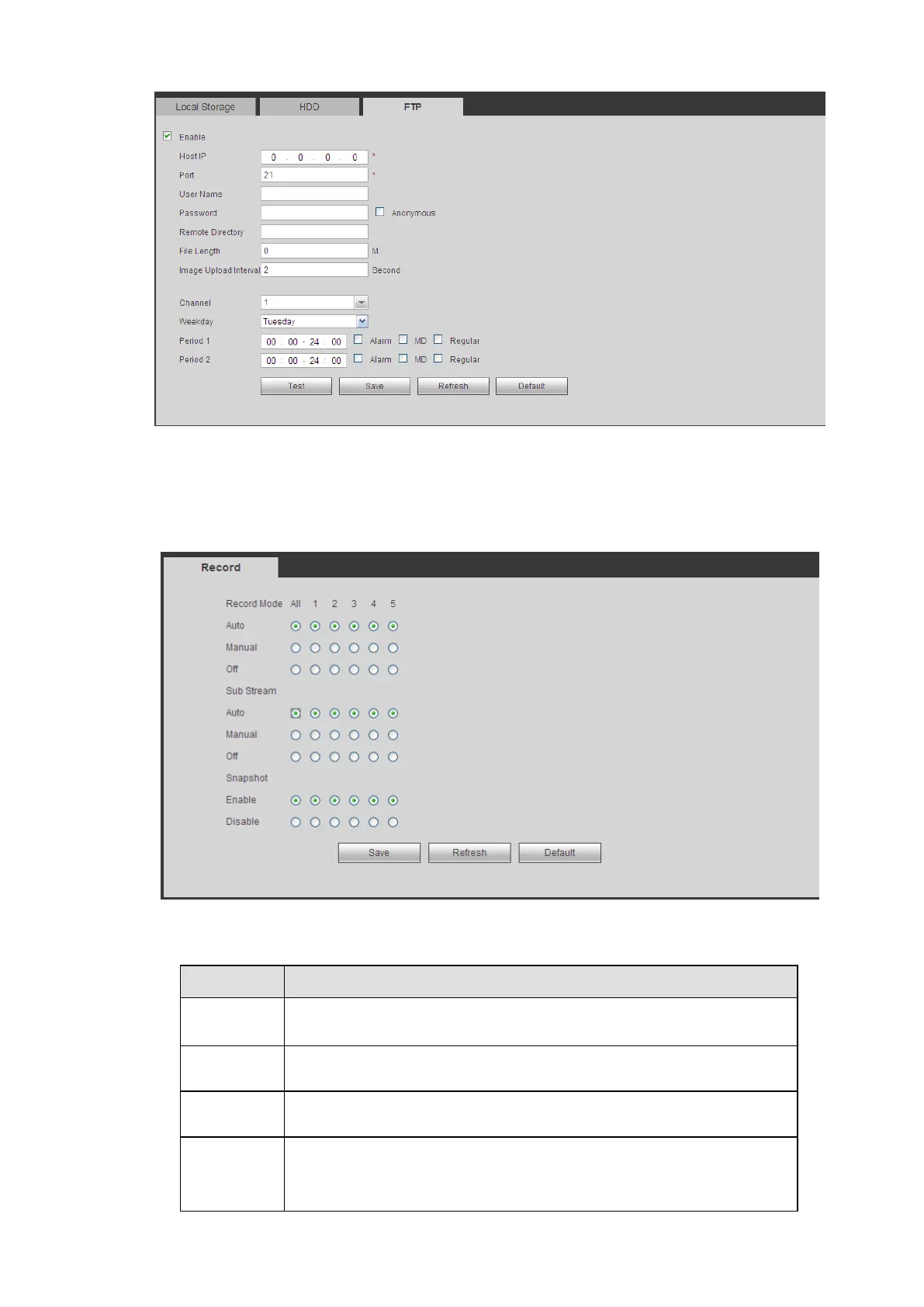
Figure 5-75
Record Control
The interface is shown as in Figure 5-76.
Figure 5-76
Please refer to the following for detailed information.
Here you can view channel number.
The number displayed here is the max channel amount of your device.
There are three statuses: schedule, manual and stop.
System enables auto record function as you set in record schedule setup
(general, motion detect and alarm).
It has the highest priority.
Enable corresponding channel to record no matter what period applied in
the record setup.


 To Next Page