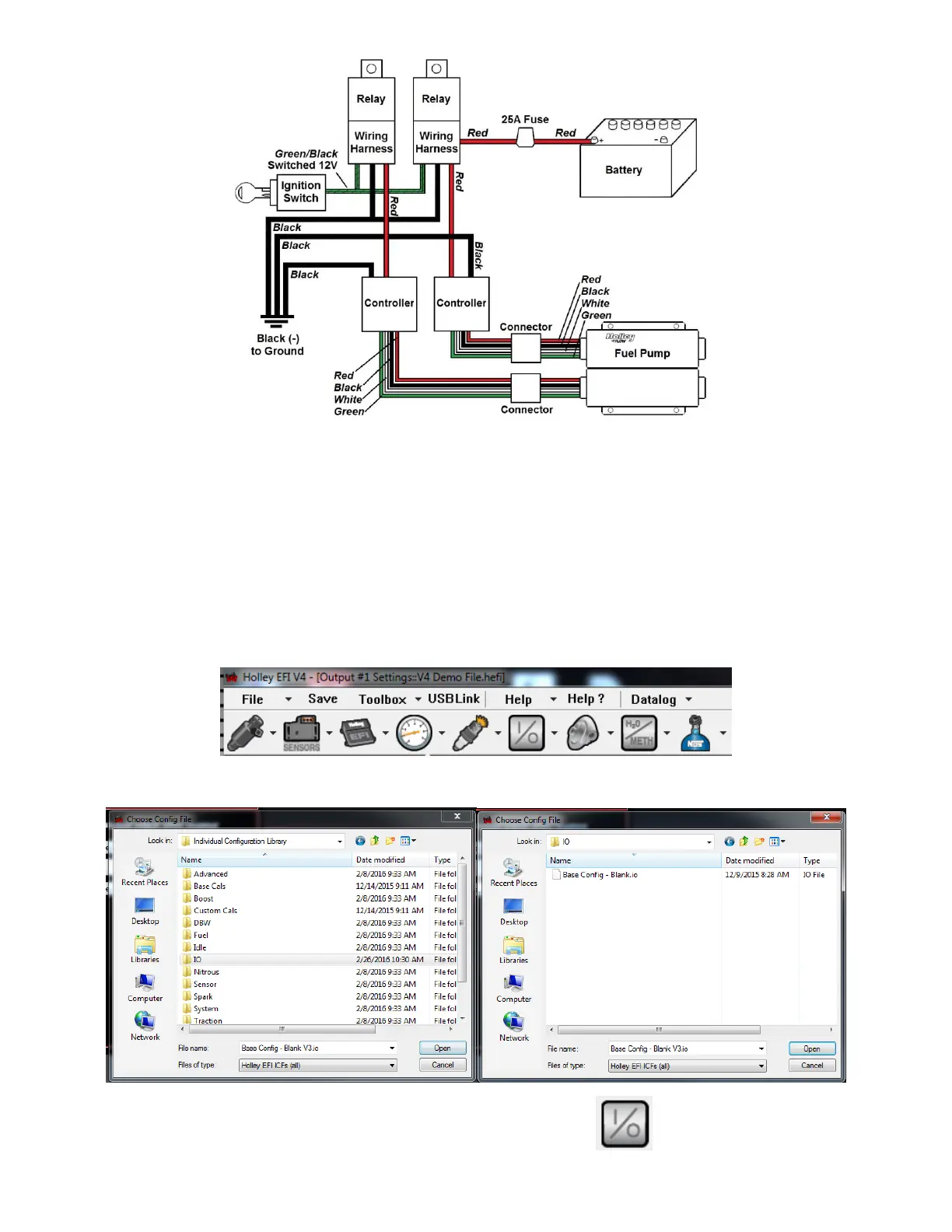
Figure 6
SETUP:
If using this pump in conjunction with the Holley EFI System, please refer to the following setup instructions:
The BLDC pump runs at 50% duty cycle when the (yellow) wire is grounded. Holley EFI software has logic built in that allows
seamless, automatic speed control of the pump between 50% and 100%.
To set this up, create a new output in the I/O (inputs/outputs) ICF
Note: If your calibration does not have the I/O ICF, you can add it by following these steps:
1. Select Toolbox and choose “Add Individual Config” from the drop down menu
2. Next, choose the “IO” folder and open “Base Config – Blank.io”
3. At this point, you should have an icon for custom inputs/outputs configuration:



 To Next Page