Need help?
Do you have a question about the Holtkamp DUO XXL and is the answer not in the manual?
Details rights, liabilities, and restrictions concerning the manual and product usage.
Outlines the 12-month warranty period and applicable general terms and conditions.
Provides critical safety instructions for device operation and modifications.
Details device information like software version and operating type.
Lists technical specifications including material, dimensions, power, and protection class.
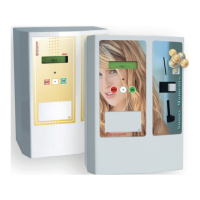
Shows visual diagrams of the device and its electronic components.
General notes and precautions for professional installation.
Step-by-step guide for physically mounting the device.
Provides diagrams and instructions for electrical hookup.
Describes common applications and available versions of the device.
Lists and explains various chip card types for payment and programming.
Highlights unique functionalities like time-based pricing and safety standards.
Details hardware components like DIP switches and jumpers.
Describes various ways to access the device menu (DIP, card, password).
Explains menu control, copy/paste, page turning, and exiting.
Overview of available statistical data and counters.
Tracks daily sales transactions and customer counts.
Records daily amounts revalued via chip card or coin.
Tracks different counters like skin measurements.
Tracks daily sales, payment amounts, and customer counts.
Shows cumulative amounts revalued by staff or customers.
Cumulative counts for specific features like skin measurements.
Tracks operating hours for maintenance intervals.
Displays device software and hardware version details.
Information on chip card compatibility and H-numbers.
Details DIP switch and jumper status, anti-theft code.
Monitors status of internal hardware extensions.
Monitors status of external hardware modules.
Configuration of operational times for different timers or happy hours.
Setting of prices for different tariffs, payment methods, and happy hours.
Setting the device's system time and date, including daylight saving.
Configuring time-based tariff changes and happy hour schedules.
Defines shifting times and tariffs for each day of the week.
General settings related to service chip cards for data editing.
Editing customer data like date of birth and skin type.
Revaluing chip cards with money or bonus amounts.
Revaluing chip cards using cash insertion.
Setting display language and currency for the device.
Customizing user interface appearance and sound settings.
Adjusting operating modes, timer settings, and device behavior.
Configuring payment methods, happy hour levels, and discount options.
Manages tanning sessions according to legal requirements and customer data.
Assigns names and numbers to controlled devices (e.g., tanning beds).
Configures how statistical data and counters are displayed and managed.
Sets intervals for maintenance based on operating hours.
Configures accepted coin types and their monetary values.
Configures network settings, PC connection, and login procedures.
Details purchasing time via chip card, coin, buying more time, and sequences.
Explains editing customer data and revaluing chip cards.
Displays device software/hardware versions, date, and time.
Procedure for restoring the device to its original factory settings.
Addresses common user queries and troubleshooting scenarios.
General explanation of how the device handles and displays errors.
Lists and explains various error codes and their potential causes.
 General
| Operating System | Windows 10 IoT Enterprise |
|---|---|
| Storage | 64 GB SSD |
| Display Size | 21.5 inches |
| Touch Technology | Projected capacitive (PCAP) |
| Resolution | 1920 x 1080 |
| Processor | Intel Celeron J1900 |
| RAM | 4 GB DDR3 |
| Connectivity | Ethernet |
| Ports | Audio |
| Display | LCD |

 To Next Page