EasyManua.ls Logo

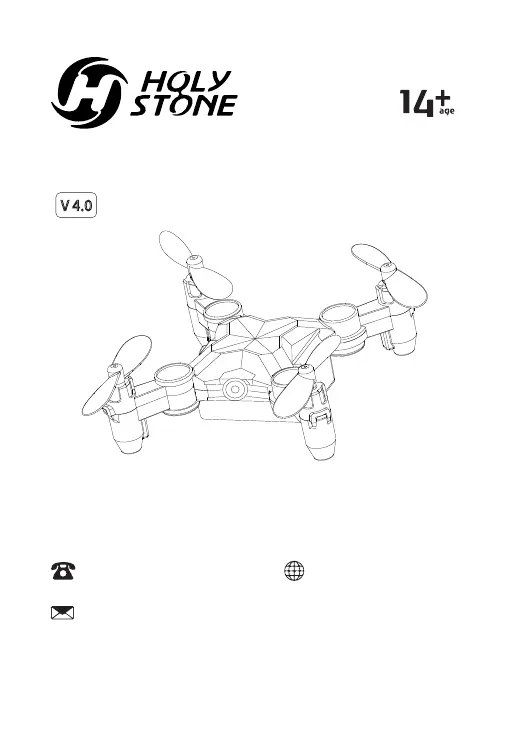
Holy Stone HS190 - User Manual

Holy Stone HS190
36 pages
Print Icon
To Next Page IconTo Next Page
Loading...
Instructions For Use
www.holystone.com+1(855) 888-6699
usa@holystone.com (USA)
ca@holystone.com (CA)
eu@holystone.com (EU)
jp@holystone.com (JP)
HS190
V 4.0

Questions and Answers

  • P
    Patrick BassJul 27, 2025
    What to do if Holy Stone Quadcopter propellers spin but drone won't take off?
    • S
      Suzanne BullockJul 27, 2025
      If your Holy Stone Quadcopter's propellers are spinning but it won't take off, there are several potential reasons. First, the battery power might be insufficient, so try recharging the battery. Second, check that the propellers are installed in the correct orientation; if not, install them correctly. Finally, inspect the propellers for any distortion and replace them if necessary.
  • E
    Elizabeth MitchellAug 2, 2025
    Why are the indicator lights flashing on my Holy Stone Quadcopter and not responding?
    • L
      Lance CervantesAug 2, 2025
      If the indicator lights on your Holy Stone Quadcopter are flashing and the drone isn't responding to the transmitter, it could be due to a couple of reasons. First, the transmitter might not be synced with the drone. In this case, refer to the flight preparation guide to pair them again. Second, the battery power could be insufficient, so try recharging the battery.
  • J
    Juan SmithAug 8, 2025
    How to fix a Holy Stone Quadcopter that cannot stay balanced?
    • E
      Elizabeth HarrisAug 8, 2025
      If your Holy Stone Quadcopter can't stay balanced during flight, there are a couple of potential causes. One reason could be that the propellers are distorted. If so, replace them. Another cause might be a motor that isn’t working properly, in which case you should replace the motor.
  • Z
    zsandersAug 14, 2025
    What to do if Holy Stone Quadcopter is out of control after crashing?
    • Z
      zpatelAug 14, 2025
      If your Holy Stone Quadcopter becomes out of control after a crash, it's possible that the six-axis acceleration sensor has lost its balance. To resolve this, restart and recalibrate the drone.
  • M
    Miguel AtkinsAug 20, 2025
    Why does my Holy Stone Quadcopter sway sharply?
    • C
      Charles WolfAug 20, 2025
      If your Holy Stone Quadcopter sways sharply, it is likely that the propellers are distorted. Replace the propellers to resolve this issue.

Summary

Product Disclaimer and Warning

Drone Safety Guidelines

Pre-Flight Checks

Essential checks for the drone and transmitter before initiating flight operations.

Flight Environment Guidelines

Guidelines for choosing appropriate flying locations and avoiding hazards like obstacles and weather.

Operation Requirements and Precautions

Rules and precautions for operating the drone during flight, including noise and proximity to people.

Battery Safety and Handling

Instructions on safe battery handling, charging, disposal, and storage to prevent damage or hazards.

Drone Maintenance Procedures

Drone Cleaning and Care

Procedures for cleaning the drone, avoiding sunlight, water exposure, and checking accessories for damage.

Package Contents Overview

Drone Component Identification

Propeller Guard Assembly Instructions

Transmitter Control Layout

Drone Battery Charging Methods

Charging via USB Port

Step-by-step guide for charging the drone battery using a computer USB port or adapter.

Charging via Transmitter

Instructions on how to charge the drone battery using the transmitter's built-in charging cable.

Drone Operation Guide

Pre-Flight Preparation

Actions to take before flying, including unfolding arms and general safety warnings about propellers.

Drone and Transmitter Pairing

Procedure to connect the drone to the transmitter by turning them on and confirming successful pairing.

Gyro Calibration Procedure

Steps to calibrate the drone's gyroscope for stable flight after pairing or a crash.

Motor Activation (Unlock)

How to activate the drone's motors by moving the joysticks to unlock them for flight.

Automatic Takeoff

Using the dedicated button or left joystick to automatically lift off and ascend the drone.

Automatic Landing

Activating the automatic landing sequence by pressing the designated button during flight.

Drone Function Details

Basic Joystick Controls

Explanation of how the left and right joysticks control drone movement like ascending, descending, and forward/backward flight.

Emergency Motor Stop

Procedure to immediately halt the drone's motors in critical situations to prevent damage or injury.

Forward;Backward Drift Trim

Using trim buttons to correct forward/backward drift and keep the drone stable.

Sideways Drift Trim and Reset

Using trim buttons to correct left/right drift and reset trim data if balance is lost.

High-Speed Rotation Maneuver

Activating a spinning maneuver by pressing the dedicated button, with an option to exit.

Speed Mode Switching

Switching between Low, Medium, and High speed modes using the Speed Switch button.

360 Degree Flip Execution

Executing aerial flips by pressing the right joystick and moving it in a direction after gaining altitude.

One Key Return Functionality

Initiating an automatic return to the pairing point, with precautions for pilot proximity.

Headless Mode Activation

Enabling mode where drone movement is relative to the pilot, not the drone's orientation.

Circle Fly Mode Engagement

Engaging a flight pattern where the drone flies in a circle around a point.

Altitude Hold Functionality

Maintaining a set altitude automatically after releasing the left joystick.

Troubleshooting Common Issues

Problem Resolution Guide

Solutions for common problems like unresponsive controls, inability to take off, and drone swaying.

Product Specifications

Customer Support Information

General Compliance Information

FCC Compliance Details

Information regarding FCC rules, compliance, and required measures for interference.

RF Exposure and IC Regulations

Details on radio frequency exposure limits and compliance with Canadian Industry standards.

Recycling and Battery Safety Warnings

Instructions for responsible product disposal and critical safety warnings for battery usage.

Holy Stone HS190 Specifications

General IconGeneral
Headless ModeYes
Altitude HoldYes
One Key Takeoff/LandingYes
Speed Adjustments3 speed modes
LED LightsYes
CameraNo camera
Charging Time40 mins

Related product manuals