EasyManua.ls Logo

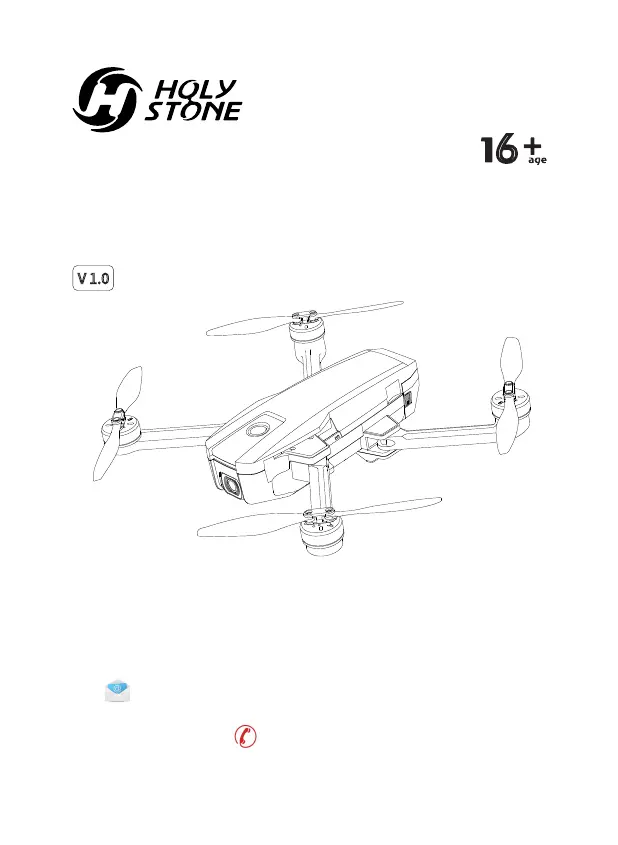
Holy Stone HS720 - User Manual

Holy Stone HS720
48 pages
Print Icon
To Next Page IconTo Next Page
Loading...
HS720
Instructions For Use
www.holystone.com
+1(855) 888-6699
usa@holystone.com (USA)
ca@holystone.com (CA)
eu@holystone.com (EU)
jp@holystone.com (JP)
V 1.0
6
Gebrauchsanweisung

Questions and Answers

  • W
    William WestJul 28, 2025
    What to do if Holy Stone HS720 could not be unlocked and the rear light flashed?
    • S
      Sharon ShermanJul 28, 2025
      If your Holy Stone drone can't be unlocked and the rear light is flashing, it's likely because the drone's battery voltage is too low. To resolve this, fully charge the battery.
  • J
    jenniferpayneAug 4, 2025
    What to do if Holy Stone HS720 indicator light keeps flashing rapidly?
    • T
      Tina BoltonAug 4, 2025
      When the Holy Stone drone is powered on and the indicator light keeps flashing rapidly, it means the drone is in the gyroscope calibration state. Place the drone on a flat and level surface.
  • E
    Elizabeth MullenAug 12, 2025
    Why is my Holy Stone Drone vibrating in flight?
    • M
      michealwestAug 12, 2025
      If your Holy Stone drone vibrates during flight, it's likely because the propellers are damaged. Replace them with new ones to fix this issue.
  • S
    Stephen HarrisonAug 19, 2025
    How to fix Holy Stone Drones that cannot hover after takeoff and tilts to one side?
    • J
      John PerkinsAug 19, 2025
      If your Holy Stone drone cannot hover after takeoff and tilts to one side, place the drone on a flat, level surface and repeat the gyro calibration.

Summary

Disclaimer and Warning

Disclaimer & Warning

Read disclaimer and safety guidelines carefully before using the product.

Safety Guidelines

Guidelines for safe operation, including checks, environment, and battery use.

Check Before Use

Check drone, batteries, and propellers for proper condition before flight.

Flight Environment

Guidelines for safe flying locations and conditions, avoiding obstacles and interference.

Operation Requirements

Rules for safe drone operation, including battery use, noise awareness, and prohibited actions.

Use of Battery

Instructions for safe battery insertion, charging, handling, and disposal procedures.

Maintenance

Installation

Charging

Operation Guide

Calibrating the Compass

Step-by-step guide for calibrating the drone's compass for accurate navigation.

Function Details

Return to Home (RTH)

Explanation of RTH function, including Smart RTH and Failsafe RTH modes.

Low Voltage RTH

Details on automatic drone return-to-home triggered by low battery voltage.

Image Positioning System

APP Operation Instruction

Follow Me

How to enable and use Follow Me mode to track your smartphone's GPS location.

TapFly

Instructions for using TapFly to make the drone fly along a set path or to designated points.

Point of Interest

How to set a point of interest for the drone to circle around autonomously.

Drone Status Indicator

Trouble Shooting

Battery Warning

Holy Stone HS720 Specifications

General IconGeneral
Camera4K UHD
Flight Time26 minutes
GPSYes
Weight460 grams
Battery2800 mAh
FoldableYes
Photo Resolution3840 x 2160 pixels
Charging Time5-7 hours
Follow Me ModeYes
Return to HomeYes
Control Range3000 meters
Video Resolution4K at 30 fps
Max Flight Distance3000 meters
ControllerYes

Related product manuals