-29-
11.2 Setting Parameters
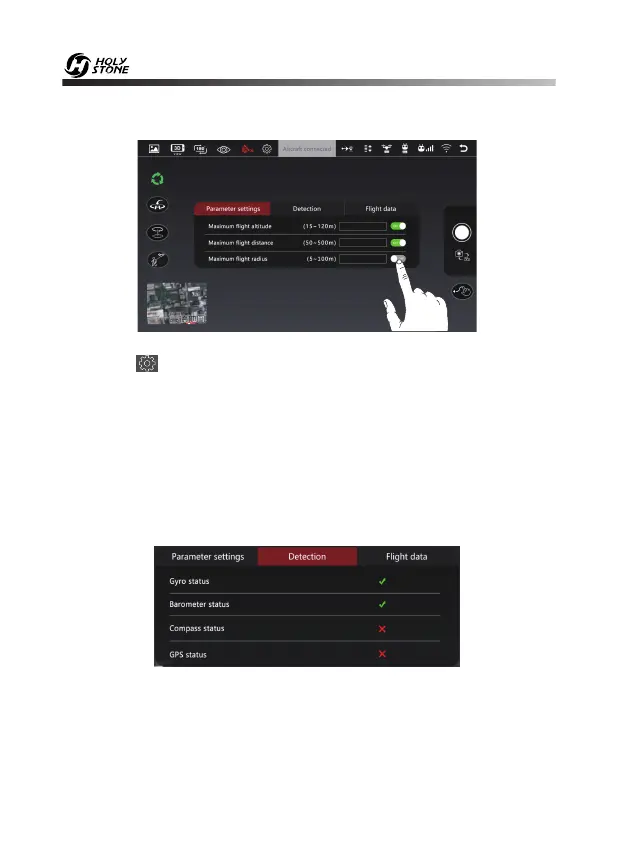
Click the “ ” icon to enter the setting interface (as shown in the figure
above), you can set a limited flight range:
1. Maximum flight altitude: 50~390 feet/ 15~120 m. (The default flight
altitude is 390 feet.)
2. Maximum flight distance: 160~1600 feet/ 50~500 m.
3. Maximum flight radius: 16~320 feet/ 5~100 m. (The Point of Interest's
flight radius is set at 16 feet by default.)
You can also view the current state of the drone in the setting interface (as
shown above), including Gyroscope status, Barometer status, Compass
status and GPS status.


 To Next Page