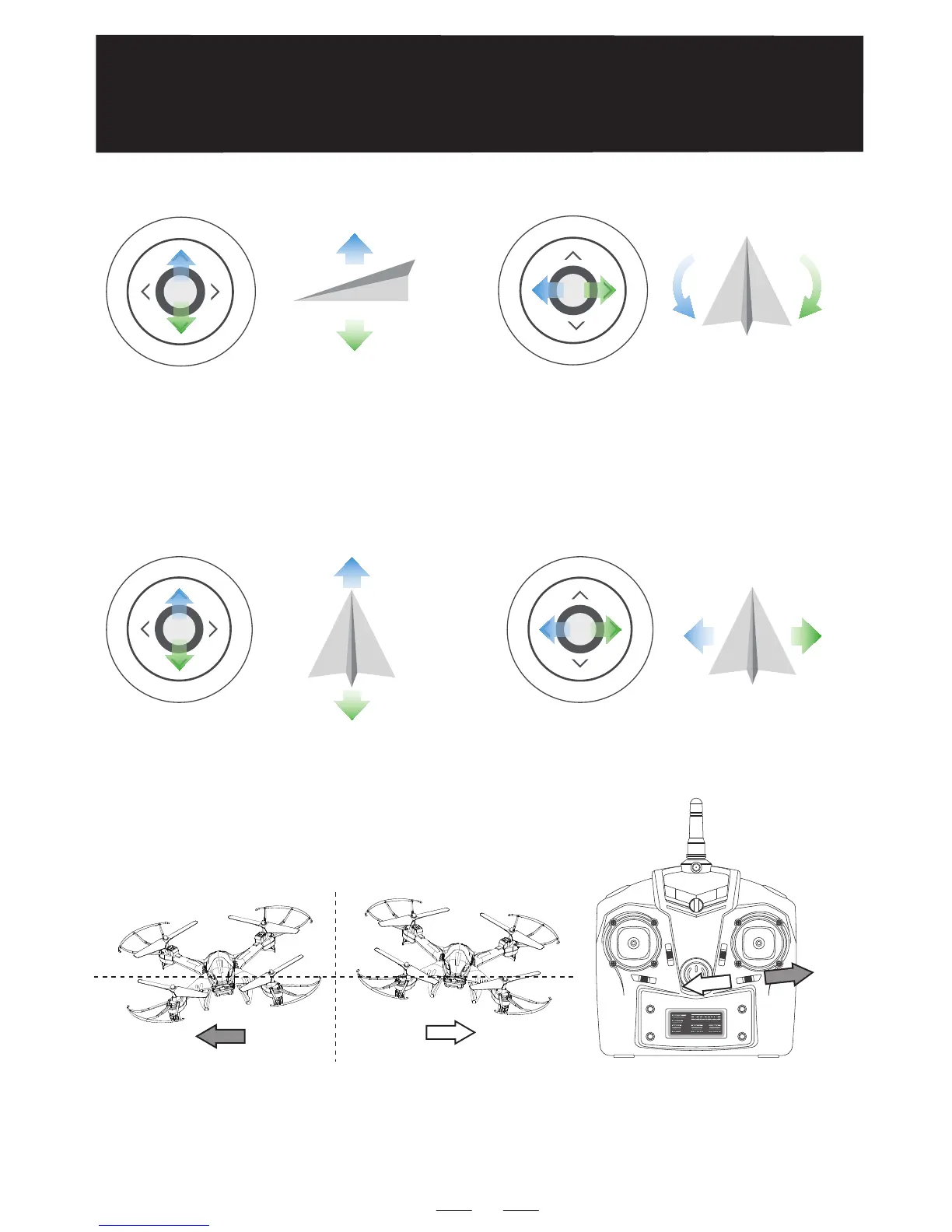
⑧ Push the left joystick (slowly) up/down/left/right, the drone will ascend/
descend,or rotate to left/right.
Push the right joystick up/down/left/right, the drone flies forward/
backward/left side/right side.
NOTICE:The default flight control is known as Mode 2. The left stick
controls the drone’s altitude and heading, while the right stick
controls its forward, backward, left and right movements.
⑨
⑩ L/R Sideward Fly Trim: When the drone drifts to the left or the right
side, slide the trim button to the opposite direction to re-balance the
drone.
11
U
P
D
o
w
n
T
u
r
n
R
i
g
h
t
T
u
r
n
L
e
f
t
F
o
r
w
a
r
d
B
a
c
k
w
a
r
d
R
i
g
h
t
L
e
f
t


 To Next Page