EasyManua.ls Logo

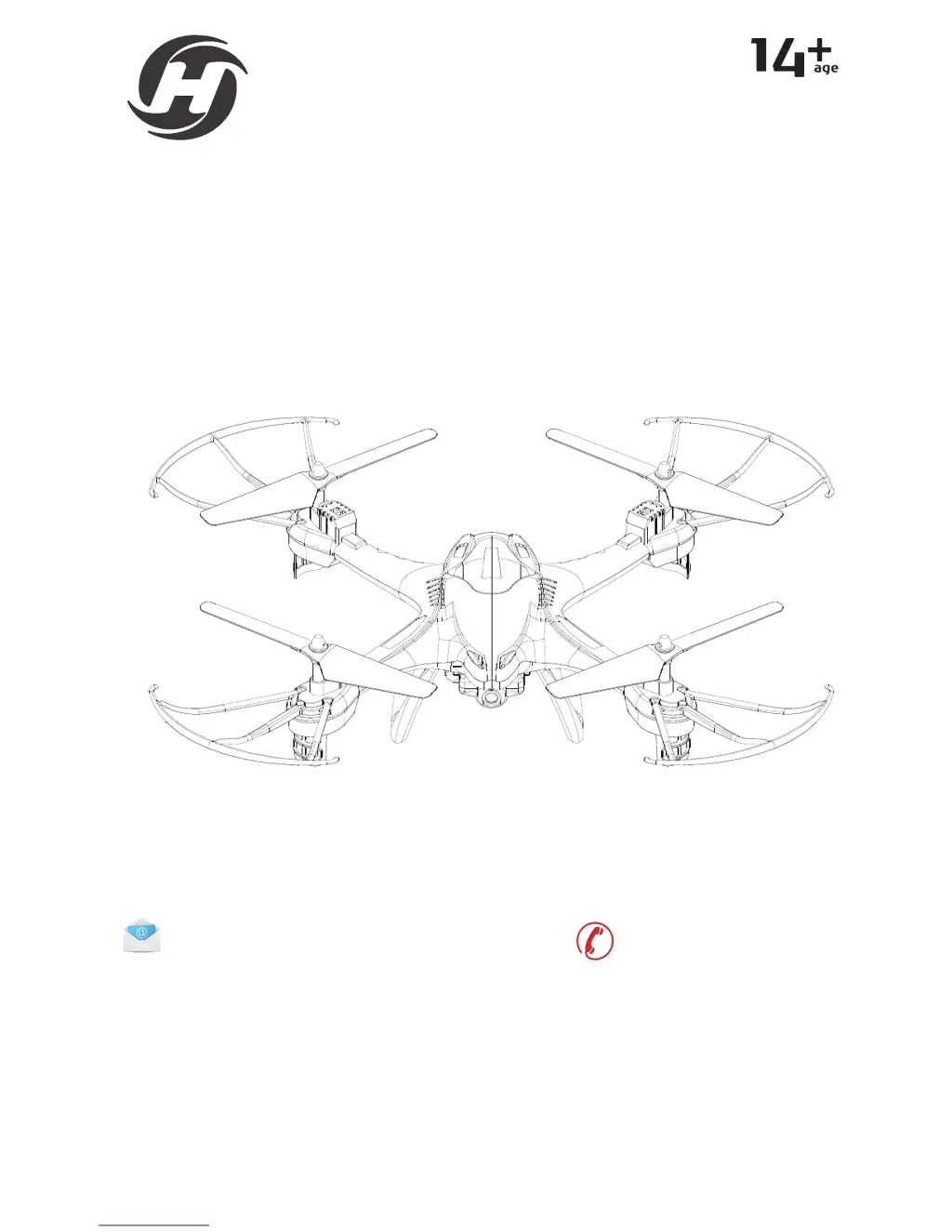
Holystone HS200 - User Manual

Default Icon
24 pages
Print Icon
To Next Page IconTo Next Page
Loading...
INSTRUCTIONS FOR USE
www.holystone.com
2.4GHz FPV real-time video and image transmitter drone
HS110/200
usa@holystone.com (America)
ca@holystone.com (Canada)
eu@holystone.com (Europe)
jp@holystone.com (Japan)
+1(855) 888-6699

Questions and Answers

  • C
    Christopher MitchellAug 9, 2025
    What to do if Holystone Drones propellers spin but the drone is unable to take off?
    • J
      Joseph MillerAug 9, 2025
      If your Holystone Drone's propellers are spinning but it's not taking off, it could be due to a couple of issues. First, make sure the propellers are assembled in the correct orientation, replacing them according to the motors if needed. Second, inspect the propellers for any distortion and replace them if they are damaged.
  • J
    Jessica SchmidtAug 14, 2025
    Why Holystone HS200 indication lights are flashing and does not respond to the transmitter?
    • D
      Dr. Michael Diaz DVMAug 14, 2025
      If the indication lights on your Holystone Drone are flashing and it's not responding to the transmitter, there are a couple of potential causes. First, the communication between the drone and transmitter might not be correct; try pairing them again by referring to the preparation for taking off instructions. Second, the battery power might be low, so try recharging the battery.
  • B
    brianduncanAug 21, 2025
    What to do if Holystone HS200 become out of control after crashing?
    • O
      onealjaredAug 21, 2025
      If your Holystone Drone becomes uncontrollable after a crash, it's likely that the gyro sensor has lost its balance. To fix this, place the drone on a level surface for 5-10 seconds and recalibrate the gyro.
  • M
    melissacollinsAug 27, 2025
    Why Holystone HS200 trimmer buttons are all on but the drone still cannot keep balance?
    • A
      ashleydiazAug 27, 2025
      If the trimmer buttons are active but your Holystone Drone still struggles to maintain balance, there could be a couple of reasons. First, check if the propellers are distorted and replace them if necessary. Second, the motor might not be functioning correctly, in which case you should replace the motor.
  • M
    Mr. Joshua SmithSep 1, 2025
    Why Holystone HS200 shakes hardly?
    • T
      tjonesSep 1, 2025
      If your Holystone Drone is shaking intensely, it is likely due to distorted propellers. You should replace the propellers.

Summary

Preface

Maintenance

Transmitter Functions

Transmitter Batteries Installation

Drones Details

Charging the Lithium Battery of Drone

Cautions During Charging

Safety precautions and warnings to follow when charging the drone's Li-Po battery.

Specifications

Drone Specifications

Technical specifications for the drone model, including weight, dimensions, and flight time.

Camera Specifications

Technical details of the drone's camera, including photo and video capabilities.

App and Live View Specifications

Specifications for the mobile app, live view quality, and system requirements.

Transmitter Specifications

Technical data for the transmitter, including operating frequency and battery type.

Flight Battery Specifications

Details on the drone's flight battery, such as capacity, voltage, and energy.

USB Charging Cable Specifications

Technical specifications for the drone's USB charging cable.

Flight Operations

Headless Mode

One Key Return Function

Wi-Fi Camera Function

First Person View Function

Trouble Shooting

General Information

FCC Notice and Compliance

Statement regarding FCC rules compliance for radio frequency interference.

RF Exposure Information

Details on compliance with radio frequency exposure limits for safe operation.

Holystone HS200 Specifications

General IconGeneral
BrandHolystone
ModelHS200
CategoryDrones
LanguageEnglish

Related product manuals