EasyManua.ls Logo

HOLZMANN MASCHINEN MSA 250 - User Manual

HOLZMANN MASCHINEN MSA 250
40 pages
Go to English
Print Icon
To Next Page IconTo Next Page
Loading...
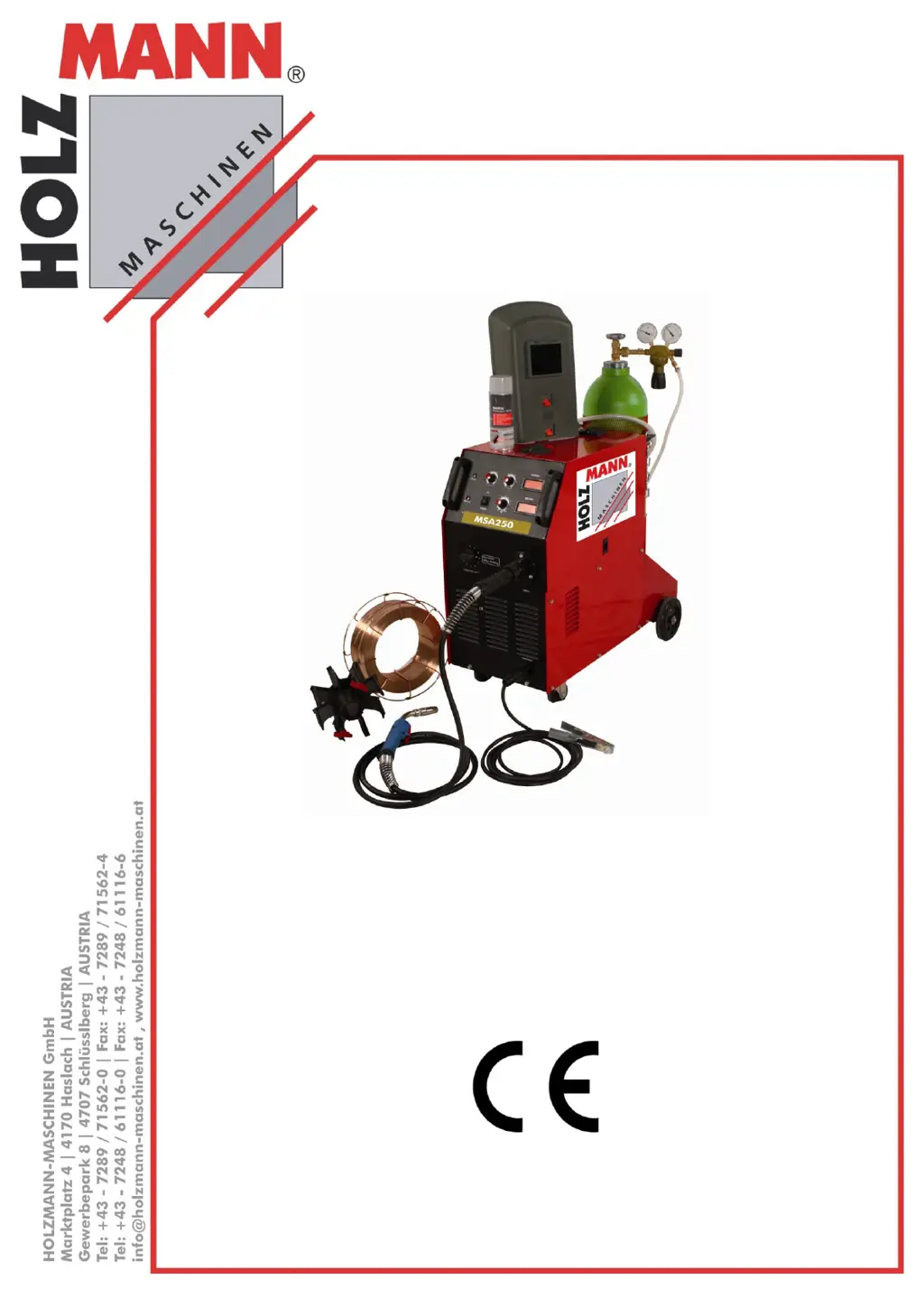
MSA 250/MSA315
Schweißgerät
Welding Machine
Bedienungsanleitung und
Sicherheitshinweise lesen
und beachten!
Technische Änderungen
sowie Druck- und Satz-
fehler vorbehalten!
Read the operation manual
carefully before first use!
Technical data subject to
changes, errors excepted!
Ausgabe/Edition: 2012 Revision 00 DE/EN
DE
Bedienungsanleitung
Schweißgerät
EN
User Manual
welding machine

Questions and Answers

  • C
    Charles WolfeAug 3, 2025
    What to do if the wire feeder is not working on my HOLZMANN MASCHINEN Welding System?
    • L
      Lori StewartAug 4, 2025
      If the wire feeder isn't working on your HOLZMANN MASCHINEN Welding System, there are several potential causes: * A blown fuse: Replace the 15A/250V fuse located on the back panel. * Loose cables: Ensure all cables are properly connected. * A blockage in the wire: Inspect the gun for any obstructions. * A faulty drive circuit: Replace the control panel. If these steps don't resolve the issue, it may be due to other reasons, and you should contact the manufacturer.
  • C
    Colin JonesAug 9, 2025
    Why is the overheating light on my HOLZMANN MASCHINEN Welding System?
    • R
      ryanerinAug 9, 2025
      If the overheating light is on for your HOLZMANN MASCHINEN Welding System, it could be due to several reasons: 1. Poor ventilation: Clear any obstructions within 0.5 meters around the unit to improve airflow. 2. High temperature: Reduce the temperature setting. 3. Overload: Decrease the amount of use. 4. Faulty thermostat: Replace the thermostat (JUC-OF). 5. Broken control plate: Check and replace the control plate.
  • K
    Kiara SmithAug 16, 2025
    How to fix welding voltage and welding current not adjustable on HOLZMANN MASCHINEN MSA 250?
    • J
      Jamie EwingAug 16, 2025
      If the welding voltage and current aren't adjustable on your HOLZMANN MASCHINEN Welding System, here are a few things to check: * Loose voltage switch line: Reconnect any fallen lines. * Faulty voltage switch: Replace the switch. * Blown fuse: Replace the 15A/250V fuse on the back panel. * Loose cables: Ensure all cables are properly connected.
  • D
    Dr. Tammy McgrathAug 22, 2025
    What to do if there is no indicating on the front panel of my HOLZMANN MASCHINEN Welding System?
    • D
      Derek NewtonAug 22, 2025
      If there's no indication on the front panel of your HOLZMANN MASCHINEN Welding System, consider these potential causes: * Power issue: Check the power supply for any phase absence. * Blown fuse: Replace the 15A/250V fuse located on the back panel. * Faulty indicating light: Replace the indicating light.
  • D
    Dorothy DonaldsonAug 28, 2025
    Why is the fan not working properly on my HOLZMANN MASCHINEN MSA 250?
    • S
      samantha54Aug 28, 2025
      If the fan isn't working properly on your HOLZMANN MASCHINEN Welding System, it might be due to: 1. A loose fan line: Connect the line. 2. Fan damage: Replace the fan.

Summary

Preface

Dear Customer

Welcomes the user and introduces the manual's purpose and importance for correct machine usage.

Safety Instructions

Emphasizes reading and obeying security instructions before first use for correct operation and user safety.

Technical Data

Safety Guidelines

Proper Usage

Rules for correct operation and manufacturer's responsibilities regarding machine manipulation.

General Rules of Security

Essential safety practices for maintaining a safe workshop environment and tool care.

Product Specific Security Rules

Detailed precautions for safe welding operations, including protective gear and work area safety.

Incorrect Usage

Lists forbidden operations, modifications, and improper use of the welding machine.

Further Safety Instructions

Important warnings regarding operating conditions, authorized personnel, and machine labels.

Assembly and Operation

Functions

Explains various operational functions like voltage/current adjustment, spot welding, and wire feed.

Control Panel Indicators and Warnings

Identifies and explains indicators and warning lights on the front control panel.

Back Panel Overview

Details components and connections found on the machine's back panel.

Safe Installation and Operation Precautions

Covers safety aspects for installation, operation, and general cautions like high voltage and arc.

Transportation and Environment Conditions

Specifies requirements for transporting and operating the machine in different environments.

Installation Procedure

Step-by-step guide for connecting and setting up the welding machine, including grounding.

Operations

Operating Controls and Settings

Details on using switches, wire feed, gas settings, and welding parameters for optimal results.

Welding Cable Length Considerations

Discusses the impact of welding cable length on performance, voltage drop, and arc quality.

Maintenance and Servicing

Routine Maintenance Checks

Procedures for cleaning, checking connections, and inspecting components for wear and tear.

Troubleshooting

Suggested Welding Criterion

Wire Diameter and Welding Parameter Selection

Guide for selecting wire diameter and corresponding voltage/current settings for optimal welding.

Spare Part Order

Ordering Original Spare Parts

Information on the importance and process of ordering genuine Holzmann spare parts for longevity.

Certificate of Conformity

Guarantee Declaration

Warranty Terms and Conditions

Details the warranty coverage, period, exclusions, and claim procedures for the machine.

Guarantee Terms

HOLZMANN MASCHINEN MSA 250 Specifications

General IconGeneral
input voltage230V
protection classIP21S
weight15 kg
Duty cycle at 250 A60%
frequency50 Hz
welding current250 A
electrode diameter1.6-4.0mm
Welding current range20-250A
Power supply230 V, 50/60 Hz