USING THE AIR WALKER TRAINER
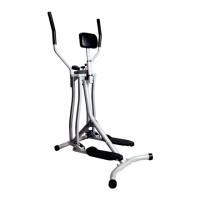
Placing your feet on the Air Walk Trainer
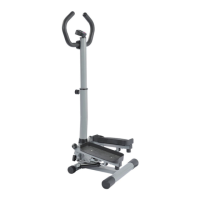
Stand behind the Air Walk Trainer wit h each hand holding one of the handlebars. Make
sure to push and pull each handlebar prior to placing your feet on the foot pedals, in
order to feel the tension and motion of the machine. Steadily hold the right handlebar
as yo u place yo r right foot on the rig ht pedal. Continue to steadily hold each of the
handlebars as y ou balance on your right foot to lift your left foot and place your left
foot on the left pedal .
Using the Air Walker Trainer
For optimal movement you will need to have a steady push and pull motion. As you
push one arm, you will need to pull the other arm , in tandem, to create a steady
walking motion o n the machine. Make sure you are balanced and using smooth,
controlled movements.
MONITOR FUNCTIONS
FUNCTION BUTTON: Press the large r d button ( mode) on the monitor to select a
function: time, count, total count, calorie s. If you hold the red button for 4 seconds the
monitor will completely reset (except for the Total Count).
SCAN:
P
ress the “ mode” button to select “scan.” This function will automatically
scan through all of the functions dis played on the bottom line of the monitor.
TIME: Automatically keeps track of your time for ea ch session .
COUNT: Automatically keeps track of your counts for each session.
TOTAL COUNT: Automatically keeps tr ck of your accumulated counts for all of
your sessions. The Total Count will be reset once you re place the battery.
CALORIES: Keep s track of y our calories burned for each session.
*NOTE:
1.If there is an inaccurate display on the monitor, replace the AAA battery (1.5V).
2.
Monitor will automatically turn on once you begin exercising on the machine or if you
push the red “mode” button and it will automatically shut-off after 4 minutes
inactivity
3. The monitor will automatically start calculating when you begin exercising o n the
machine and will automatically stop calculating after 4 seconds of inactivity. After 4
seconds of inactivity, all of the unctions w ill automatically stop calculating and a “stop”
sign will appear on the upper-left corner f the monitor.


 To Previous Page