EasyManua.ls Logo

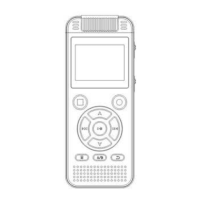
Homder TF-10 - Product Appearance

Homder TF-10
24 pages
Print Icon
To Next Page IconTo Next Page
To Previous Page IconTo Previous Page
Loading...
1.
Recordin
醉:
If there are
a
町
saved
re
∞时
i
咿
in
the
devi
饵,
you can press "0" butlon
to go into the
li
段。>f
the
re
∞
rdings.
2.M
胸
us
副盹缸
ic:
缸
:1
阳
ft
刊
fth
甘
ther
,盯盯
n
町
ysav
,町
ve
刨
dmu
叫』后剧肌
s
剑
ic in
川
1
叫
t
阳
h
怕
1
陌削
edevi
阳臼盹,
y'
阳
oαωu
川刷
r
臼
can
却
n
pre
陪晦
e
臼
ss"O"
、
'bu
趴阳
u
巾』
the list
of
the songs.
3.Re
∞
rding
Se甜
ngs:
In
re
∞
rding
setlings you will find many useful functions to let you
make
re
∞
rding mo
阻
easy and convenient,
pre
陪
e
旷
'O"but
阳
to
阳阳
oα
.o
n
川
1
川
t
肌。
ωch
阳
e
臼
ckal
俑叫
all
阳∞
n
阳
t
『陌
e
∞
rdin
咱
gs
臼
e
眈创
ing
伊
s.
4.S'
附
mS
创咿:
There are many other
setli
咿
and
functions,
p
邸"
0"
butlon
to
伽
ck
all the
∞
ntents
of
system setlings.
5.
Playba
ck:
Inter
阳帽
:You
臼
n
choose and then listen to the
re
∞
rding/music
in
this
inte
巾四.
07
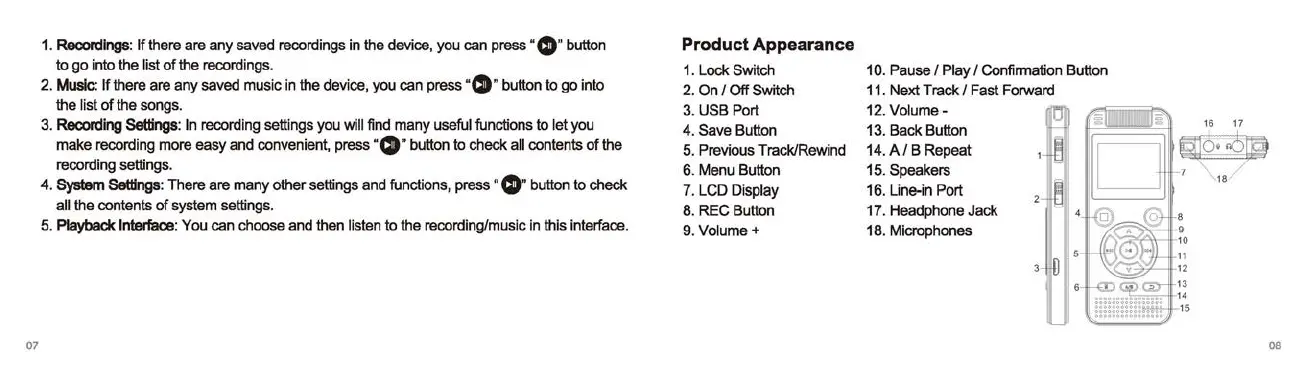
Product
Appearance
1.
Lock Switch
2.0n/0
仔
Switch
3.
USB
P
。此
4.
Save Butlon
5.
Previous TracklRewind
6.
Menu Butlon
7.
LCD Display
8.
REC Butlon
9.
Volume+
10. Pause 1 Play 1 Confirmation Butlon
11.
Ne
对
Track
1 Fast Forward
12.
Volume-
13. Back Butlon
14.
AI
B Repeat
15. Speakers
16.
Li
ne-in Port
17. Headphone Jack
18. Microphones
u
号
08