EasyManua.ls Logo

Home Decorators Collection Smart Roller Shade - User Manual

Home Decorators Collection Smart Roller Shade
9 pages
Print Icon
To Next Page IconTo Next Page
Loading...
THANK YOU
USE AND CARE GUIDE
1-877-592-5233
HOMEDEPOT.COM/HUBSPACE
We appreciate the trust and confidence you have placed in Home Decorators Collection through the purchase of this product. We strive to
continually create quality products designed to enhance your home. Visit us online to see our full line of products available for your home
improvement needs. Thank you for choosing Home Decorators Collection!
Questions, problems, missing parts? Before returning to the store,
call Hubspace Customer Service
8 a.m. - 7 p.m., EST, Monday-Friday, 9 a.m. - 6 p.m. EST, Saturday
Smart Roller Shade Installation Instructions
Question and Answer IconNeed help?

Do you have a question about the Home Decorators Collection Smart Roller Shade and is the answer not in the manual?

Overview

This document provides the use and care guide for the Home Decorators Collection Hubspace Smart Roller Shade. It includes installation instructions, safety information, warranty details, and setup procedures for the remote control and application.

Function Description:

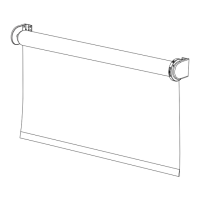
The Hubspace Smart Roller Shade is a motorized window covering designed for indoor use. It can be controlled via a remote control or through the Hubspace mobile application, allowing for smart home integration and voice assistant control. The shade features adjustable upper and lower limits, and its motor direction can be reversed for over-roll or under-roll installations. The device is powered by a rechargeable battery.

Important Technical Specifications:

  • Power Source: Rechargeable battery. Charger sold separately.
  • Charging: Requires a class 2 or LPS charger with a USB output of 5Vdc, 1-1.5A. Charge under ambient temperatures of 0-40°C.
  • Operation Temperature: Recommended 5-50°C.
  • Storage Temperature: -10~65°C.
  • Connectivity: Hubspace app, 2.4GHz Wi-Fi channel (compatible with most routers), Bluetooth for device setup.
  • Remote Control: Can record up to 16 remote control channels. Each remote must be paired with the motor.
  • FCC Compliance: Part 15 of the FCC Rules. This device may not cause harmful interference and must accept any interference received. Changes or modifications not expressly approved by the manufacturer could void the user's authority to operate the equipment.

Usage Features:

  • Installation: Designed for both inside and outside window frame mounting. Brackets A and B are universal. Bracket covers (C & C') need to be removed for mounting. For default under-roll installation, Bracket A goes on the left and Bracket B on the right. For over-roll installation, Bracket B goes on the left and Bracket A on the right. Motor direction may need to be reversed for over-roll installations.
  • First-Time Use: Requires up to 6 hours of charging before first use. Connect the charger to the motor interface socket and plug it into a wall socket.
  • Remote Control Pairing: To pair the remote, long press the motor [Up] [Down] key for 3 seconds until the motor jitters and the LED indicator lights up. Then, press the channel setting button on the back of the remote control. The shade will jig, and the motor LED will flash 4 times, indicating successful pairing.
  • Reversing Roll Direction: For over-the-roll installations, after entering pairing mode, hold the [channel left selection] + [Stop] button simultaneously. The motor will shake once, and the motor LED will blink 3 times.
  • Setting Upper and Lower Limits:
    • Entering Setting Mode: For the upper limit, long press the [Channel setting] + [Up] buttons together for 4 seconds. For the lower limit, long press the [Channel setting] + [Down] buttons together for 4 seconds. The motor will jig, and the LED will light up.
    • Adjusting Limits: Inch the shade to the desired upper or lower limit position by long or short pressing the [Up] or [Down] buttons.
    • Confirming Limits: Hold the [Channel setting] button for 4 seconds to complete defining the limit. This action must be completed within 3 minutes, or the setting will time out.
  • Inching Shade Up or Down: When in pairing mode (or if limits are not set), short press the [up] button to open continuously or the [down] button to close continuously. Long press the [down] button (up to 15 seconds) to move continuously; the shade stops when the button is released.
  • Removing Existing Pairing: Long press the motor [up] & [down] buttons together for 10 seconds. The motor will jitter, the motor LED will go out, and all existing remote control pairings will be wiped from the motor.
  • Application Setup (Hubspace App):
    • Download the Hubspace™ app from the App Store or Google Play Store.
    • Launch the app, register or log in. Bluetooth access is required for device setup.
    • Verify network: Hubspace only shows 2.4GHz Wi-Fi networks. Ensure your router provides a 2.4 GHz channel.
    • Add device: Tap the plus sign in the app, scan the product's QR code (found on the device or Quick Start Guide), or enter the code manually. Connect the device to power and follow on-screen instructions.
    • Voice Assistant Setup: In the Hubspace app, tap the Hubspace button, select the Integrations tab, choose your voice assistant, and follow instructions.

Maintenance Features:

  • Cleaning: No specific cleaning instructions are provided in this document, but general care for window coverings would apply.
  • Battery Care: Recharge only with the specified charger. Do not expose the battery pack to fire or excessive temperatures (above 130°C/265°F). Follow all charging instructions and do not charge outside the specified temperature range.
  • Repair: Servicing should be performed by a qualified repair person using only identical replacement parts to ensure product safety. Do not modify or attempt to repair the appliance except as indicated in the instructions.
  • Troubleshooting: For questions, problems, or missing parts, contact Hubspace Customer Service at 1-877-592-5233. Before returning to the store, call customer service.
  • Warranty: Limited 1-year warranty covering defects in workmanship or materials for the Cellular Shade Motorization Module from the date of purchase. It does not cover wearable parts, malfunction, failure, or defects from misuse, abuse, neglect, alteration, modification, or repairs by non-manufacturer personnel. Proof of purchase (e.g., bill of sale) is required for warranty service. Implied warranties are limited to three years. The manufacturer is not responsible for direct, indirect, or incidental damages.

Home Decorators Collection Smart Roller Shade Specifications

General IconGeneral
BrandHome Decorators Collection
ModelSmart Roller Shade
CategoryWindow Blinds
LanguageEnglish

Related product manuals