EasyManua.ls Logo

Home Theater Master MX-500 - User Manual

Home Theater Master MX-500
48 pages
Print Icon
To Next Page IconTo Next Page
Loading...
MX-500™
Operating
Manual
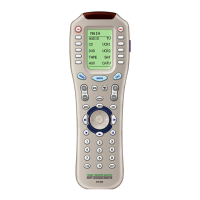
Home Theater Master
LCD Screen
Preprogrammed and Learning
Remote Control
Home Theater Master
LCD Screen
Preprogrammed and Learning
Remote Control
£—

Other manuals for Home Theater Master MX-500

Question and Answer IconNeed help?

Do you have a question about the Home Theater Master MX-500 and is the answer not in the manual?

Summary

2. Batteries

3. Summary of Operations

C. Learning From Other Remote Controls

How the MX-500 can learn commands from existing remote controls.

D. Macro Operations

How to program sequences of commands into single buttons.

4. Programming MX-500 to Control Your Components

1. Three-Digit Code Number

Programming components using a specific three-digit code for the brand.

2. Auto Scan with Three Digit Number

Programming components by automatically scanning through available codes.

1. Programming Function Buttons

Learning commands for individual function buttons on the remote.

2. Programming the Ten Device Buttons

Learning commands for the ten device selection buttons.

5. Programming Favorite Channels

6. Programming Macro Buttons

A. Programming Macro Functions to M1- M3, Power and System Off Buttons

Programming macro functions for specific dedicated macro buttons.

B. Programming Macro Functions to the Ten Device Buttons

Programming macro functions for the ten device buttons.

7. Programming Punch Through Functions

8. Erasing Existing Programming

9. LCD Button Editing

12. Cloning MX-500тм

13. Factory Reset

Home Theater Master MX-500 Specifications

General IconGeneral
BrandHome Theater Master
ModelMX-500
TypeUniversal Remote Control
Macro CapabilityYes
LearningYes
BacklightYes
LCD ScreenYes
Battery TypeAA

Related product manuals