2
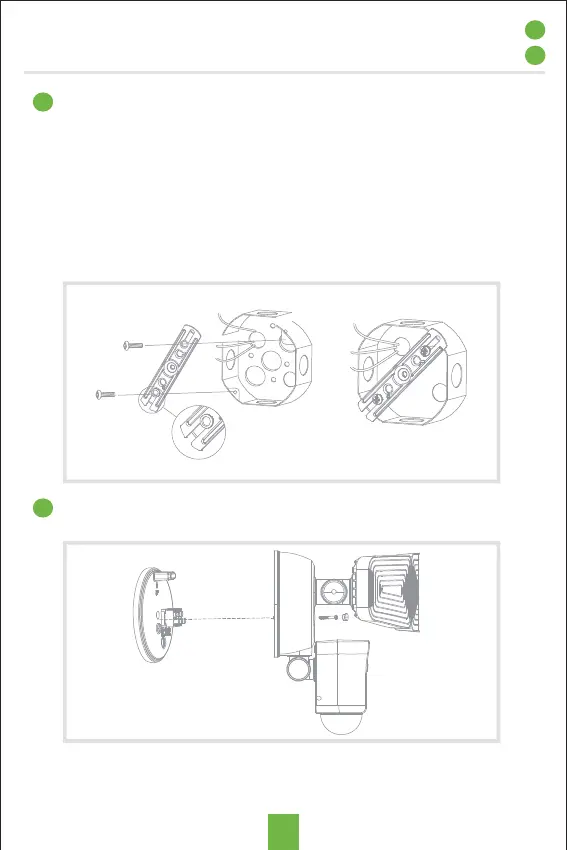
Unscrew the center mounting screw on the light fixture in order to
remove the back plate on the back of the light fixture
Install the mounting bar to the outlet box with the stamped word
"FRONT" facing away from the outlet box, use two mounting
screws that best fit the outlet box.
(Choose one group of suitable mounting screws among two
groups in the hardware pack)
Note: For the best performance, install fixture at 5.9 feet ~11.5 feet
(1.8~3.5m) above the ground.
Note: Please install the flood light camera within Wi-Fi covered
area to ensure best performance
3
Installation
1


 To Next Page
 Loading...