EasyManua.ls Logo

HOMEGRID Stack'd Series - SAFETY STATEMENTS; Critical User Information; Safety Symbols

Default Icon
10 pages
Print Icon
To Next Page IconTo Next Page
To Previous Page IconTo Previous Page
Loading...
4
Address
Coding
Dial Code Switch Position
Definition
#1
#2
#5
#6
1
ON
OFF
OFF
OFF
Set to the slave Pack1
2
OFF
ON
OFF
OFF
Set to the slave Pack2
3
ON
ON
OFF
OFF
Set to the slave Pack 3
4
OFF
OFF
OFF
OFF
Set to the slave Pack 4
5
ON
OFF
OFF
OFF
Set to the slave Pack 5
6
OFF
ON
OFF
OFF
Set to the slave Pack 6
7
ON
ON
OFF
OFF
Set to the slave Pack 7
8
OFF
OFF
OFF
OFF
Set to the slave Pack 8
Turn on Modules
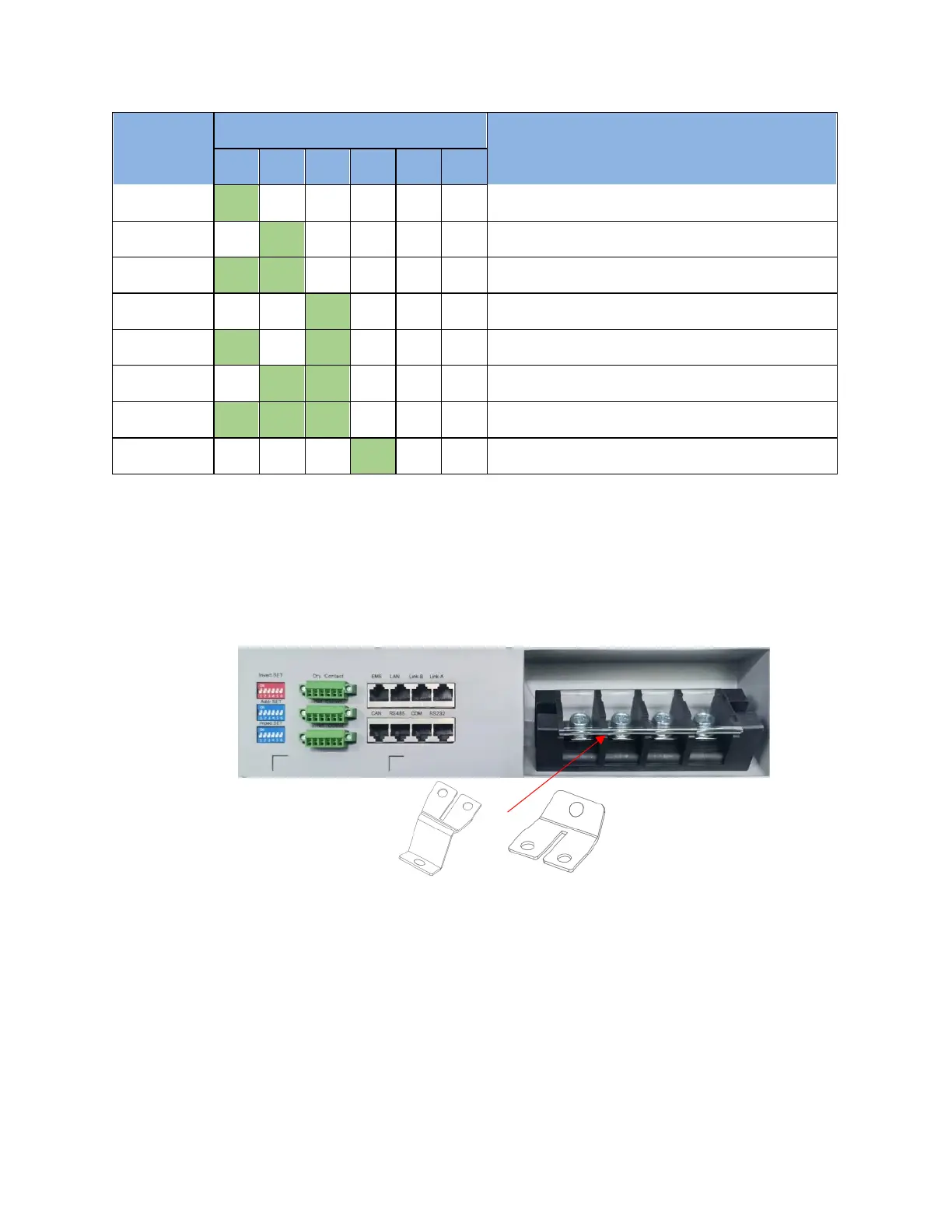
Place Controller (main BMS) on top of system
- Make sure Controller is off. Then remove top and side covers from Controller.
- Install included BUS bars onto Controller terminals.
- Connect power cables (4/0) to BUS bars and inverter.
Create comm cable for inverter communication then connect to battery and inverter.
- Correct port (CAN/RS485) should be used on Controller according to inverter. See below:

Other manuals for HOMEGRID Stack'd Series