EasyManua.ls Logo

HomeMatic HmIP-HAP - User Manual

HomeMatic HmIP-HAP
45 pages
Go to English
Print Icon
To Next Page IconTo Next Page
Loading...
Montage- und
Bedienungsanleitung
Mounting instruction and
operating manual
Access Point (DE) S. 2
Access Point (EN) p. 24
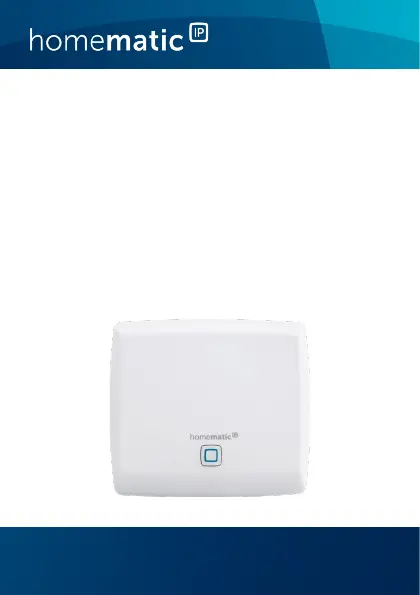
HmIP-HAP

Other manuals for HomeMatic HmIP-HAP

Questions and Answers

  • R
    rossantonioJul 28, 2025
    What to do if my HomeMatic Wireless Access Point has no Internet connection?
    • D
      Deanna ObrienJul 28, 2025
      If your HomeMatic Wireless Access Point has no Internet connection, verify the Internet connection and firewall settings. Also, check the Internet connection itself to ensure it is active.
  • K
    Kiara MitchellAug 4, 2025
    Why is my HomeMatic Wireless Access Point command not confirmed?
    • D
      David CarpenterAug 4, 2025
      If at least one receiver does not confirm a command, it may be due to radio interference. Ensure the receiver can be reached. Check if the receiver is unable to execute the command because of a load failure or mechanical blockade. Also, verify if the receiver is defective.
  • E
    elizabeth74Aug 11, 2025
    How to fix error during update of my HomeMatic HmIP-HAP?
    • E
      Ellen MarksAug 12, 2025
      If you encounter an error during the update of your HomeMatic Wireless Access Point, check the server and Internet connection. Restart the Access Point.
  • J
    Jennifer EsparzaAug 18, 2025
    How to restore the factory settings of HomeMatic HmIP-HAP Wireless Access Point?
    • J
      Joseph MckinneyAug 18, 2025
      Press and hold down the system button again for 4 seconds, until the LED lights up green.

Summary

Information about this manual

Hazard information

Details critical safety warnings and precautions for the proper and safe use of the device.

Homematic IP - The next smart home generation

Function and device overview

Device overview

Details the front view of the device, including the system button and LED indicator.

Start-up

Set-up and mounting of the Access Point

Instructions for downloading the app, placing the Access Point, and initial physical connections.

First steps: Connecting devices and adding rooms

Guide on how to connect new Homematic IP devices and assign them to specific rooms in the app.

Operation and configuration

Information on controlling and configuring the Homematic IP system after initial setup via the app.

Troubleshooting

Command not confirmed

Addresses issues where commands are not confirmed, likely due to radio interference or receiver problems.

Duty cycle

Explains the legally regulated limit of transmission time in the 868 MHz frequency range.

Error codes and flashing sequences

Lists various LED flashing codes and their corresponding meanings and solutions for troubleshooting.

Restore factory settings

Resetting the Access Point

Procedure to restore only the Access Point's factory settings without affecting the entire installation.

Resetting and deleting the entire installation

Steps to reset the entire Homematic IP installation, including all connected devices and settings.

Maintenance and cleaning

General information about radio operation

Technical specifications

HomeMatic HmIP-HAP Specifications

General IconGeneral
TypeWireless Access Point
SeriesHmIP
Wireless StandardIEEE 802.15.4
Housing MaterialPlastic
Protection ClassIP20
EncryptionAES-128
Transmission Power10 mW
ProtocolHomeMatic IP
Power Supply230 V
HumidityNon-condensing
FunctionCentral unit for HomeMatic IP devices