EasyManua.ls Logo

HomeMatic HmIP-SWO-PR - User Manual

HomeMatic HmIP-SWO-PR
75 pages
Go to English
Print Icon
To Next Page IconTo Next Page
Loading...
Installations- und
Bedienungsanleitung
Installation instruction and
operating manual
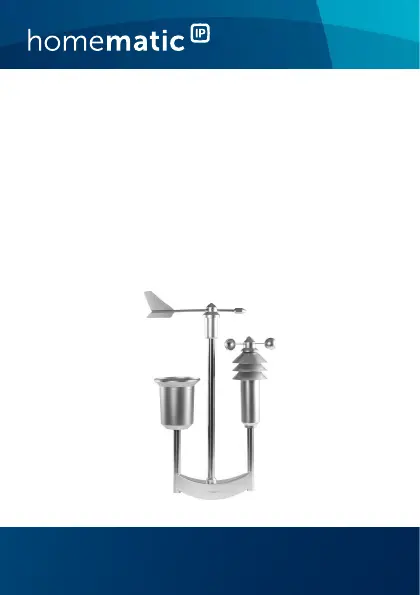
Wettersensor – pro S. 2
Weather Sensor – pro
p. 41
HmIP-SWO-PR

Questions and Answers

  • C
    cartervickiAug 2, 2025
    What to do if my HomeMatic Accessories device is defective?
    • J
      John CoxAug 3, 2025
      If your HomeMatic Accessories device isn't working correctly, check your app for any error messages. If the problem persists, it's best to get in touch with the retailer you bought it from for further assistance.
  • A
    Amy GutierrezAug 8, 2025
    What to do if the batteries are empty in my HomeMatic Accessories?
    • B
      Brandy AndradeAug 8, 2025
      If your HomeMatic Accessories device indicates that the batteries are empty, you should replace them. Refer to section '7 Replacing batteries' on page 59 for instructions on how to do this.
  • W
    williamschrisAug 15, 2025
    Why is the command not confirmed on my HomeMatic Accessories?
    • L
      Lauren CraigAug 15, 2025
      If you are experiencing a command not confirmed issue with your HomeMatic Accessories, it could be due to several reasons. The receiver might be out of reach, unable to execute the command because of a load failure or mechanical blockade, or it might be defective.
  • B
    Brianna LaraAug 21, 2025
    How to fix weak batteries in HomeMatic HmIP-SWO-PR Accessories?
    • R
      reyesgaryAug 21, 2025
      If your HomeMatic Accessories device has weak batteries, replace the old batteries with two new ones. For instructions, see section '7 Replacing batteries' on page 59.
  • P
    philip69Aug 27, 2025
    What to do if transmission failed or duty cycle limit is reached on HomeMatic HmIP-SWO-PR Accessories?
    • T
      Tina DoyleAug 27, 2025
      If a transmission fails or the duty cycle limit is reached on your HomeMatic Accessories, try again. You may find more information in section '8.2 Command not confirmed' on page 61 or '8.3 Duty cycle' on page 61.

Summary

Information About This Manual

Hazard Information and Safety Precautions

Function and Device Overview

General System Information

Mounting the Weather Sensor

First Start-up and Configuration

Teaching-in the Device

Procedure for connecting the weather sensor to the Homematic IP system via the app.

Aligning the Weathervane

Instructions to correctly orient the weathervane for accurate wind direction readings.

Replacing Batteries

Troubleshooting Common Issues

Weak Batteries

Diagnosing and resolving issues related to low battery voltage.

Command Not Confirmed

Troubleshooting failed transmissions and unconfirmed commands.

Duty Cycle Limitations

Understanding and addressing issues related to radio transmission duty cycle limits.

Error Codes and Flashing Sequences

Interpreting system LED signals for error identification and status.

Restoring Factory Settings

Maintenance and Cleaning Guide

General Maintenance Information

General advice on device upkeep and when to seek expert help.

Cleaning the Rain Sensor

Detailed steps to clean the rain sensor and its components for accurate measurements.

Brightness Sensor Functionality

Radio Operation Information

Technical Specifications

Device Specifications Overview

Summary of key technical data including dimensions, voltage, current, battery life, and RF range.

Disposal and Conformity Information

Information on proper electronic waste disposal and product conformity declarations.

HomeMatic HmIP-SWO-PR Specifications

General IconGeneral
Device TypeWeather Station
Wireless TechnologyHomeMatic IP
Radio frequency868 MHz
Ambient/Operating Temperature-20 to +55 °C
Housing protectionIP44
Rain DetectionYes
Brightness MeasurementYes
Wind Speed MeasurementYes
Radio range300 m (open field)
Humidity Measurement Range0% to 100%
Temperature Measurement Range-20 °C to +55 °C
Battery Life2 years (typical)

Related product manuals