User Manual
Page 13 of 43
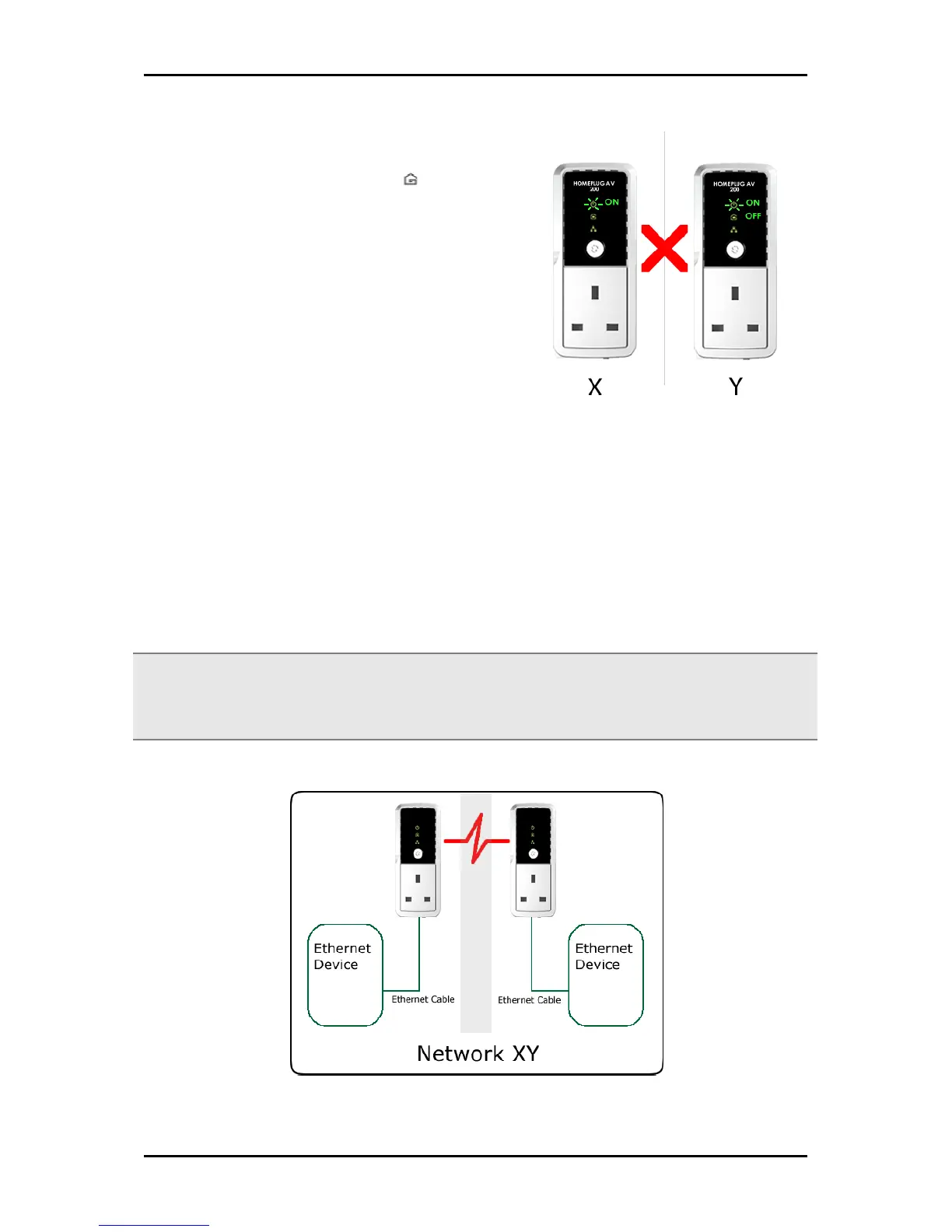
When the Powerline Activity LED on either
HomePlug X or HomePlug Y is off, this means
the pairing is not successful. In this case, you
need to redo the entire process again.
Step 5
Unplug the HomePlug AVs and then connect them to your Ethernet devices using the
Ethernet cables from the product package. After connecting the Ethernet cable, plug the
HomePlugs directly to a wall outlet.
An Ethernet-enabled device can be a router, computer, hub, gaming console, IP phone,
network printer, or IP TV set-top box.
Note:
Note:Note:
Note: HomePlug AVs work best when connected directly to a wall socket. Avoid plugging it to a power strip
or power extension. Other electrical devices in the power strip produce electrical noise that may affect the
performance of the HomePlug.


 To Next Page