p.3
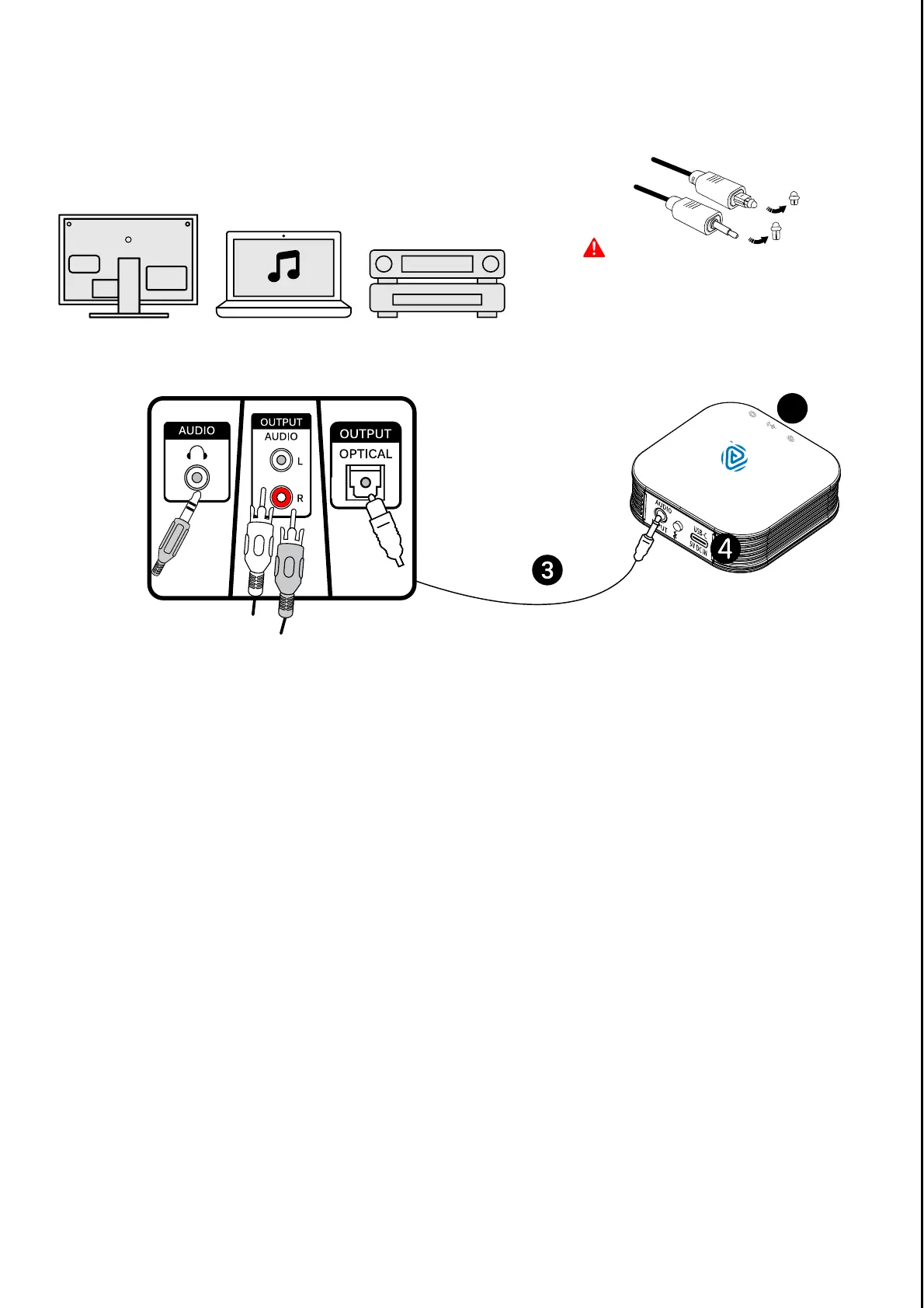
AUDIO CONNECTION
Important
Remove the protective cap from
both ends of the Optical TOSLINK
cable before use.
3. Connect the Broadcaster to ONE of the TV / Audio / Video system
audio output ports -
Optical Digital Output (TOSLINK / S/PDIF)
Analog Headphones Audio (3.5mm Jack)
Analog RCA Audio Output (Red/White Jack)
4. Or use a USB Charge-and-Data cable to connect the Broadcaster
to a device with USB audio output (UAC 1.0 / 2.0).
5. The Audio Input Indicator will turn Green if audio is set up correctly.
B
r
o
a
d
c
a
s
t
e
r
5


 To Next Page