
 Need help?
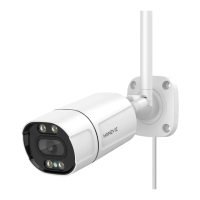
Do you have a question about the HOMEVIZ OB10 and is the answer not in the manual?
Guides users through downloading and installing the HOMEVIZ app via QR code or search.
Instructions for connecting the camera to a power source after microSD card insertion.
Details the wireless network configuration process for the camera setup.
Tap the relevant icon to enter the alarm setting interface.
Enable Humanoid Detection, APP Push, and Allow Notifications for alerts.
Tap the device and then access the playback feature to view footage.
Tap on the device and then select 'Vigilance' to access night light settings.
Configure light modes like Human Shape, Warm Light, or Infrared for night surveillance.
Access general settings, then Intelligent Alarm, and finally Alarm Sound.
Choose built-in alarm sounds or create custom voices.
Navigate through Intelligent Alarm to the Alert Area settings.
Define custom alert zones of various shapes for motion detection.
Navigate through Intelligent Alarm to the Cordon settings.
Set up cordon lines for motion detection with directionality options.
Tap to share access with friends using QR codes via the app.
Addresses issues with devices bound to master accounts and provides solutions.
 General
| Brand | HOMEVIZ |
|---|---|
| Model | OB10 |
| Category | Security Camera |
| Language | English |

 To Next Page