Need help?
Do you have a question about the Homeworx HW180STB and is the answer not in the manual?
General safety markings appearing on the rear panel of the receiver.
Key precautions for installation, use, and maintenance to prevent fire and electrical shocks.
Visual guide illustrating the proper connection of the STB to antenna, TV, and amplifier.
Step-by-step instructions for connecting the Antenna & Converter Box to external devices.
Guides users through finding TV and Radio channels via Auto or Manual search methods.
Instructions for searching CH3/CH4 channels utilizing RF IN/OUT ports.
Explanation of the loop through function via RF out when the converter box is in standby.
Lists key features like MPEG compatibility, OSD language, EPG, and software upgrade.
Details on each button's function on the provided remote control for device operation.
Guidelines on battery replacement, type (AAA), and usage notes for the remote control.
Warning about keeping batteries away from children and seeking medical help if swallowed.
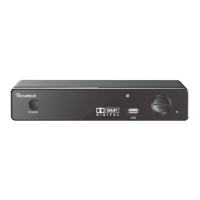
Identification of controls and indicators located on the front of the ATSC converter box.
Identification of ports and connectors situated on the rear of the ATSC converter box.
Guidance for setting up the receiver to enjoy high definition digital TV.
How to display program information using the INFO key during TV viewing.
How to select audio languages and modes using the AUDIO key.
How to access and view the weekly electronic program guide.
How to display all TV or Radio channels and select a preference channel.
How to add channels to a favorite list and launch your favorite channel list.
How to choose different Closed Caption (CC) types by pressing the CC button.
Accessing and using the Program Edit function for setting favorite channels.
Settings for Aspect Ratio, Resolution, and TV Format to match your display.
Options for Auto Search, Manual Search, Country selection, and Signal Type.
Configuration for Time Offset, Country Region, Time Zone, Sleep, and Daylight Time.
Settings for OSD Language, Close Caption options, and Audio Language.
Accessing Parental Guidance, Set Password, Restore Factory Default, Information, and Software Update.
Using the USB port to view Photos, play Music files, and view Movie files.
Instructions for preparing and copying software update files to a FAT32 formatted USB drive.
Step-by-step guide to perform the software update on the receiver via the USB interface.
Technical specifications for the tuner section, including connectors and bandwidth.
Details of the various output connectors available on the device.
Power specifications including AC input range and power consumption.
Physical specifications such as operating and storage temperature ranges.
Table listing common issues with the receiver and their corresponding troubleshooting steps.
 General
| Brand | Homeworx |
|---|---|
| Model | HW180STB |
| Category | Media Converter |
| Language | English |

 To Next Page