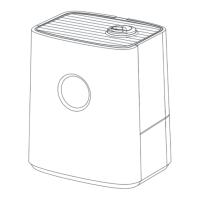
This document describes the Homvana Smart Hybrid Ultrasonic Humidifier, model H111S, a device designed to add moisture to the air in a room, with additional features for comfort and convenience.
Function Description:
The Homvana H111S is a smart hybrid ultrasonic humidifier that produces both cool and warm mist. It is designed to maintain a comfortable relative humidity level in indoor environments. The "hybrid" aspect suggests it can operate using both ultrasonic technology for cool mist and a heating element for warm mist. It features smart capabilities, allowing control via the Homvana App, and is compatible with third-party voice control systems like Amazon Alexa and Google Assistant. The device also includes an aroma box for diffusing essential oils, enhancing the user's experience.
Important Technical Specifications:
- Model: H111S
- Input: AC 120V, 60Hz
- Rated Power: 280W
- Water Tank Capacity: 6.5L / 1.72Gal
- Effective Range: 430-861ft² / 40-80m²
- Max Cool Mist Capacity: 300mL/h
- Max Warm Mist Capacity: 700mL/h
- Dimensions (Packaging): 140 × 180mm (22P) - Note: This dimension seems to refer to the packaging or a specific component, not the device itself.
- Materials (Packaging): 105g double copper paper - Note: This refers to the manual's material.
- Printing Process (Packaging): Four-color printing - Note: This refers to the manual's printing.
- Binding Process (Packaging): Saddle stitch - Note: This refers to the manual's binding.
Usage Features:
- Mist Levels: Offers multiple cool mist levels (Medium, High, Low) and warm mist levels (High, Off, Low, Medium). Medium cool mist is the default setting. The humidifier remembers the last set cool and warm mist levels.
- Auto Mode: Automatically maintains a comfortable relative humidity (RH) of 60% by default. The mist output adjusts as needed.
- Humidity Control: Users can program a target relative humidity percentage between 30% and 90%. The display will flash to confirm selection and alternate between the set RH and current RH. The humidifier stops misting when the environment RH reaches the preset level and restarts when it drops 5% below.
- Timer Function: Allows setting an auto-off timer from 1 to 12 hours. The display alternates between remaining time and current humidity percentage.
- Sleep Mode: Turns off the LED display and disables beep sounds for button presses, while the humidifier continues to operate as previously set.
- Child Lock: Disables all buttons except the Child Lock button itself, preventing accidental changes.
- Aroma Box: An integrated tray at the bottom of the base allows for the addition of 2-3 drops of essential oil onto an aroma pad for diffusion. Important: Essential oils should ONLY be added to the aroma pad, not directly into the water tank or base.
- Wi-Fi Connectivity & App Control: The humidifier can be paired with the Homvana App for remote control, setting timers/schedules, and monitoring humidity levels. The app also enables connection to Amazon Alexa or Google Assistant for voice control.
- Waterless Indicator: Alerts the user when the water tank is empty.
- Warm Mist Indicator: Shows the current warm mist level.
- Cool Mist Indicator: Shows the current cool mist level.
- Room Temperature Display: Shows the current room temperature.
- Humidity Percentage Display: Shows the current humidity percentage.
- Wi-Fi Indicator: Shows the status of the Wi-Fi connection.
Maintenance Features:
- Regular Cleaning: It is recommended to clean the humidifier at least once a week to prevent bacterial or mold growth.
- Water Tank and Base Chamber: Should be rinsed out and cleaned regularly. Distilled white vinegar is recommended for cleaning, not detergents.
- Anti-scale Pad: Should be changed when it turns hard.
- Steam Hood and Anti-scale Pad: Can be removed and rinsed under running water. For stubborn dirt, soak in a 1:20 citric acid and warm water solution for 10-15 minutes, then wipe with the included brush.
- Main Unit, Float, and Atomizer: For hard-to-remove dirt, fill the main unit with a 1:20 citric acid and warm water solution, soak for 10-15 minutes, then pour out the liquid and wipe clean.
- Aroma Pad: Can be cleaned and reused after diffusing essential oil. Do not pour liquid detergents onto the aroma pad. It is recommended to change the aroma pad every 6 months.
- Drying: After cleaning, all parts should be wiped dry and air-dried in a cool indoor place to prevent odors and mold.
- Storage: Store the device in a dry place without direct sunlight, ensuring it is thoroughly dry before storage.
- Water Type: Purified or distilled water is recommended to prevent white residue and reduce the need for frequent cleaning.
- Always keep out of reach of children.
- Do not use in wet environments or near heat sources.
- Place on a flat, level, water-resistant surface.
- Do not overfill the water tank.
- Do not plug in with wet hands.
- Do not allow water or other liquids into the mist tube or air flue.
- Always unplug when not in use or during cleaning.
- Allow the humidifier to cool completely before cleaning, especially after warm mist diffusion.
- Do not immerse the humidifier base, power cord, or plug in water.
- Do not use detergents for cleaning; only distilled white vinegar.
- Do not place foreign objects into the unit's base or water tank.
- Do not rotate or cover nozzles while on.
- Do not inhale mist directly from nozzles.
- Do not shake while using.
- Do not point the nozzle directly at smoke alarms.
- Warm mist can be hot; avoid placing bare hands, face, or exposed skin over nozzles during warm mist function.
- Do not add essential oil, supplemental water treatment liquids, or third-party water filters into the water tank or base, as this can damage the humidifier and cause leaks. ONLY add essential oil to the aroma pad.
Troubleshooting:
The manual provides a comprehensive troubleshooting guide for common issues such as the humidifier not turning on, incorrect humidity display, little or no mist, unusual smell, mold growth, loud noise, white dust, and water leaks. It also includes error codes (01, 02, 03, 04, 05, 06) with corresponding solutions, often involving cleaning specific components or contacting customer support. A dedicated section addresses issues with the Homvana App connection and incorrect humidity percentage display in the app.
Warranty:
Homvana offers a 30-day money-back guarantee, an industry-leading 3-year warranty, and lifetime technical support. Customers can contact support@homvana.shop for assistance, replacements, or refunds.

 Need help?
 General

 To Next Page