20
Menu setting
Press MENU key to display MENU.
Press MENU key to exit MENU.
If there is no key operation for 3 min., at MENU display, the exit from MENU is
done automatically.
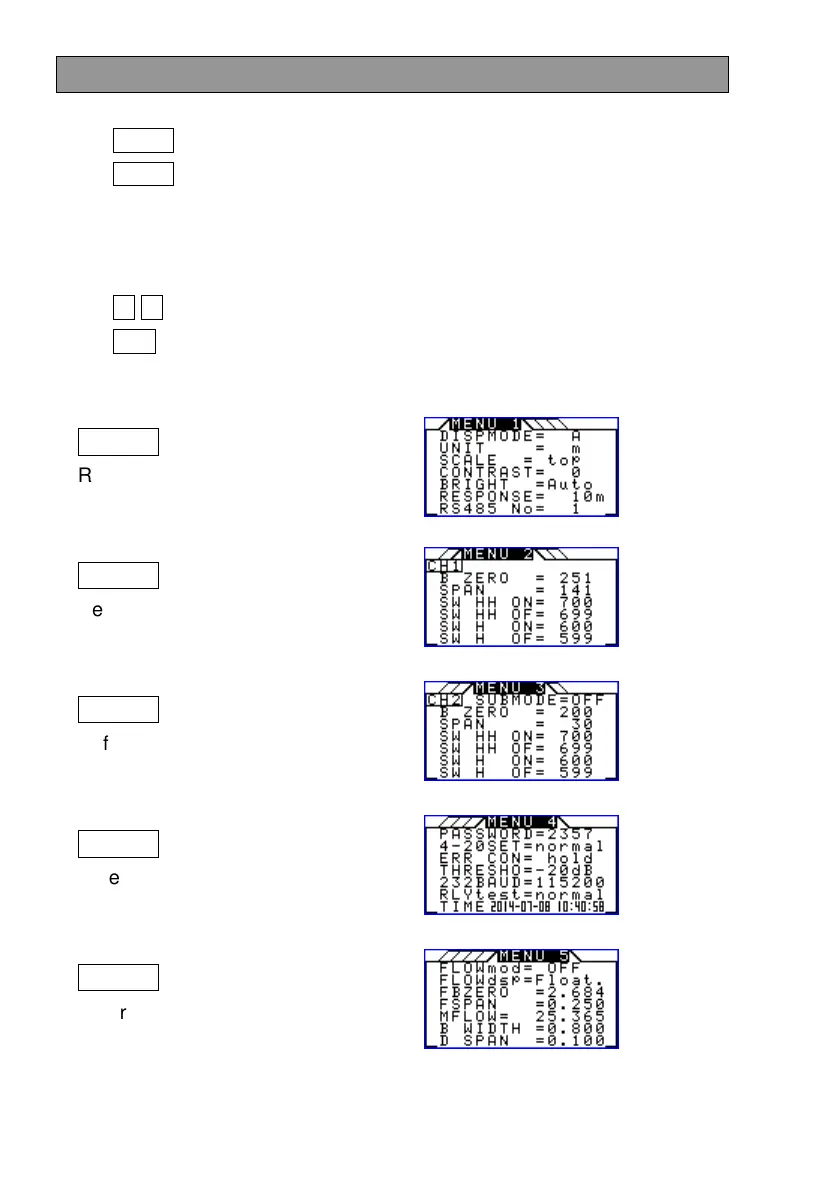
MENU has MENU 1 to MENU 5 as follows.
Press ← → keys to select the desired MENU.
Press ESC key not to change the setting and exit MENU.
While MENU is displayed, the ultrasonic measurement is continued.
MENU 1
Refer to P21 to P24.
MENU 2
Refer to P25 and P26.
MENU 3
Refer to P25 and P26.
MENU 4
Refer to P27 and P28.
MENU 5
Refer to P29 to P34
.


 To Next Page