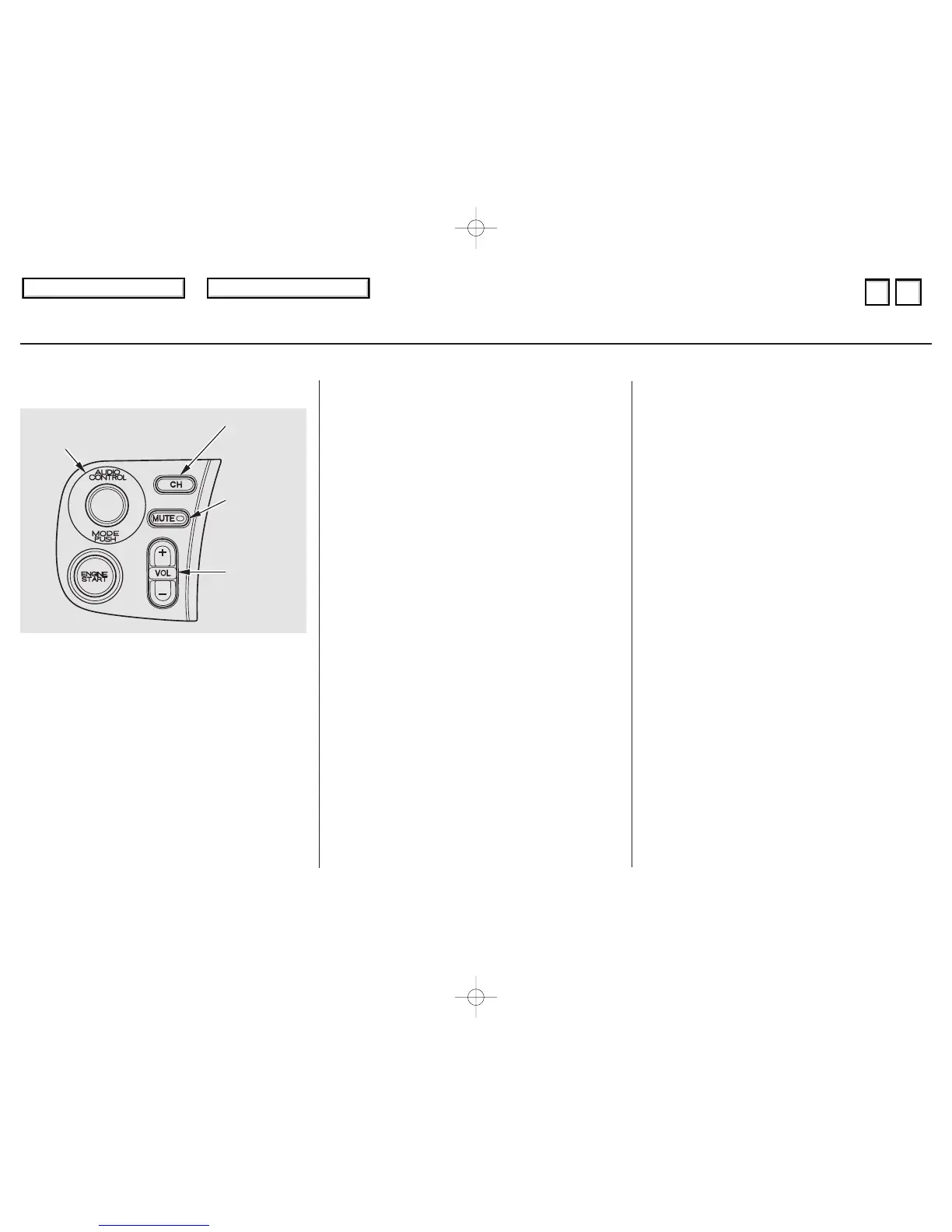
Four controls for the audio system
areontheleftsideofthedashboard
by the instrument panel. These let
you control basic functions without
distracting your attention from
driving.
Use the VOLUME lever to adjust the
volume. Push the lever up to
increase the volume and down to
decrease it. Hold the lever until the
volume reaches the desired level,
then release it.
If you want to mute the sound
temporarily, push the MUTE button.
The indicator in the button will light
to indicate the mute function is on.
Press the button again to cancel
MUTE.
The AUDIO CONTROL button
changes the mode. Pressing the
button repeatedly selects AM, FM1,
FM2, or CD (if a CD is loaded) two.
The CHANNEL button has two
functions, depending on whether you
are listening to the radio, or playing a
CD.
If you are listening to the radio, use
the CHANNEL button to change
stations. Each time you press this
button, the system advances to the
next preset station on the band you
are listening to. You will see the
number of the selected Preset button
in the audio system display.
These controls work only with the
factory-installed audio system. They
will not function if you install any
other system.
IfyouareplayingaCD,thesystem
skips to the beginning of the next
track each time you push the
CHANNEL button.
Remote Audio Controls
Comfort and Convenience Features
Remote Audio Controls
115
AAUUDDIIOO CCOONNTTRROOLL
BBUUTTTTOONN
MMUUTTEE
BBUUTTTTOONN
CCHHAANNNNEELL
BBUUTTTTOONN
VVOOLLUUMMEE
LLEEVVEERR
01/08/21 20:23:11 31S2A620_118





 To Next Page