
 Need help?
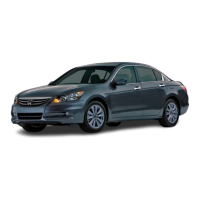
Do you have a question about the Honda 2011 ACCORD SEDAN and is the answer not in the manual?
Explains the preset automatic locking behavior of the vehicle doors.
Details how to program automatic door unlocking when shifting to Park.
Outlines various programmable options for auto door locking and unlocking.
Explains warning lights that indicate potential vehicle problems.
Describes indicators that show system status or activation.
Details indicators requiring driver action or attention.
Explains how to navigate and view different data on the vehicle's display.
Lists and describes various data readouts like odometer, trip meters, and oil life.
Explains the function and components of the Tire Pressure Monitoring System.
Provides instructions on checking and maintaining tire pressure.
Steps to store and recall driver seat positions linked to remotes.
Explains how the rearview camera aids in parking and displays guide lines.
Instructions for connecting and playing music from external devices.
Explains voice command buttons, tips for effective use, and general advice.
How to use voice commands to find locations like restaurants or gas stations on the map.
Using voice commands to control radio stations, CDs, and audio sources.
Voice commands for checking route distance and displaying entire routes.
Voice commands for controlling fan speed and air conditioning.
Voice commands for general operations and finding specific places like ATMs or restaurants.
Voice commands related to navigation routes, map display, and vehicle location.
Voice commands for controlling audio, system settings, and climate control.
Voice commands to access help information about the voice command system.
Step-by-step guide to inputting destinations using voice commands.
Instructions for locating nearby points of interest using voice commands.
Steps to connect a compatible phone to the vehicle's Bluetooth system.
Instructions on how to initiate phone calls using the hands-free system.
How to answer or decline incoming calls via the hands-free system.
How to store up to 50 names and phone numbers for speed dial access.
Instructions for importing your cell phone's address book to the navigation system.
Steps to program the HomeLink Universal Transceiver to operate home devices.
Information on Owner Link benefits, services, and registration process.
Guidance on airbag safety and the importance of seat belt usage.
Recommendations for fuel octane, MMT, and TOP TIER Detergent Gasoline.
 General
| Brand | Honda |
|---|---|
| Model | 2011 ACCORD SEDAN |
| Category | Automobile |
| Language | English |







 To Next Page