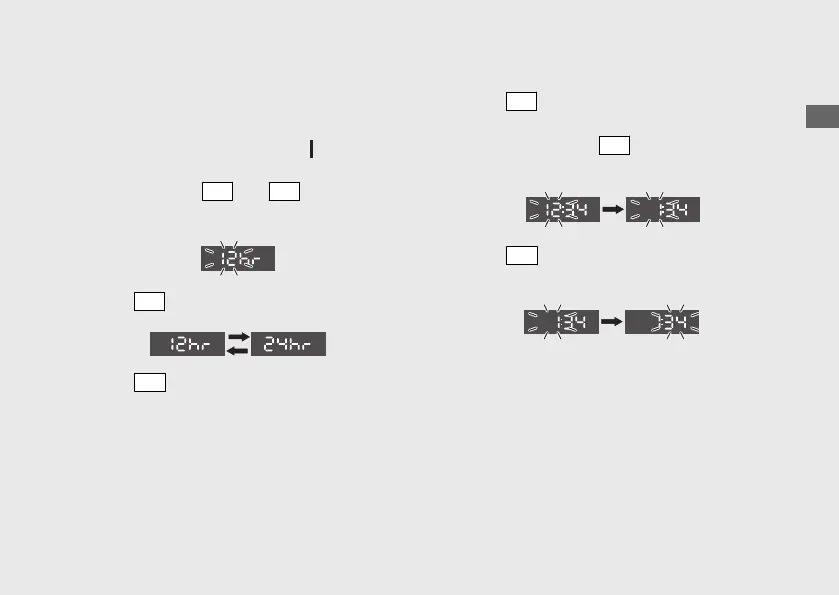
1 Time format setting:
You can switch the time format between 12
hour format or 24 hour format.
a
Turn the ignition switch to the (On)
position.
b
Press and hold
SEL
and
SET
buttons until
the current time format start flashing.
c
Press
SEL
button to select “12hr” or “24hr”.
d
Press
SET
button. The time format is set,
and then the display moves to the clock
setting.
2 Clock setting:
a
Press
SEL
button until the desired hour is
displayed.
u Press and hold
SEL
button to advance
the hour quickly.
b
Press
SET
button. The minute digits start
flashing.
Operation Guide
33
Continued












 To Next Page