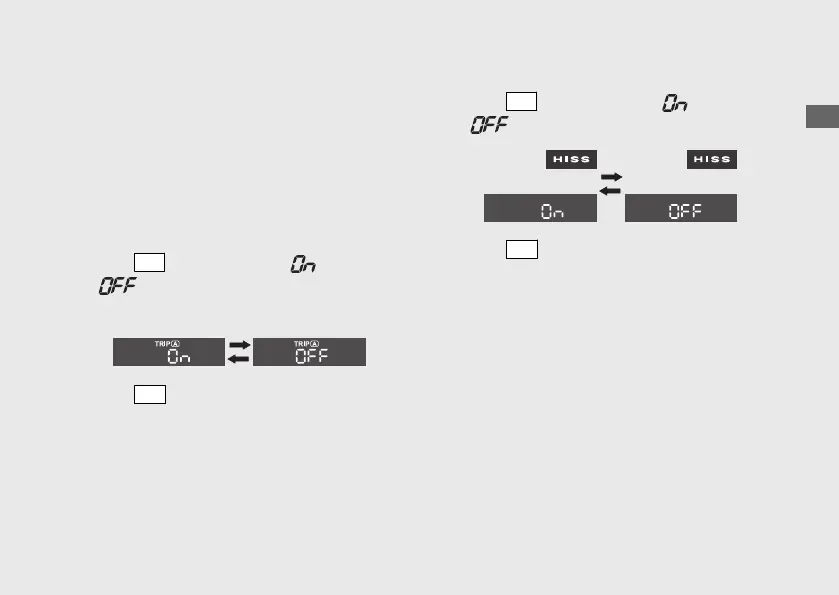
4 Activating/deactivating of tripmeter
A, average fuel mileage, fuel
consumption, average speed and
elapsed time automatic reset mode:
You can activate or deactivate the automatic
reset mode by refuelling after the 1st (E)
segment of the fuel gauge starts flashing.
Initial setting is activation.
a
Press
SEL
button to select “
” (activate) or
“ ” (deactivate) in the automatic reset
mode.
b
Press
SET
button. The activation/
deactivation of automatic reset mode is set,
and then the display moves to the setting of
HISS indicator (HISS indicator comes on).
5 Setting of HISS indicator:
a
Press
SEL
button to select “
” (blinks) or
“ ” (off) in the HISS setting mode.
b
Press
SET
button. The HISS indicator setting
is set, and then the display moves to the
changing of speed and mileage unit.
Operation Guide
35
Continued








 To Next Page