EasyManua.ls Logo

Honda CR-V 2022 - User Manual

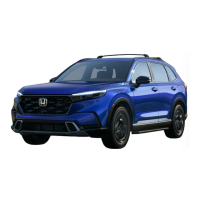
Honda CR-V 2022
672 pages
Print Icon
To Next Page IconTo Next Page
Loading...
2022 CR-V
Owner’s Manual

Table of Contents

Other manuals for Honda CR-V 2022

Questions and Answers

  • J
    jaredloweryAug 16, 2025
    Why does my Honda CR-V 2022 clock frequently change by one hour?
    • C
      Chad SheaAug 16, 2025
      The clock setting in your Honda Automobile is automatically updated based on your GPS location. If you are driving near a time zone border, the automatic update is likely the reason your clock is changing forward and backward by one hour.
  • R
    Rachel StevensAug 19, 2025
    Why is traffic information missing on my Honda CR-V 2022 navigation system?
    • W
      wellsmakaylaAug 19, 2025
      Traffic information relies on a clear signal. Ensure that the traffic icons are turned on. If the signal strength is low, traffic data might not be available. There might also be a temporary technical issue with your metropolitan area traffic provider. Traffic information is available only in certain areas. If the problem continues, it is recommended to consult an authorized Honda dealer.
  • K
    Kristin WellsAug 22, 2025
    What to do if the vehicle position icon is not following the road in my Honda Automobile?
    • D
      Dr. Stanley Daniels MDAug 22, 2025
      For best GPS reception in your Honda Automobile, remove items from the dashboard, such as radar detectors, cellular phones, or any loose articles that might be blocking the GPS antenna (located in the dashboard). Metallic tinting or other aftermarket devices can also interfere with GPS reception; consult your dealer in such cases.
  • A
    Aaron BeckAug 26, 2025
    How to enable navigation voice prompts on Honda CR-V 2022?
    • R
      rmayAug 26, 2025
      To enable the navigation system voice in your Honda Automobile: * Select (Map) and then select the (Back) icon. * Select Settings > Navigation and enable Voice Prompts. * Press the (Home) icon. * Select Settings > System > Sound/Beep tab. * Turn up Guidance Volume, if it is low.
  • P
    Paula RamseyAug 28, 2025
    Why does the arrival time increase on my Honda CR-V 2022 Automobile even when I'm closer?
    • D
      Debbie VangAug 28, 2025
      The “Arrival time” displayed in your Honda Automobile is based on the speed limit on each road. Depending on the traffic conditions, the “Arrival time” may be calculated to be earlier or later.
  • B
    Brittany ShawAug 31, 2025
    Why doesn't my Honda CR-V 2022 Automobile navigation system route me the way I would go?
    • T
      Tammy AcostaAug 31, 2025
      The navigation system in your Honda Automobile attempts to generate the optimal route. You can change the route preferences used when calculating a route.
  • H
    hollymorenoSep 3, 2025
    Why is the display dim when starting my Honda CR-V 2022 in cold weather?
    • J
      John WilcoxSep 3, 2025
      This is normal for your Honda Automobile. The display will become brighter after a few minutes.
  • A
    Alexander HughesSep 6, 2025
    Why is my elevation missing on the current position screen of my Honda CR-V 2022 Automobile?
    • P
      Paul BartonSep 6, 2025
      To display the elevation on the “current position” screen in your Honda Automobile, the GPS antenna must receive signals from at least four satellites. Try moving the vehicle into an open area. The elevation is also not displayed if the calculated elevation is zero or below sea level.
  • S
    Sarah PowellSep 9, 2025
    Why does the elevation fluctuate on my Honda CR-V 2022 Automobile even when it hasn't changed?
    • J
      Jason GreenSep 9, 2025
      This is normal for your Honda Automobile. The elevation can vary ±100 ft (30 m) due to GPS calculation errors.
  • J
    jameselliottSep 12, 2025
    Does the navigation system in my Honda CR-V 2022 Automobile work outside North America?
    • C
      Cindy RileySep 12, 2025
      The system in your Honda Automobile contains maps for the United States of America, Canada, Mexico, Puerto Rico, US Virgin islands, Cayman Islands, Bahamas, French Guyana, Guadeloupe, Martinique, Saint Barthelemy, and Jamaica. The navigation system will not work in other countries.


Summary

Safe Driving

For Safe Driving

General driving safety recommendations and precautions for optimal vehicle operation.

Seat Belts

Detailed information on seat belt usage, types, proper fastening, and inspection.

Airbags

Explanation of airbag system components, types, and their function during a collision.

Child Safety

Guidelines for restraining children in the vehicle, including age and seating recommendations.

Exhaust Gas Hazard

Warnings about carbon monoxide in exhaust gas and precautions to avoid exposure.

Safety Labels

Locations of important safety labels and warnings found on the vehicle.

Instrument Panel

Gauges

Explanation of the vehicle's gauges, including speedometer and fuel gauge.

Driver Information Interface

Description of the driver information interface and its various displays and indicators.

Indicators

Details on various system indicators and their meanings, such as malfunction and warning lights.

Controls

Clock

Instructions on how to adjust the vehicle's clock display.

Locking and Unlocking the Doors

Guide on key types, functions, and how to lock/unlock doors and tailgate.

Opening and Closing the Tailgate

Instructions on how to open and close the tailgate, including different models.

Security System

Information on the immobilizer system and security system alarm.

Opening and Closing the Windows

Instructions for operating the power windows and moonroof.

Moonroof*

Guide on operating the moonroof and its various modes.

Panoramic Roof*1

Instructions on opening and closing the panoramic roof.

Operating the Switches Around the Steering Wheel

Explanation of various switches and controls on the steering wheel.

Wipers and Washers

Instructions on how to use the windshield wipers and washers.

Brightness Control

Guide on adjusting the instrument panel brightness.

Defogger;Heated Door Mirror*

Information on using the rear defogger and heated door mirrors.

Heated Windshield Button

Instructions on using the heated windshield button.

Driving Position Memory System*

Guide on storing and recalling driver seat positions.

Adjusting the Steering Wheel

Instructions on how to adjust the steering wheel for a comfortable driving posture.

Adjusting the Mirrors

Guidance on adjusting the rearview and side mirrors for optimal visibility.

Power Door Mirrors

Instructions on how to adjust the power door mirrors.

Adjusting the Seats

Detailed instructions on adjusting front and rear seats for comfort and safety.

Armrest

Information on using the front and rear seat armrests.

Interior Lights;Interior Convenience Items

Overview of interior lighting and convenience features like glove box and console.

Climate Control System

Comprehensive guide to operating the automatic climate control system.

Synchronization Mode*

Explanation of how to set synchronous temperature control for driver and passenger sides.

Automatic Climate Control Sensors

Information about the sensors used by the automatic climate control system.

Features

Audio System

Overview of the vehicle's audio system features, including radio and device compatibility.

USB Port(s)

Information on the location and use of USB ports for audio playback and device charging.

Audio System Theft Protection

Procedure for reactivating the audio system after power disconnection.

Audio Remote Controls

Guide on operating the audio system remotely using steering wheel controls.

Audio System Basic Operation

Detailed instructions on using the audio system, including screen navigation and settings.

Audio Error Messages

Troubleshooting guide for common audio system error messages.

General Information on the Audio System

General information about the audio system, including SiriusXM® Radio service.

Compatible iPod, iPhone, and USB Flash Drives

List of compatible iPod, iPhone, and USB flash drive models.

Honda App License Agreement

Legal terms and conditions for using Honda applications.

Customized Features

Guide on how to customize various vehicle settings and features.

Driving

Before Driving

Checklist of exterior and interior items to inspect before starting to drive.

When Driving

Guidelines and precautions for various driving conditions.

Towing a Trailer

Instructions and precautions for safely towing a trailer.

Off-Highway Driving Guidelines

Tips and precautions for driving on unpaved roads and off-pavement.

Parking Your Vehicle

Procedures for parking the vehicle, including using the electric parking brake.

Refueling

Information on recommended fuel type, octane number, and tank capacity.

Fuel Economy and CO2 Emissions

Guidance on improving fuel economy and reducing CO2 emissions.

Turbo Engine Vehicle

Handling precautions specific to vehicles equipped with a turbo engine.

Maintenance

Before Performing Maintenance

General information and safety precautions before performing vehicle maintenance.

Maintenance Under the Hood

Identification and location of key maintenance items under the hood.

Changing the Engine Oil and Oil Filter

Step-by-step instructions for changing engine oil and oil filter.

Engine Coolant

How to check and add engine coolant.

Transmission Fluid

Information on continuously variable transmission fluid and its maintenance.

Brake Fluid

How to check brake fluid level and recommended fluid type.

Refilling Window Washer Fluid

Instructions for refilling the windshield washer fluid reservoir.

Replacing Light Bulbs

Guide on replacing various exterior and interior light bulbs.

Checking and Maintaining Wiper Blades

Instructions for checking and maintaining windshield wiper blades.

Checking and Maintaining Tires

Comprehensive guide on checking tire condition, inflation, and wear.

Tire Rotation

Explanation of tire rotation benefits and procedures.

Winter Tires

Advice and precautions for using winter tires and tire chains.

Battery

Information on checking battery condition and related safety precautions.

Remote Transmitter Care

Instructions for replacing batteries in remote transmitters.

Climate Control System Maintenance

Maintenance procedures for the climate control system, including air conditioning and filters.

Cleaning

Guide on cleaning the vehicle's interior and exterior.

Accessories and Modifications

Precautions and guidelines for installing accessories and making modifications.

Handling the Unexpected

Tools

Identification and location of tools stored in the vehicle for emergencies.

If a Tire Goes Flat

Step-by-step instructions for changing a flat tire.

Engine Does Not Start

Troubleshooting guide for situations where the engine fails to start.

If the Keyless Remote Battery is Weak

Procedure for starting the engine when the keyless remote battery is weak.

Emergency Engine Stop

Instructions on how to stop the engine in an emergency situation while driving.

If the Battery Is Dead

Guide on jump-starting the vehicle's battery.

Shift Lever Does Not Move

Procedure for releasing the shift lever lock if it cannot be moved.

Overheating

Instructions on how to handle an overheating engine.

Indicator, Coming On;Blinking

Explanation of various dashboard indicators and their meanings.

Fuses

Information on fuse locations and how to inspect and replace them.

Emergency Towing

Guidance on contacting professional towing services for emergencies.

If You Cannot Open the Tailgate

Instructions on how to open the tailgate if it cannot be opened normally.

Refueling From a Portable Fuel Container

Steps for refueling the vehicle using a portable fuel container.

Information

Specifications

Details on vehicle specifications, including dimensions, weights, and fluid capacities.

Identification Numbers

Location of vehicle identification number (VIN), engine, and transmission numbers.

Devices that Emit Radio Waves

FCC and Industry Canada compliance information for radio frequency devices.

Reporting Safety Defects

Information on how to report safety defects to NHTSA and Transport Canada.

Emissions Testing

Information on readiness codes and vehicle testing for emissions.

Warranty Coverages

Overview of new vehicle, emissions, seat belt, and other limited warranties.

Authorized Manuals

Information on how to obtain service publications and owner's manuals.

Customer Service Information

Contact information for Honda customer relations and services.

Disclaimer of Pandora*

Requirements and limitations for accessing Pandora® via the vehicle's audio system.

About Open Source Licenses

Information regarding open-source software licenses used in the vehicle.

Honda CR-V 2022 Specifications

General IconGeneral
BrandHonda
ModelCR-V 2022
CategoryAutomobile
LanguageEnglish

Related product manuals