EasyManua.ls Logo

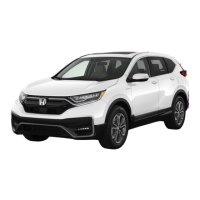
Honda CR-V Hybrid 2021 - User Manual

Honda CR-V Hybrid 2021
690 pages
Print Icon
To Next Page IconTo Next Page
Loading...
2021 CR-V
Hybrid
Owner’s Manual

Table of Contents

Other manuals for Honda CR-V Hybrid 2021

Questions and Answers

  • J
    Jennifer ChambersAug 17, 2025
    Why does my Honda CR-V Hybrid 2021 clock keep changing by one hour?
    • M
      matthewlewisAug 17, 2025
      The clock setting updates automatically based on your GPS location. If you're driving near a time zone border, this automatic update is likely causing the change.
  • B
    bbranchAug 20, 2025
    Why is traffic information missing on my Honda Automobile navigation system?
    • H
      Harry FrostAug 20, 2025
      Traffic information relies on a clear signal, so ensure that the signal strength is sufficient. Also, check that the traffic icons are enabled. There might be a temporary technical issue with your metropolitan area traffic provider; you can contact Honda Automobile Customer Service to inquire about outages. Note that traffic information is available only in certain areas. If the issue continues, consult your Honda authorized dealer.
  • D
    Donald RichardsonAug 23, 2025
    How to turn on the voice navigation on Honda CR-V Hybrid 2021 Automobile?
    • R
      robert27Aug 23, 2025
      To enable the navigation voice prompts, select (Map), then the (Back) icon, and go to Settings > Navigation and enable Voice Prompts. If the guidance volume is low, press the (Home) icon, then navigate to Settings > System > Sound/Beep tab and increase the Guidance Volume.
  • X
    xgalvanAug 26, 2025
    What to do if the vehicle position icon is not following the road in my Honda Automobile?
    • B
      Brian ProctorAug 26, 2025
      The GPS antenna (located in the dashboard) may be blocked. Ensure that the GPS antenna is not obstructed by items such as radar detectors, cellular phones, or loose articles. Metallic tinting or aftermarket devices can also interfere with GPS reception; consult your dealer in such cases.
  • R
    Richard JohnsonAug 28, 2025
    Why does the arrival time increase on my Honda CR-V Hybrid 2021 even when I'm closer?
    • M
      Michele HesterAug 28, 2025
      The "Arrival time" is based on the speed limit on each road. Depending on the traffic conditions, the "Arrival time" may be calculated to be earlier or later.
  • D
    Dominique CollierAug 30, 2025
    Why does Honda Automobile navigation system route me differently?
    • M
      Monica KimAug 30, 2025
      The navigation system attempts to generate the optimal route. You can change the route preferences used when calculating a route.
  • A
    Adam MataSep 2, 2025
    Why is my elevation missing on the current position screen of my Honda CR-V Hybrid 2021?
    • A
      Andrea GarciaSep 2, 2025
      The GPS antenna might not be receiving signals from at least four satellites. Try moving the vehicle into an open area. Also, the elevation is not displayed if the calculated elevation is zero or below sea level.
  • I
    Isaac JonesSep 5, 2025
    Why is the display dim when starting my Honda Automobile in cold weather?
    • T
      Tracy HernandezSep 5, 2025
      This is normal. The display will become brighter after a few minutes.
  • E
    Elizabeth GonzalesSep 8, 2025
    Does Honda Automobile navigation system work outside North America?
    • M
      michellefrazierSep 8, 2025
      The system contains maps for the United States of America, Canada, Mexico, Puerto Rico, US Virgin islands, Cayman Islands, Bahamas, French Guyana, Guadeloupe, Martinique, Saint Barthelemy, and Jamaica. The navigation system will not work in other countries.
  • C
    Cameron DavisSep 12, 2025
    Why does the elevation fluctuate on my Honda CR-V Hybrid 2021 Automobile?
    • C
      Collin DeanSep 12, 2025
      This is normal. The elevation can vary ±100 ft (30 m) due to GPS calculation errors.

Honda CR-V Hybrid 2021 Specifications

General IconGeneral
BrandHonda
ModelCR-V Hybrid 2021
CategoryAutomobile
LanguageEnglish

Related product manuals