188
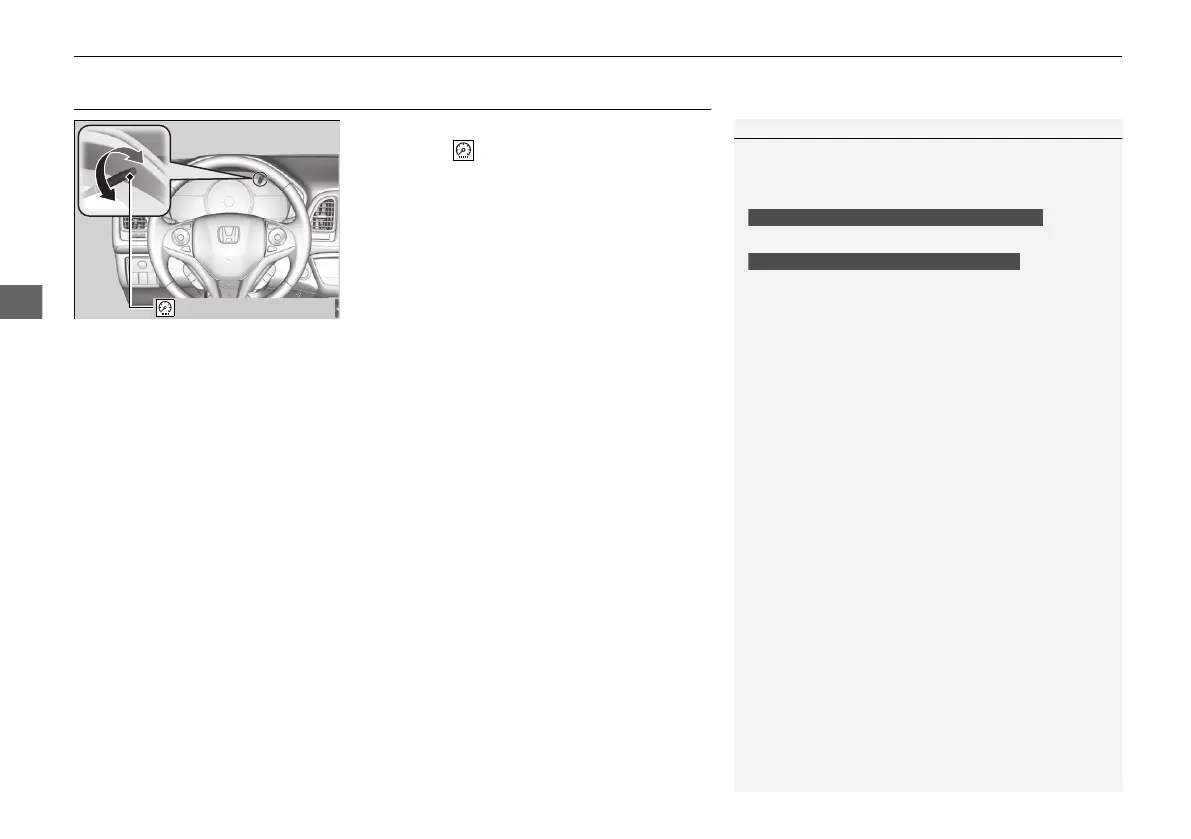
uuOperating the Switches Around the Steering WheeluBrightness Control
Brightness Control
When the ignition switch is in ON (w
*1
, you
can use the (select/reset) knob to adjust
instrument panel brightness.
Brighten: Turn the knob to the right.
Dim: Turn the knob to the left.
You will hear a beeper when the brightness
reaches minimum or maximum. Several
seconds after you have adjusted the
brightness, you will be returned to the
previous screen.
*1: Models with the smart entry system have an ENGINE START/STOP button instead of an
ignition switch.
1Brightness Control
The brightness of the instrument panel will be
reduced when the following conditions:
• The ignition switch is in ON
(w
*1
.
• The parking lights are turned on.
• The light switch is in any position other than off
and it is dark outside.
To cancel the reduced instrument panel brightness
when the exterior lights are on, turn the knob to the
right until the brightness display is up to max, the
beeper sounds.
The brightness can be set differently for when the
exterior lights are on, and when they are off.
Models without automatic lighting control
Models with automatic lighting control
21 HR-V HDMC-31T7A6500.book 188 ページ 2020年9月23日 水曜日 午前7時0分













 To Next Page