EasyManua.ls Logo

Honda Odyssey Touring - User Manual

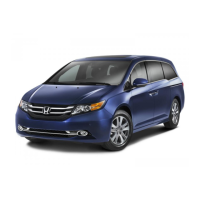
Honda Odyssey Touring
25 pages
Print Icon
To Next Page IconTo Next Page
Loading...
TECHNOLOGY
REFERENCE
GUIDE
2014
o w n e r s . h o n d a . c o m
2014 Honda Odyssey Touring and Touring Elite
31T K 8D3 0 Technology Reference Guide
00X 3 1-T K 8-D 3 00 ©2013 American Honda Motor Co., Inc. All Rights Reserved Pr i nte d in U.S . A.
14 Odyssey TRG_TOURING_ATG_NEW STYLE 4/25/2013 2:37 PM Page 1
Question and Answer IconNeed help?

Do you have a question about the Honda Odyssey Touring and is the answer not in the manual?

Summary

Smart Entry with Push Button Start

Engine Start;Stop Button

Start and stop the vehicle's engine using the push-button ignition system.

Instrument Panel Indicators

Malfunction Indicators

Alerts driver to potential vehicle issues requiring dealer attention.

Condition Indicators

Provides actionable driver information on vehicle status like fuel or door status.

On;Off Indicators

Shows status of vehicle systems like lighting, cruise control, and airbags.

Multi-Information Display (MID)

Tire Pressure Monitoring System (TPMS)

What to Do

Guides driver on inspecting, checking, and inflating tires to correct pressure.

Multi-View Rear Camera

Lane Watch

Lane Departure Warning (LDW)

Forward Collision Warning (FCW)

Blind Spot Information (BSI) System

How It Works

Detects vehicles in blind spots using radar sensors and alerts the driver.

Parking Sensor System

How It Works

Warns of proximity to objects when parking using sensors and beeps.

HomeLink

Training a Button

Programs vehicle buttons to operate home devices like garage doors.

Voice Recognition

How It Works

Uses steering wheel buttons and microphone for voice commands.

Voice Command Portal

Shows examples of voice commands and how to use the system.

Commonly Used Voice Commands

Navigation and Place Finding Commands

Voice commands for setting destinations, finding places, and navigating.

Audio, Phone, and Climate Commands

Voice commands for controlling audio, making calls, and adjusting climate.

Navigation

Entering a Destination Using Voice Commands

Guides on using voice commands to input street addresses as destinations.

Using the Find Nearest Command

Instructions for using voice commands to find and select nearby points of interest.

FM Traffic

Traffic Rerouting

Explains automatic and manual detours around traffic or incidents.

Bluetooth HandsFreeLink (HFL)

How to Use HFL

Provides instructions on using steering wheel buttons for hands-free calling.

Dialing a Number

Using the Phonebook

Using the Menu*

Steps to access and call contacts from the imported phonebook.

Using Voice Commands

How to call contacts from the phonebook using voice commands.

SMS Text Messaging and E-Mail

iPod or USB Flash Drive

Hard Disc Drive (HDD) Audio

Song By Voice (SBV)

Using the Play Command

Use voice commands to play specific songs or artists.

Pandora

HondaLink featuring Aha

Bluetooth Audio

Ultrawide Rear Entertainment System

Summary

Smart Entry with Push Button Start

Engine Start;Stop Button

Start and stop the vehicle's engine using the push-button ignition system.

Instrument Panel Indicators

Malfunction Indicators

Alerts driver to potential vehicle issues requiring dealer attention.

Condition Indicators

Provides actionable driver information on vehicle status like fuel or door status.

On;Off Indicators

Shows status of vehicle systems like lighting, cruise control, and airbags.

Multi-Information Display (MID)

Tire Pressure Monitoring System (TPMS)

What to Do

Guides driver on inspecting, checking, and inflating tires to correct pressure.

Multi-View Rear Camera

Lane Watch

Lane Departure Warning (LDW)

Forward Collision Warning (FCW)

Blind Spot Information (BSI) System

How It Works

Detects vehicles in blind spots using radar sensors and alerts the driver.

Parking Sensor System

How It Works

Warns of proximity to objects when parking using sensors and beeps.

HomeLink

Training a Button

Programs vehicle buttons to operate home devices like garage doors.

Voice Recognition

How It Works

Uses steering wheel buttons and microphone for voice commands.

Voice Command Portal

Shows examples of voice commands and how to use the system.

Commonly Used Voice Commands

Navigation and Place Finding Commands

Voice commands for setting destinations, finding places, and navigating.

Audio, Phone, and Climate Commands

Voice commands for controlling audio, making calls, and adjusting climate.

Navigation

Entering a Destination Using Voice Commands

Guides on using voice commands to input street addresses as destinations.

Using the Find Nearest Command

Instructions for using voice commands to find and select nearby points of interest.

FM Traffic

Traffic Rerouting

Explains automatic and manual detours around traffic or incidents.

Bluetooth HandsFreeLink (HFL)

How to Use HFL

Provides instructions on using steering wheel buttons for hands-free calling.

Dialing a Number

Using the Phonebook

Using the Menu*

Steps to access and call contacts from the imported phonebook.

Using Voice Commands

How to call contacts from the phonebook using voice commands.

SMS Text Messaging and E-Mail

iPod or USB Flash Drive

Hard Disc Drive (HDD) Audio

Song By Voice (SBV)

Using the Play Command

Use voice commands to play specific songs or artists.

Pandora

HondaLink featuring Aha

Bluetooth Audio

Ultrawide Rear Entertainment System

Honda Odyssey Touring Specifications

General IconGeneral
BrandHonda
ModelOdyssey Touring
CategoryAutomobile
LanguageEnglish

Related product manuals