▲
▼
▲▼
CONTINUED
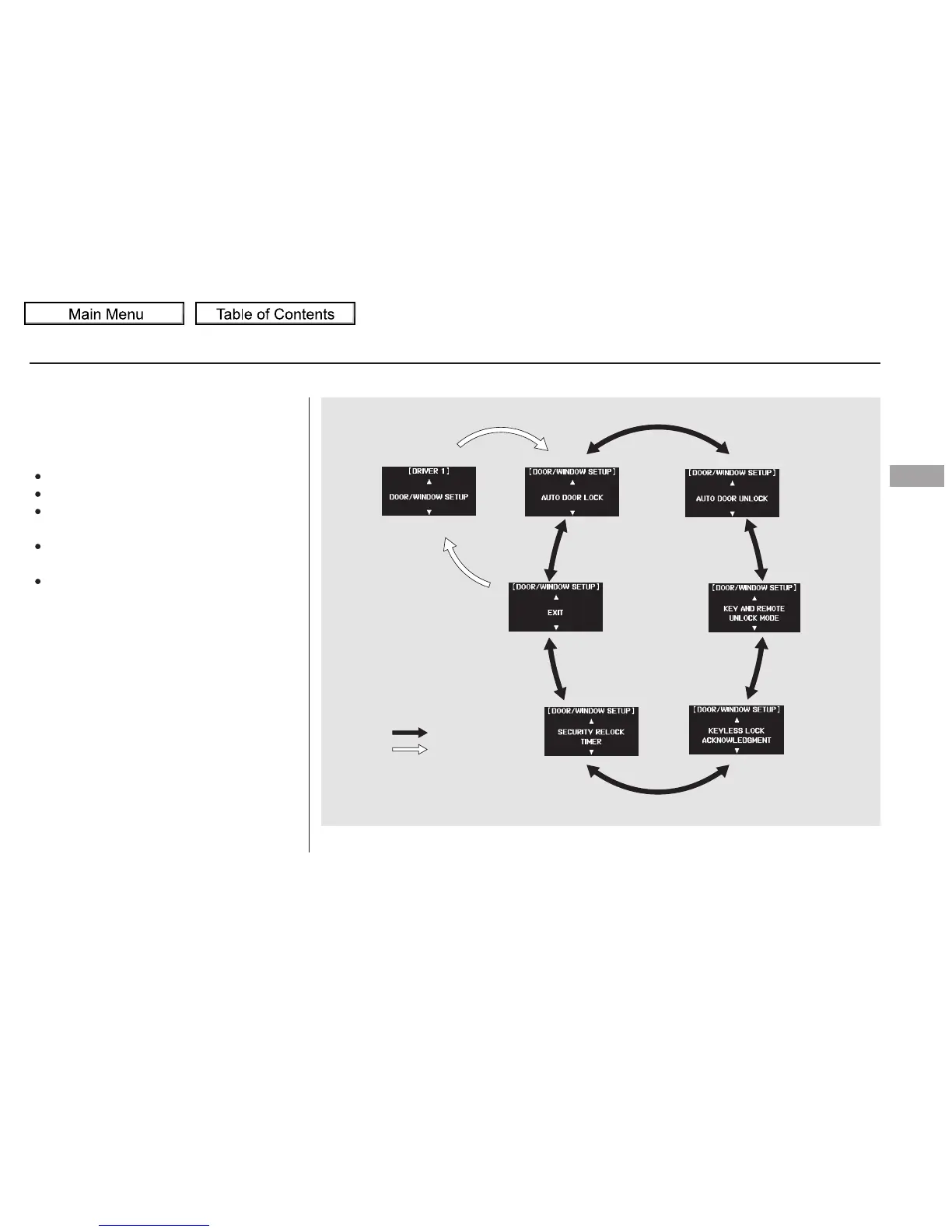
Here are the five custom settings for
the door/window setup:
AUTO DOOR LOCK
AUTO DOOR UNLOCK
KEY AND REMOTE UNLOCK
MODE
SECURITY RELOCK TIMER
While ‘‘DOOR/WINDOW SETUP’’
is shown, press the SEL/RESET
button to enter the customize mode.
Each time you press the INFO ( /
) button, the screen changes as
shown in the illustration. Press the
INFO ( / ) button until you see
the setting you want to customize,
then press the SEL/RESET button
to enter your selection.
KEYLESS LOCK
ACKNOWLEDGMENT
Multi-Information Display
Door/Window Setup
Instruments and Controls
115
INFO button
SEL/RESET
button
Touring model is shown.
10/01/26 18:42:57 31SZA620_120





 To Next Page