7
CLEANING THE IFD
®
FILTER
The ifD
®
filter should be cleaned approximately once every 3 months.
To clean the ifD
®
filter:
• Turn the power off and unplug the air purifier.
• After removing the ifD
®
filter from the air purifier, follow the steps below to
wash the ifD
®
filter.
Rinsing:
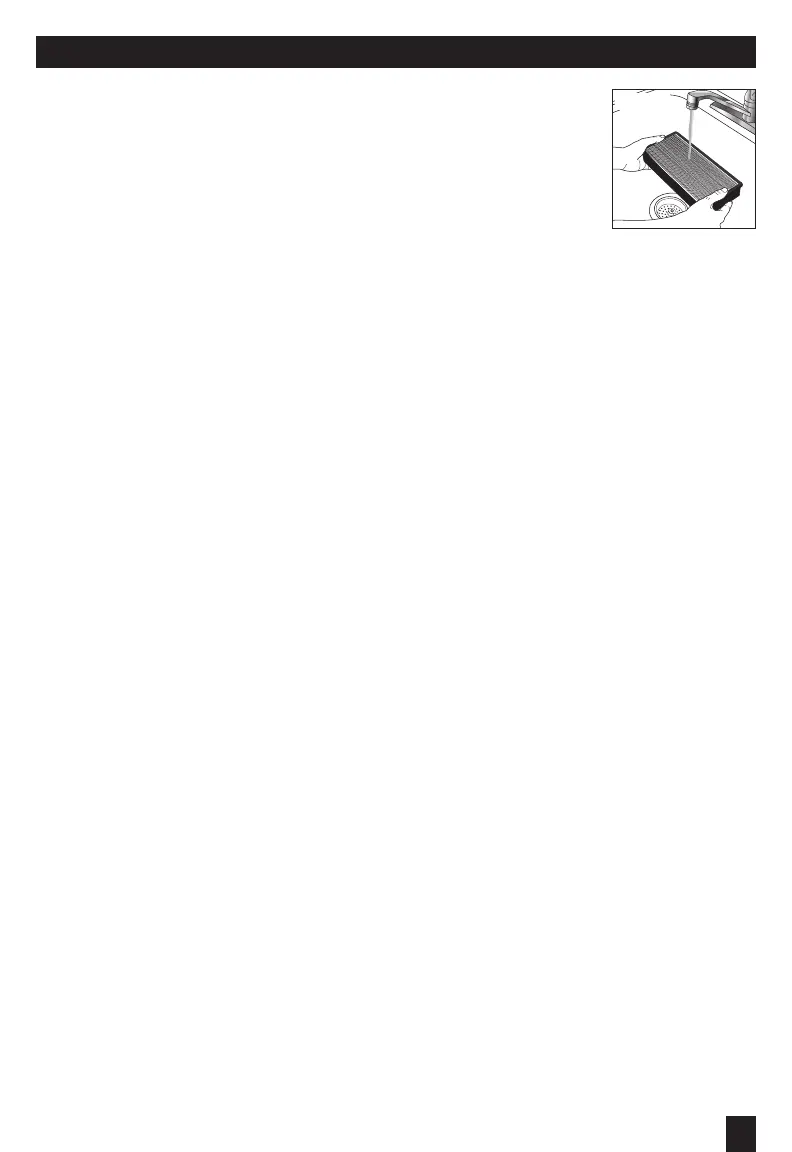
• Rinse the filter with clean tap water (Fig. 9)
• If the filter still appears dirty, proceed to “Washing,”
otherwise proceed to “Drying.”
Washing:
• Remove the ifD
®
filter from the unit.
• Fill a sink with lukewarm water and add a few drops of mild dish soap.
• Gently swish the filter in the soap solution to clean.
• Soak the filter for 2-3 minutes. Do not leave for an extended period of time.
• Rinse the filter with clean tap water (Fig. 9).
Drying:
• Shake the filter to remove any excess water.
• Place the filter with the honeycomb side down on a plush towel.
• Note that the filter may still be discolored even after washing.
This is acceptable and will not affect performance.
• Allow the ifD
®
filter to dry for a few hours or overnight.
• When the ifD
®
filter is completely dry, place back into the air purifier.
CAUTION:
• Never place a wet ifD
®
filter in your air purifier.
• The ifD
®
filter is NOT dishwasher safe. Do not place the ifD
®
filter in a dishwasher or subject it to other
extreme hot water conditions.
• Do not use any solvents, strong cleaning agents or flammable liquids to clean the ifD
®
filter.
Fig. 9


 To Next Page
 Loading...