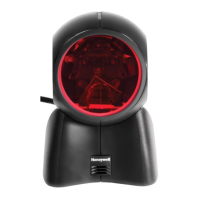
Need help?
Do you have a question about the Honeywell ORBIT 7120PLUS and is the answer not in the manual?
Describes the guide's purpose and content, including product specifications and support.
Provides steps for unpacking the scanner and verifying contents.
Specifies the required power supply type and rating for the scanner.
Instructions for connecting the scanner to a host system via various interfaces.
Allows users to create and save custom configuration settings for the scanner.
Utilizes Plug and Play bar codes for instant scanner setup for common interfaces.
Programs the scanner for IBM PC AT keyboard wedge interface with USA keyboard.
Programs scanner for RS232 serial port connection with specified data format.
Selects keyboard layout for USB Keyboard or Keyboard Wedge interfaces.
Controls beeper and LED behavior for good reads and errors.
Configures presentation mode for automatic bar code detection using illumination.
Narrows the scanner's field of view to ensure only intended bar codes are read.
Improves reading of damaged or poorly printed linear and PDF bar codes.
Explains how prefixes and suffixes are used to build message strings with scanned data.
Details the process for adding custom prefixes or suffixes to symbology data.
Introduces delays to slow down data transmission for improved integrity.
Introduces the Data Format Editor for customizing scanner output by inserting characters.
Guides on adding a new data format, specifying terminal type, code ID, and length.
Allows programming the output order of scanned symbols regardless of scan order.
Enables decoding of all supported symbologies or allows selection of specific ones.
Configures Code 128 settings, including on/off, ISBT concatenation, and message length.
Configures UPC-A settings like on/off, check digit, number system, and addenda.
Configures QR Code symbology, including on/off and message length.
Captures an image using the Image Snap command with various modifiers.
Details modifiers for Image Ship, including Infinity Filter, Compensation, and Pixel Depth.
Resets scanner settings to factory defaults, erasing custom configurations.
Introduces EZConfig Cloud for Scanning, a PC-based tool for scanner programming.
Describes the syntax structure for menu commands, including prefix, tag, and subtag.
Explains how special characters are used to query the device's settings.
Explains how to activate and deactivate the scanner using serial trigger commands.
Lists mechanical, electrical, environmental, and scan performance specifications for the Orbit 7120plus.
Details pin assignments for Keyboard Wedge, Serial Output, RS485, and USB connectors.
Provides instructions on how to clean the scanner housing and window safely.
Offers troubleshooting steps for common scanner issues, including power and reading problems.
Lists symbology identifiers, possible modifiers, and Honeywell IDs for various bar code types.
Maps ASCII control characters to keyboard and Windows mode sequences for programming.
 General
| Brand | Honeywell |
|---|---|
| Model | ORBIT 7120PLUS |
| Category | Projector Accessories |
| Language | English |

 To Next Page