
 To Next PageTo Next Page
 Need help?
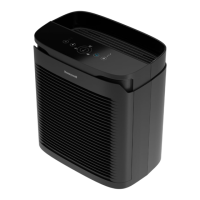
Do you have a question about the Honeywell PowerPlus HPA3100 Series and is the answer not in the manual?
 General
| Brand | Honeywell |
|---|---|
| Model | PowerPlus HPA3100 Series |
| Category | Air Cleaner |
| Language | English |
Overview of the control panel features and buttons for the HPA3100 series air purifier.
Overview of the control panel features and buttons for the HPA3200 and HPA3300 series air purifiers.
Explanation of different cleaning modes (Germ, General Clean, Allergen) and their purposes.
Instructions on how to reset the filter indicator lights after replacing filters.
Explains the Turbo mode setting for maximum air cleaning and odor reduction.
Details on auto mode, VOC sensor, and air quality color indicators (Green, Yellow, Red).
How to set the timer to automatically shut off the air purifier after 2, 4, or 8 hours.
Adjusting the brightness of the LED lights on the control panel.
Explains how the filter indicators work and how to reset them after filter replacement.
Contact information and support details for customer inquiries and issues.