Need help?
Do you have a question about the Honeywell PRO22ENC1 and is the answer not in the manual?
Critical safety guidelines and legal disclaimers for product installation and use.
Essential safety precautions regarding power, grounding, and system operation.
Instructions to prevent damage from ESD when handling sensitive electronic components.
Information on FCC rules, document usage, and software agreement terms.
Procedures for filing claims with the carrier for damaged shipments.
Steps for safely unpacking equipment and inspecting for damage or missing items.
Instructions for returning equipment, including contacting customer service and obtaining an RMA.
Details on the warranty period, coverage, limitations, and exclusions for products.
Guidelines for treating software, drawings, and manuals as confidential proprietary information.
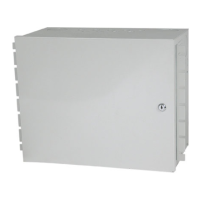
Describes the PRO-2200 enclosure's ability to hold nine modules and a power supply.
Lists specific part numbers for enclosure components and their descriptions.
Details enclosure dimensions, metal thickness, color, and conduit knockout sizes.
Specifies power supply requirements and routine maintenance for the enclosure.
Step-by-step guide for mounting the enclosure and initial wiring.
Visual guide for mounting screw patterns and dimensions for PRO22ENC1 and PRO22ENC2.
Lists minimum PC hardware and peripheral network requirements for UL1076.
Details required software, operating system, and minimum unit configuration for UL1076.
Defines the order for processing various types of incoming signals in UL1076.
Covers extra notes on alarms, troubles, cameras, and delay timings.
Step-by-step guide for installing and configuring the PC for UL1076.
Guide for installing SQL Server and WIN-PAK PRO software.
Instructions for setting up a secondary PC for system redundancy.
Steps to configure Enterprise Manager for data import and redundancy.
Detailed steps for using Enterprise Manager to transfer data for redundancy.
Procedures to verify data consistency and communication before full redundancy testing.
Steps to execute and verify the Data Transformation Services (DTS) package.
Actions to take between redundancy verification stages.
Three practical test scenarios to confirm system redundancy functionality.
Physical dimensions and mounting hole pattern for the power supply unit.
Visual guide showing the assembly and components of the power supply enclosure.
Details conduit knockout locations and physical measurements for the power supply.
Illustrates the physical layout and wiring connections for the power supply.
Step-by-step guide for mounting the enclosure, wiring panels, and connecting power.
Lists part numbers, AWG, description, and maximum distance for various cables.
Details specific ESG cable part numbers, descriptions, applications, and lengths.
 General
| Type | Enclosure |
|---|---|
| Color | Black |
| Product Type | Enclosure |
| Mounting | Wall Mount |
| Series | PRO |
| Enclosure Type | Metal |
| Operating Temperature | -4 to +131°F (-20 to +55°C) |
| Weight | 18 lb (8.2 kg) |


 To Next Page