EasyManua.ls Logo

Honeywell TC09PE - User Manual

Honeywell TC09PE
9 pages
Print Icon
To Next Page IconTo Next Page
Loading...
www.honeywellaircomfort.com
E-mail: info@jmatek.com
Model: TC09PE/ TC09PEU
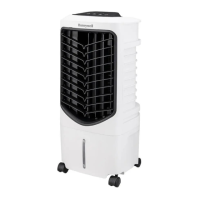
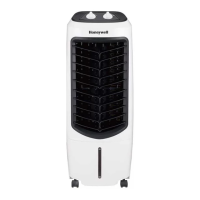
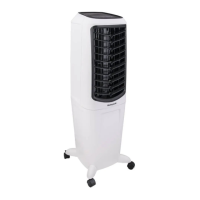
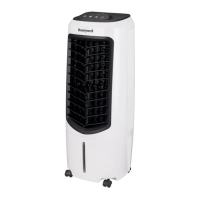
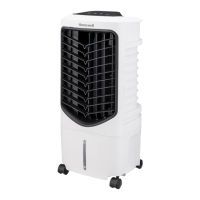
Portable Evaporative Air Cooler
User Manual
Read and save these instructions before use
Question and Answer IconNeed help?

Do you have a question about the Honeywell TC09PE and is the answer not in the manual?

Summary

Parts Description

Use and Operation

Control Panel

Explains the icons and functions of the control panel.

Function Buttons

Details the operation of the Power, Cool, Speed, and Swing buttons.

Remote Control Operation

Covers the usage and battery replacement of the remote control.

Cooler Location

Guidance on positioning the air cooler for optimal setup.

Filling with Water

Instructions for adding water to the unit's tank.

Low Water Alarm

Describes the unit's low water sensor and alarm function.

Cleaning and Draining Water Tank

Steps for cleaning and draining the air cooler's water tank.

Cleaning Filter and Cooling Media

Instructions for cleaning the appliance's filters and media.

Overview

This document describes the Honeywell Portable Evaporative Air Cooler, models TC09PE and TC09PEU, providing a comprehensive user manual for its operation and maintenance.

Function Description:

The Honeywell Portable Evaporative Air Cooler is designed to provide cooling through the process of evaporative cooling. It draws in warm air, passes it over a wet Honeycomb Cooling Media, and releases cooler, moisturized air into the room. This unit functions as both an air cooler and a fan, offering different modes of operation to suit user preferences. It is equipped with a control panel for manual operation and a remote control for convenient adjustments from a distance. The cooler features a water tank that needs to be filled for the cooling function to operate, and a low water alarm system to alert users when the water level is insufficient. The unit is portable, featuring casters for easy movement.

Important Technical Specifications:

While specific numerical technical specifications like power consumption, airflow, or water tank capacity are not explicitly listed in the provided pages, the manual highlights several functional aspects that imply certain technical characteristics:

  • Battery for Remote Control: Requires a CR2025 (1 x 3V) coin type or equivalent battery.
  • Cooling Media: Utilizes Honeycomb Cooling Media, which is a common and efficient type of evaporative pad.
  • Water Level Indicator: Features a visual indicator to show the current water level in the tank, with a "Max." mark to prevent overfilling and a minimum level for proper operation of the COOL function.
  • Speed Settings: Offers three fan speeds: Low (I), Medium (II), and High (III).
  • Swing Function: Includes an automatic swing function for louvers, distributing air from left to right. Vertical airflow can be adjusted manually.
  • Low Water Alarm: Equipped with a sensor that triggers a beeping sound and a flashing GREEN LED when water in the tank is below the minimum level in Cooling Mode.

Usage Features:

The air cooler is designed for user-friendly operation with both on-device controls and a remote control:

  • Control Panel:

    • Power Button (U): Turns the unit ON/OFF. When turned on, the cooler starts at medium speed, then switches to low speed after a few seconds.
    • Speed Button (8): Cycles through three fan speeds: Low (I), Medium (II), and High (III).
    • Cool Button (*): Activates the evaporative cooling function. This mode requires water in the tank. The icon illuminates when active.
    • Swing Button (1): Activates the automatic left-to-right louver movement. The icon illuminates when active. Vertical airflow can be adjusted manually.
  • Remote Control:

    • Mirrors the functions of the control panel, allowing remote operation of Power, Speed, Cool, and Swing settings.
    • Requires a CR2025 (1 x 3V) coin type battery. Users are advised to insert batteries with correct polarity, remove them for extended storage, and avoid mixing battery types or recharging them. Special warnings are provided regarding lithium button/coin cell batteries due to chemical burn hazards if swallowed.
  • Water Filling:

    • The Water Fill Door is located at the back of the unit.
    • The Water Level Indicator is at the front.
    • Users must fill the tank with clean water above the minimum level and below the "Max." mark to prevent water droplets on louvers and ensure pump function.
    • The unit should be unplugged before filling or emptying water.
  • Low Water Alarm (Applicable for specific models):

    • In Cooling Mode, a beeping sound and flashing GREEN LED indicate low water. The unit pauses evaporative cooling.
    • To deactivate the alarm and resume cooling, turn OFF, unplug, refill water above the minimum level, then plug in and turn ON.
    • If used as a fan only, the alarm can be deactivated by turning the unit OFF and ON again. The alarm will not activate in fan-only mode unless COOL function is re-activated with an empty tank.

Maintenance Features:

Regular cleaning and maintenance are crucial for optimal performance and longevity of the air cooler:

  • General Cleaning:

    • Always power OFF and unplug the unit before cleaning.
    • Use a damp cloth to clean the exterior. Avoid corrosive elements or chemicals.
    • Store the unit in a dry place, away from direct sunlight, when not in use for extended periods.
  • Draining the Water Tank:

    • Move the unit to a suitable location for draining.
    • Remove the cap from the drain plug at the bottom to empty the tank.
    • Refill and drain with clean water to flush out residue.
    • Do not use dirty or salt water, as this can damage the unit and Honeycomb media.
  • Cleaning the Mesh Filter and Honeycomb Cooling Media:

    • These components are located inside the Side Grill.
    • Removal: Remove screws from the side grill, then carefully pull out the side grill/mesh filter. Then, pull out the Honeycomb Media from its frame.
    • Cleaning:
      • Rinse the side grill/mesh filter with clean water and allow it to dry.
      • Wash the Honeycomb Media under fresh water. A damp cloth can also be used.
      • Cleaning frequency depends on local air and water conditions. In areas with high mineral content, cleaning may be needed every two months or sooner. Draining and refilling the tank weekly helps reduce mineral deposits.
    • Drying: For best results, allow the Honeycomb Cooling Media to dry after each use by turning off the cool function 15 minutes before turning off the unit completely.
    • Safety Warning: Do not operate the air cooler with the side grill removed or if it is loose-fitting, as this can cause serious injury or dangerous electrical shock.
    • Water Quality: Do not run the unit in COOL mode with stale water. Empty and refill the tank with fresh water regularly, especially if it hasn't been cleaned in a long time.

Honeywell TC09PE Specifications

General IconGeneral
BrandHoneywell
ModelTC09PE
CategoryAir Conditioner
LanguageEnglish

Related product manuals