EasyManua.ls Logo

Honeywell YZ667A1060 - User Manual

Honeywell YZ667A1060
12 pages
Print Icon
To Next Page IconTo Next Page
Loading...
1
Wireless Domestic Heating Zoning System
INSTALLATION GUIDE
YZ667A1060
TABLE OF CONTENTS
Section Page
1 General.................................................. 1
2 Technical Information .......................... 1
3 Factory Conguration.......................... 2
4 HC60NG Relay Module......................... 3
5 CM67z Room Unit................................. 4
6 HR80UK Radiator Controller ............... 5
7 System Testing ..................................... 6
7.1 Service mode......................................................6
8 Changing the Conguration................ 7
8.1 Parameters of the CM67z...................................7
8.2 Changing or adding a HR80UK to a zone ........8
8.3 Built -in sensor conguration ...........................9
8.4 Adding a HC60NG Zone valve controller .........9
8.5 Resetting a Bound HR80UK ..............................9
9 Trouble Shooting................................ 10
9.1 Trouble Shooting Guide...................................10
9.2 Manual adaptation............................................11
1 GENERAL
The CM Zone Wireless Domestic Heating Zoning System
offers high levels of comfort and energy savings for the
home. It provides the ability to control two individual zones
at different comfort levels and at different times. A typical
example being the living areas and the bedrooms being
controlled separately.
The standard CM Zone Pack contains a Room Unit, a Relay
Module and six Radiator Controllers all pre-bound with three
Radiator Controllers bound to Zone 1 and three bound to
Zone 2. The System can be expanded or modied and the
methods used are described within this Guide.
To get the best from the installed system it is recommended
to use Honeywell VT15, VT117 or VT200 TRV bodies and a
Honeywell DU145 Automatic Bypass Valve.
For application support please contact your nearest
Honeywell salesman, for technical assistance please contact
the Honeywell Technical Help Desk, details are on the back
page.
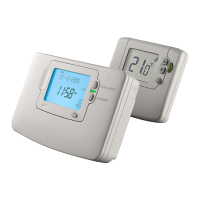
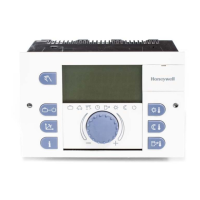
HC60NG Relay Module CM67z Room Unit
HR80UK Radiator Controllers
42010824-003 R1
2 TECHNICAL INFORMATION
Type numbers
CM67z - Room Unit (x1)
HR80UK - Radiator Controller (x6)
HC60NG - Relay module (x1)
Material
Housings made of plastics (ABS).
Dimensions
CM67z - 155 x 105 x 30 mm. (l x h x d)
HR80UK - 50 x 80 x 105 mm. (l x h x d)
HC60NG - 131 x 97 x 36 mm. (l x h x d)
Power
CM67z - 2 x 1.5 V IEC LR6 (AA) Alkaline cells
HR80UK - 2 x 1.5 V IEC LR6 (AA) Alkaline cells
HC60NG - 230V~ 50Hz powered
Electrical wiring (only for HC60NG)
Mains power supply
Relay output rating: 24-230 V~, 10A resistive,
3A inductive 0.6 p.f.
Programming Capability
2 individual heating programs
7 days with 6 temperature change times per day
Approvals
DIN EN ISO 9001/14001, CE, EN60730-1 (1995),
EN55014-1 (1997), EN55014-2 (1996),
ETSI EN300 220-3 (2000), ETSI EN301 489-3 (2000)


Questions and Answers

  • C
    Christine BarberAug 20, 2025
    How to fix a blank display on my Honeywell YZ667A1060 Heating System CM67z or HR80UK?
    • D
      Diane WalterAug 20, 2025
      If the display is blank, it could be due to several reasons: * No batteries. * Wrong battery orientation. * Improper battery compartment insertion (CM67z only). * Exhausted batteries. To resolve this, check that the batteries are in the battery compartment and that the paper tab (CM67z only) has been pulled out. Ensure the batteries are installed with the correct orientation. Try removing and re-inserting the battery compartment. If none of these steps work, replace the batteries.
  • S
    Stacy PhillipsAug 22, 2025
    Why is my Honeywell YZ667A1060 HR80UK not receiving the correct setpoint from the CM67z?
    • Z
      zalexanderAug 22, 2025
      If the HR80UK isn't receiving the correct setpoint, it could be due to: * Bad position of the CM67z. * Missing binding data in the HR80UK. * HR80UK bound to the wrong zone. To fix this, try repositioning the CM67z and repeat the test. If that doesn't work, repeat the binding procedure, ensuring the HR80UK is bound to the correct zone.
  • M
    Meghan LeeAug 25, 2025
    Why is the HR80UK display blank or showing 'bAtt' on my Honeywell YZ667A1060 Heating System?
    • A
      Alexander PerkinsAug 25, 2025
      If the HR80UK display is blank or shows 'bAtt,' it indicates that the HR80UK batteries are exhausted. Replace the HR80UK batteries.
  • J
    Jennifer SanchezAug 26, 2025
    What to do if CM67z display works but heating does not switch on in my Honeywell Heating System?
    • V
      Valerie ScottAug 27, 2025
      If the CM67z display is working, but the heating does not switch on, and the HC60NG LEDs are off or the green LED is on, it could be due to: * No power to HC60NG. * Bad electrical connection to the boiler or faulty boiler. Check that the power to the HC60NG is on. Also, check the boiler and HC60NG power supply and the electrical connection between the boiler and HC60NG.
  • B
    Bonnie CrossAug 27, 2025
    Why is the communication symbol not displayed on my Honeywell Heating System HR80UK?
    • B
      Brett ChungAug 28, 2025
      If the communication symbol is not displayed on the HR80UK, it suggests a loss of RF communication, possibly due to a poor location of the CM67z room unit or an RF communication fault. Try repositioning the room unit on the wall bracket or table stand to a location where communication is more reliable.
  • J
    johnsonernestAug 30, 2025
    Why is the red LED on my Honeywell YZ667A1060 HC60NG on?
    • T
      tinajonesAug 30, 2025
      If the red LED on the HC60NG is illuminated, it indicates that the HC60NG is not receiving messages. This can occur if the RF signal is blocked, possibly due to the CM67z being poorly positioned, or if the batteries in the CM67z and HR80UK are depleted. To resolve this, try repositioning the CM67z room unit to a location where communication is more reliable or replace the discharged batteries.
  • D
    Daniel RodriguezAug 31, 2025
    What to do if my Honeywell Heating System CM67z display shows a flashing battery symbol?
    • G
      Gina YoungAug 31, 2025
      A flashing battery symbol on the CM67z display indicates that the batteries need to be replaced. Replace the batteries to resolve this issue.
  • S
    Shelly StewartSep 2, 2025
    Why is the red LED of my Honeywell YZ667A1060 Heating System HC60NG flashing (2.5 sec on/2.5 sec off)?
    • A
      Angela TaylorSep 2, 2025
      If the red LED on your HC60NG is flashing with a pattern of 2.5 seconds on and 2.5 seconds off, it means the HC60NG has lost signal from some, but not all, transmitters in the system. This is often due to a blocked RF signal, possibly caused by poor positioning of the CM67z, or due to exhausted batteries in the CM67z and HR80UK. Try repositioning the CM67z to a location with more reliable communication or replacing the batteries.
  • D
    dayravenSep 4, 2025
    What does it mean if the HC60NG red LED is constantly ON or flashing on my Honeywell YZ667A1060?
    • J
      johnvegaSep 4, 2025
      A constantly ON or flashing red LED on the HC60NG indicates a loss of RF communication, possibly due to a poor location of the CM67z room unit or an RF communication fault. Try repositioning the room unit on the wall bracket or table stand to a location where communication is reliable.
  • M
    Mark BenitezSep 6, 2025
    What to do if the boiler doesn't switch on when the HR80UK setpoint is set to ON in my Honeywell YZ667A1060 Heating System?
    • A
      Ashley AndersonSep 6, 2025
      If the boiler doesn't switch on when the HR80UK setpoint is ON, it may be due to missing binding data in the HC60NG. To resolve this, repeat the binding procedure between the CM67z and the HC60NG boiler controller or HC60NG zone valve controller.

Summary

HC60 NG Relay Module Installation

CM67 z Room Unit Setup

HR80 UK Radiator Controller Installation

System Testing Procedures

CM67 z to HR80 UK Communication Test

Verifies the wireless signal strength and setpoint reception from CM67z to HR80UK.

HR80 UK to HC60 NG Communication Test

Checks the wireless signal and demand signals from HR80UK to HC60NG.

Advanced Configuration Options

CM67 z Installer Set-Up Parameters

Details various parameters configurable via the CM67z Installer Set-Up Mode.

Adding and Binding HR80 UK Controllers

Binding HR80 UK to a Specific Zone

Step-by-step guide to binding additional HR80UK controllers to a zone.

HC60 NG Module Configuration

Binding HR80 UK to HC60 NG Boiler Module

Procedures for enabling HC60NG listening mode and CM67z binding.

Troubleshooting System Issues

Binding and Testing Faults

Solves issues related to device binding and system testing procedures.

Normal Operation and Display Faults

Addresses problems during normal operation and blank/error displays.

Advanced Troubleshooting and Adaptation

Normal Operation Issues and HC60 NG LEDs

Covers issues like heating not switching on and HC60NG LED status.

Honeywell YZ667A1060 Specifications

General IconGeneral
ModelYZ667A1060
ColorWhite
Power MethodHardwired
Wi-Fi EnabledNo
Frequency60 Hz
Operating Humidity Range5% to 90% RH, non-condensing
Shipping and Storage Temperature Range-40°C to 70°C
ChangeoverManual
DisplayDigital

Related product manuals