If you have any questions, please email to support01@honiture.com
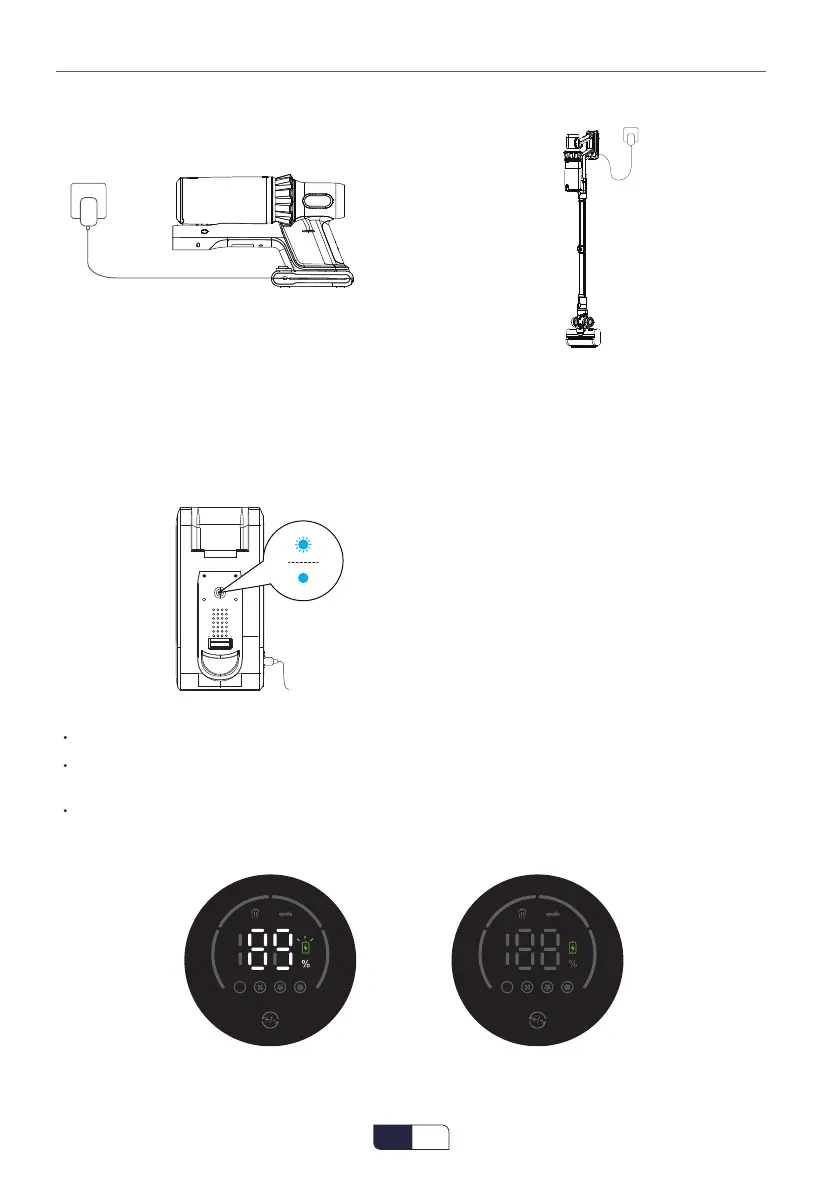
② Connect the Main Body to Charge
③ Hang on the Wall Mount to Charge
6.2.1 Charging Indicator
The battery indicator light will be flashing in blue when being charged and turn blue when the
battery is fully charged.
Blue light flashing(Charging)
Blue light(Fully Charged)
The number represents the remaining power.
When charging, the power indicator on the display changes with the battery power, and the
battery icon continues to flash.
When fully charged, the battery indicator on the display goes out, and the battery icon stops
flashing and remains green.
6.2 Battery Indicator
AW
AW
EN
01 02 03 04 05 06 07 08 09 10 11 12 13 14 15 16 17


 To Next Page