Essentials
Basic Gestures
Basic Gestures and Shortcuts
This feature may vary by device.
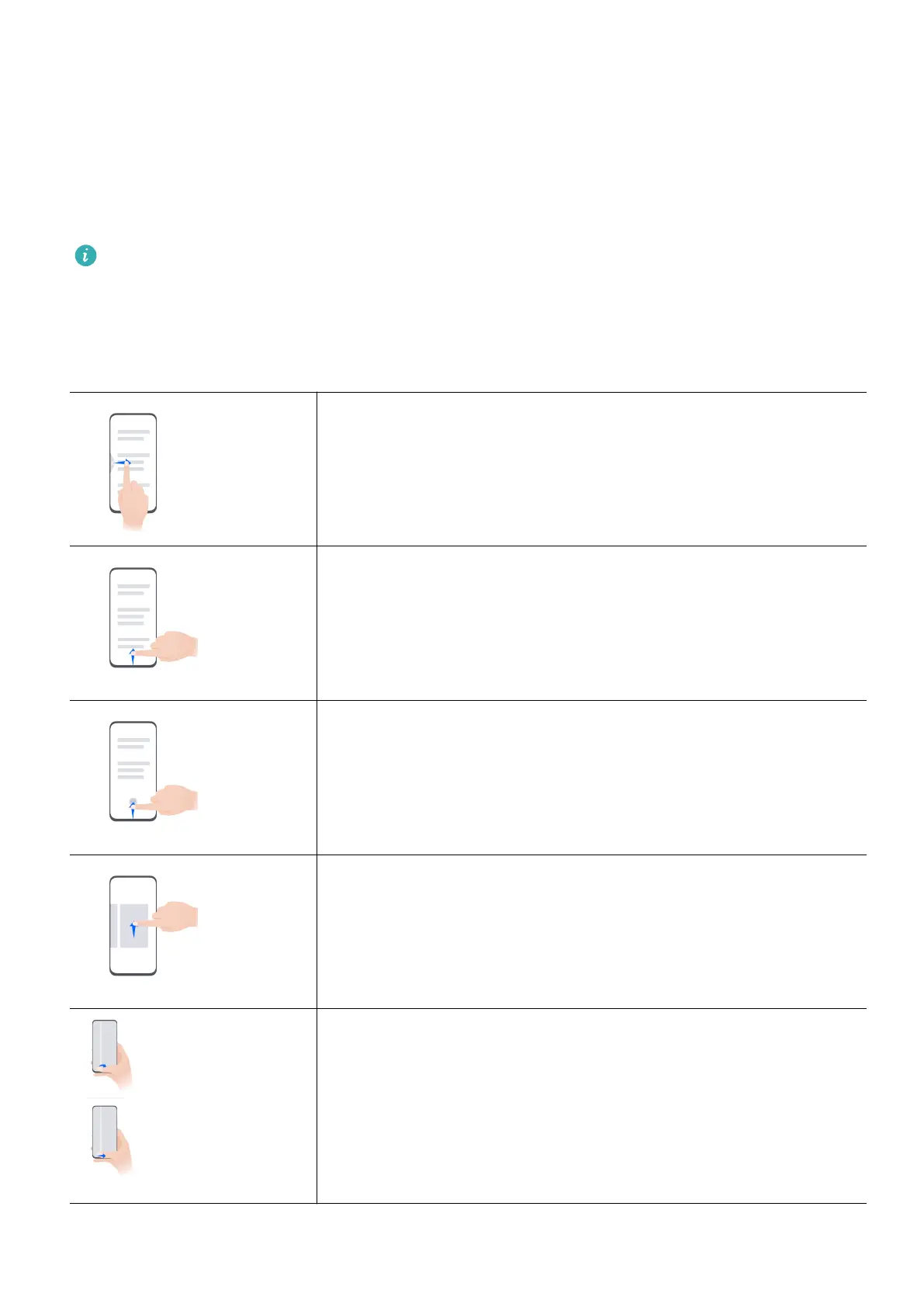
System Navigation Gestures
Go to Settings > System & updates > System navigation, and conrm that Gestures is
selected.
Return to the previous screen
Swipe inward from the left or right edge to return to the
previous screen.
Return to the home screen
Swipe up from the bottom of the screen to return to the home
screen.
View recent tasks
Swipe up from the bottom of the screen and hold to view recent
tasks.
Close an app
When viewing recent tasks, swipe up on an app preview to
close the app.
Switch apps
• Slide along the bottom edge of the screen.
Before using this gesture, go to System navigation > Settings
and conrm that Slide across bottom to switch apps is
enabled.
• Swipe across the bottom of the screen in an arc.
1



 To Next Page