English
Know Your Device
Before using the device, familiarise yourself with its
basic operations.
• To power on your device, press and hold the power
button until the screen turns on.
• To power your device, press and hold the power
button, and then touch .
• To your device, press and hold the power
button, and then touch .
• Press and hold the Power and Volume down buttons
for more than 10 seconds to force your device.
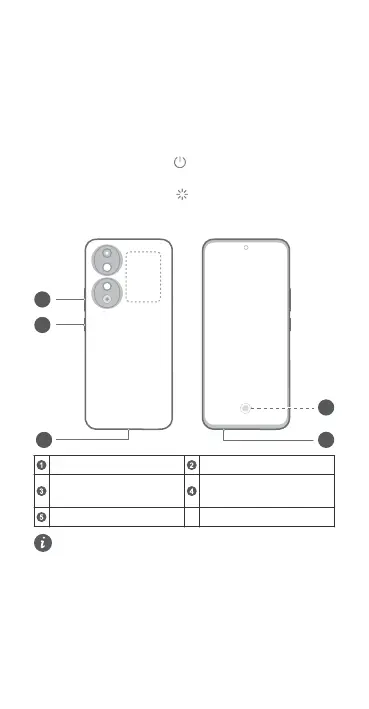
Volume button Power button
USB Type-C
jack
Card slot
In-screen
• Please keep the NFC area close to other devices
or objects while using the NFC function.
• Check out the pre-installed Tips app and master
all the great features on your device.
1



 To Next Page