Need help?
Do you have a question about the honor LND-AL30 and is the answer not in the manual?
Key operational safety rules including hearing protection, temperature limits, and device handling.
Advice on wireless usage, signal quality, and medical implants for user safety.
Instructions on proper disposal and recycling of the device and accessories.
Compliance with E-Waste rules and absence of regulated hazardous substances.
Device compliance with radio wave exposure guidelines and specific absorption rate.
Information on trademarks and intellectual property rights for the device and its software.
Link and reference to the company's privacy policy for personal information protection.
This document is a Quick Start Guide for the Honor LND-AL30 device, providing essential information for new users to get acquainted with their device, including its physical components, initial setup, safety guidelines, and legal notices.
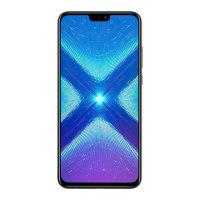
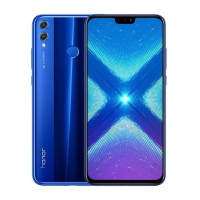
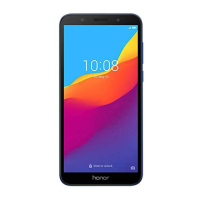
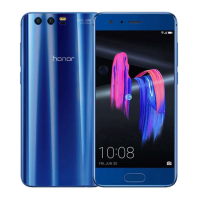
The Honor LND-AL30 is a mobile communication device designed for various functionalities, including making and receiving calls, sending text messages, capturing photos and videos, and accessing data services. It supports dual SIM card functionality, allowing users to manage two different network connections simultaneously, although it operates on a dual card dual standby single pass system, meaning only one SIM card can be actively used for calls or data at any given time. The device is equipped with a dual-lens camera for enhanced photography, a front camera for selfies, and a fingerprint scanner for secure authentication. It also includes standard features such as a flash, status indicator, light sensor, headset jack, Micro-USB port, primary and secondary microphones, speaker, power button, volume button, and an earpiece. The device is designed to be user-friendly, with clear instructions for power management and initial setup.
To begin using the device, users need to power it on by pressing and holding the power button until the screen illuminates. To power off, the power button should be pressed and held, followed by touching the designated power-off icon on the screen. In case of a system freeze or unresponsiveness, the device can be force-restarted by pressing and holding the power button until it vibrates.
The device features a card tray that accommodates SIM cards and a microSD card for expandable storage. Users are instructed to ensure correct alignment of the cards and that the tray is level when inserting it into the device. Caution is advised when using the eject pin to avoid scratching the device or causing injury, and the pin should be stored out of reach of children to prevent accidental swallowing. It is explicitly stated that cut or modified SIM or microSD cards should not be used, as they may not be recognized and could damage the card tray.
The dual card dual standby single pass feature means that while two SIM cards can be active on standby, only one can handle calls or data services at a time. For instance, if SIM card 1 is in use for a call, SIM card 2 cannot make or receive calls, and callers to SIM card 2 may hear a message indicating the subscriber is unavailable. Similarly, if SIM card 1 is using data services, SIM card 2's data services will be disabled. This design aims to reduce power consumption and extend standby time. Users are encouraged to contact their service providers to subscribe to services like missed call reminders to mitigate potential communication conflicts arising from this feature.
The device offers various settings for customization and information access. Users can navigate to "Settings > System > About phone > Legal" to view legal information, "Settings > System > About phone > Legal > Safety information" for safety details, and "Settings > System > Certification logos" for certification information.
Proper maintenance and safe operation are emphasized throughout the guide. Users are advised to use only approved or compatible power adapters, chargers, and batteries to prevent damage, shorten lifespan, or avoid hazards like fire or explosion. The device's ideal operating temperature range is specified as 0 °C to 35 °C, and storage temperatures as -20 °C to +45 °C.
To protect the device from damage, it should not be used in dusty, smoky, damp, or dirty environments, or near magnetic fields. When charging, the power adapter should be plugged into an easily accessible socket near the device. The charger should be unplugged from electrical outlets and the device when not in use.
For personal safety, users are cautioned against listening at high volume levels for extended periods to prevent hearing damage. Pacemaker users are advised to maintain a minimum distance of 15 cm between the device and their pacemaker, holding the device on the side opposite the pacemaker and not carrying it in their front pocket. The device and battery should be kept away from excessive heat and direct sunlight, and not placed on or in heating devices like microwave ovens or stoves.
Observing local laws and regulations is crucial, especially regarding device use while driving, to reduce accident risks. During air travel, the device should only be used according to provided instructions, as wireless devices can disrupt aircraft operations or be illegal.
Regarding disposal, the device, battery, and accessories should not be treated as normal household waste. They must be disposed of according to local regulations, preferably handed over to an authorized collection center for recycling. Improper handling, breakage, damage, or recycling can be harmful to health and the environment. Detailed information on recycling can be obtained from local city offices, household waste disposal services, or the retail store where the device was purchased. The disposal adheres to the E-Waste (Management) Rules, 2016, aiming to minimize environmental impacts from hazardous substances. The device is compliant with these rules and does not contain regulated hazardous substances, except for applications of exemption.
 General
| Front Camera | 8MP |
|---|---|
| SIM | Dual SIM (Nano-SIM, dual stand-by) |
| Model | LND-AL30 |
| RAM | 4GB |
| Internal Storage | 64GB |
| Rear Camera | 13 MP + 2 MP |
| CPU | Octa-core 1.8 GHz Cortex-A53 |


 To Next Page