2 3
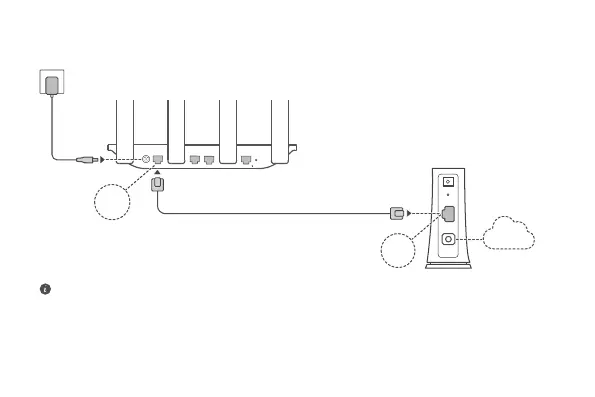
Step 1: Connecting the cables
POWER
RESET
4
3
2
1
WAN LAN LAN LAN
POWER
LAN
PON
RESET
Internet
Optical/Broadband/cable modem
(from your broadband provider)
• Erect the all antennas upright to ensure optimized Wi-Fi® signal.
• If the indicator stays red, this indicates that the router is not connected to the Internet. Please
refer to "Step 2: Conguring the network settings".
HONOR Router 3
WAN
LAN



 To Next Page