3
1
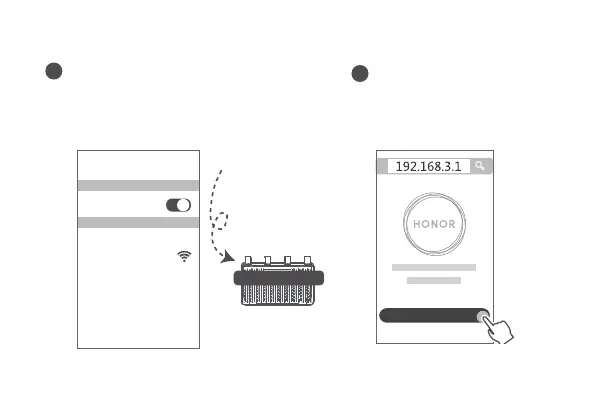
Connect your mobile phone or computer
to the router’s Wi-Fi network (no
password required).
Check for the Wi-Fi name on the bottom of
the new router.
XXXXXX
Wi-Fi Name: XXXXXX
Connected
2
Open the browser, you will be
automatically redirected.
( If the page is not displayed
automatically, enter 192.168.3.1) .
Let's get started
Step 2: Conguring the network settings
Wi-Fi
Wi-Fi



 To Next Page