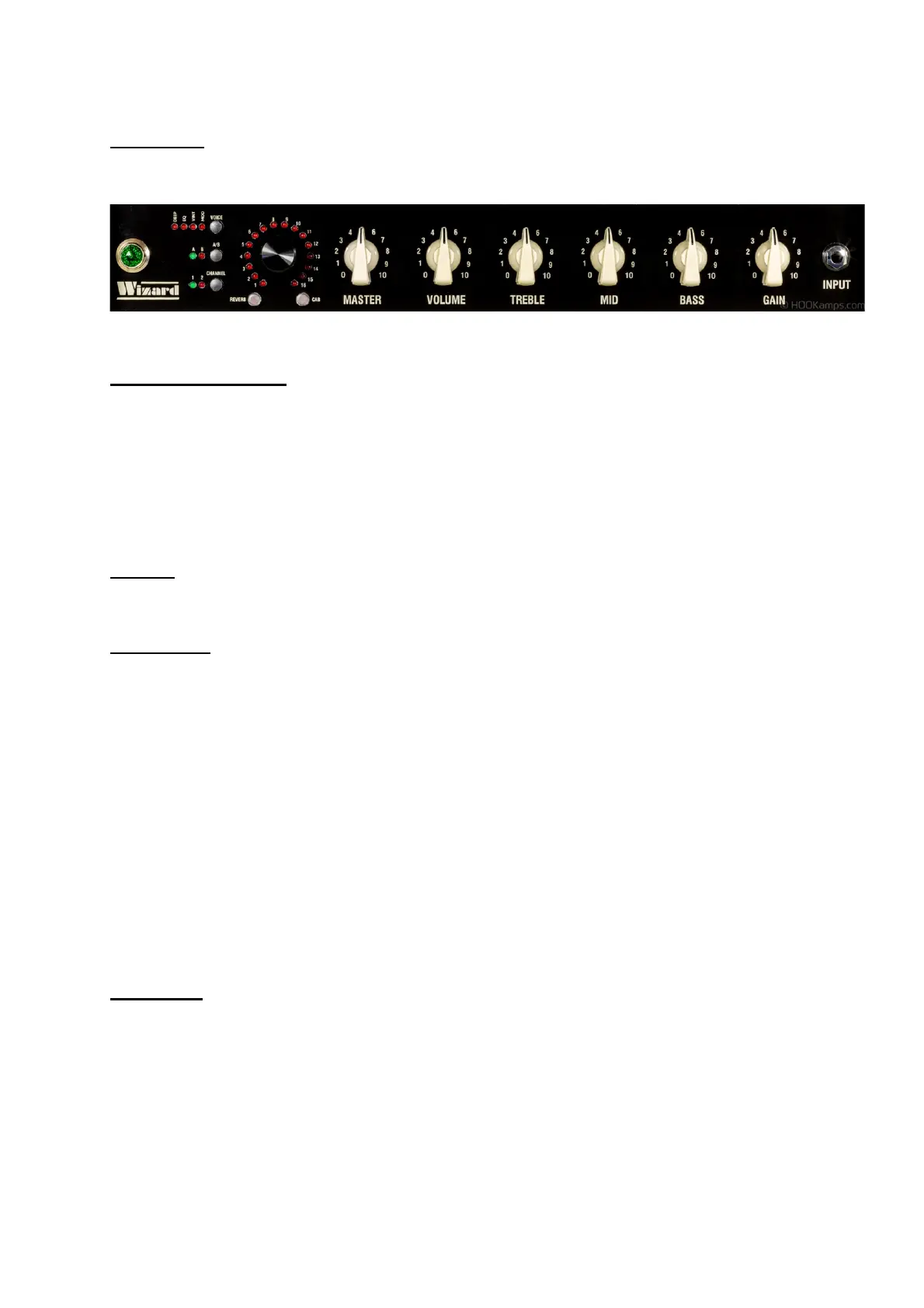
Frontpannel
Programable Controls:
• Gain
• Bass
• Mid
• Treble
• Volume
The master knob is not programmable, to have the flexibility to adept to different live situations
Channel
Switch between channel 1 and 2 by pressing the channel button
Eq / voicing
Channel 1:
• Deep = deep
• Eq light off = british class A tone stack
• Eq light on = blackface tone stack
Channel 2
• Deep = Deep
• Vintage = lower gain
• Modern = Higher gain
• Eq light on = vintage British eq stack, more mid scoop
• Eq light off = modern British eq stack, more mid and lows
Save Preset
Change the knobs (gain, bass, mid, treble, volume) channel and voicings switches to your taste.
Light of preset starts to flash indication a setting has changed. Press rotary encoder for 2
seconds to save to the current preset.
If you want to save your settings to another preset, change the preset by turning the rotary
encoder to the preferred number, and press encoder for 2 seconds to save.


 To Next Page