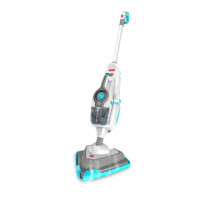
The Hoover FloorMate SteamScrub 2-IN-1 (WH20440 Series) is a versatile steam cleaner designed for household use, offering both steam mop and handheld steamer functionalities. It is intended for cleaning sealed hard floor surfaces, carpets, and various other surfaces with its range of accessories.
Function Description:
The device functions as a steam mop for floors and a handheld steamer for detailed cleaning. It utilizes steam to sanitize hard surfaces and refresh carpets without the need for harsh chemicals. The 2-in-1 design allows users to easily detach the handheld steamer for cleaning countertops, windows, upholstery, and other areas.
Key features include:
- Steam Mop Mode: For cleaning sealed hard floors (tiles, linoleum, sealed hardwood, laminate, vinyl, and sealed stone floors) and refreshing carpets.
- Handheld Steamer Mode: For targeted cleaning with various attachments, suitable for grout, faucets, ovens, windows, and upholstery.
- Twin Tank System: Separate tanks for water and cleaning solution, allowing users to choose between steam-only cleaning or steam with Hoover 4X Steam Multi-Floor Cleaning Solution.
- SteamStream™ Function: Provides a concentrated burst of steam from the front nozzle for tough spots, particularly useful with the tile and grout scrub brush.
- Steam Control Dial: Allows adjustment of steam intensity for different cleaning needs.
- Solution Control Dial: Enables users to turn the cleaning solution on or off, providing flexibility.
- Quick Cord Release Hook: For convenient cord management.
Important Technical Specifications:
- Model Number: WH20440 Series
- Input Power: AC 120V / 60Hz / 10A
- Water Tank: Designed for tap water, but distilled water can be used to increase effectiveness and reduce mineral buildup.
- Cleaning Solution: Specifically designed for use with Hoover 4X Steam Multi-Floor Cleaning Solution. Mixing with other cleaning solutions is not recommended.
- Polarized Plug: Equipped with a polarized plug (one blade wider than the other) for safety.
Usage Features:
Assembly:
- Insert the main body into the floor head until it clicks.
- Insert the handle until it clicks.
- Push the handle down to stand the steam mop upright until it clicks.
- Insert tools into the back of the steam mop for storage.
- Insert the concentration nozzle into the storage hook on the back of the handle.
Filling the Twin Tanks:
- Water Tank: Press release buttons, pull to remove, open the cap, fill with water only (to the fill line), replace cap, and push firmly to close. Slide back into the machine until it clicks. Do not add solution to the water tank.
- Solution Tank: Press release buttons, pull to remove, twist cap counter-clockwise to remove, pour Hoover 4X Steam Multi-Floor Cleaning Solution to the fill line, then fill the remainder with water. Replace cap, twist clockwise to close. Insert back into the machine until it clicks.
Attaching Microfiber Pad:
- Place the cleaning pad (white side up) on the floor.
- Place the steam mop on top, ensuring the mop head covers the entire pad. The hook and loop feature will secure it.
- Never use the steam mop without the microfiber pad correctly attached.
Operating the Steam Mop:
- Plug into an outlet and turn the On/Off switch to ON (I=ON). A blue light indicates power, and a green light indicates the steam mop is ready.
- Adjust the steam dial to the desired setting.
- For cleaning with solution, turn the solution dial to ON (I=ON); for steam-only cleaning, turn it to OFF (0=OFF).
- To recline, place a foot on the mop head and pull the handle backward.
- Squeeze the trigger in short bursts to produce steam, avoiding continuous holding to prevent oversaturation.
- Move the steam mop slowly back and forth across the floor, squeezing and releasing the trigger as needed.
Sanitizing Hard Surfaces:
- Turn the solution dial to "OFF" and the steam control dial to "MAX."
- Attach the microfiber pad and run a minimum of 6 strokes at a medium pace (5-7 seconds per 32" stroke) across the same area. Allow to dry.
Refreshing Carpets:
- Attach the microfiber pad.
- Hook the steam mop into the front of the carpet glider and push to clip it into place. The carpet glider should only be used for refreshing carpets.
- Turn the solution dial to OFF.
- Push the On/Off button to power on.
- Recline the steam mop and squeeze the trigger in short bursts, avoiding continuous holding to prevent overly wetting the carpet.
- Move the steam mop slowly back and forth across the carpet.
- To release the carpet glider, place a foot on the clip and push down, then lift the steam mop to unhook.
Using Tile and Grout Scrub Brush and SteamStream™:
- Place a foot on the outer floor head and gently pull the steam mop away to release the scrub brush.
- Move the steam mop back and forth across the floor, getting into corners and awkward places.
- To engage SteamStream™ from the front nozzle, press the SteamStream™ button to activate, and squeeze the trigger to release steam. Press the button again to turn OFF (0=OFF).
- Scrub brush bristles may damage wood floors; only recommended for tile and grout.
Using the Handheld Steamer:
- Lift the handheld release button and gently pull the handheld unit to release it from the steam mop.
- Remove the water tank and refill it before use.
- Attach the concentration nozzle or hose by pushing it onto the handheld nozzle and twisting clockwise to lock.
- Adjust the dial on the front of the handheld to the desired steam setting.
- Turn the unit ON by pushing the switch to (I=ON).
- Squeeze the trigger in short bursts to produce steam, avoiding continuous holding to prevent overwetting.
- Insert the handheld back into the machine until it clicks into place.
Using Small Accessories (e.g., concentration nozzle, brushes):
- Attach via the concentration nozzle. Twist clockwise until locked and secure. To remove, turn counter-clockwise.
- Attach via the concentration nozzle or hose. Twist clockwise until locked and secure. To remove the hose, turn counter-clockwise.
Maintenance Features:
- Cool Down: Always allow the steam mop to fully cool down before performing any maintenance or troubleshooting.
- Emptying Water Tank: Press the water tank release button, lift by the handle, pull the tab on the cap to open, and empty excess water over the sink.
- Emptying Solution Tank: Press both solution tank release buttons, pull to remove, twist the cap counter-clockwise to remove, empty excess solution over the sink. Rinse the tank with water, replace the cap, twist clockwise to tighten, and replace back onto the machine.
- Removing Cleaning Pads: Hold the corner of the pad down with a foot and lift the steam mop to peel it away.
- Pads are machine washable on a WARM setting. Lay flat to dry. Do not use bleach or fabric softener.
- Replacing Hard Water Filter:
- Remove the water tank to access the filter.
- Pull to remove the hard water filter.
- Insert a new filter (beige/cream color).
- The filter should be replaced every 6-8 months or when discolored, depending on use and water conditions.
- Do not operate the steam mop without the water filter in place.
- Replacement part #440006653 can be ordered from Hoover customer service (1-800-944-9200) or www.hoover.com.
- Clearing Blockages:
- If steam flow is obstructed, steam may release through the bleed valve.
- To remove the floor head, push the floor head release button and lift.
- After removing the floor head, use a thin object (like a paperclip) in the area shown to remove the blockage.
- With the pad removed from the floor head, insert a small thin object (like a paperclip) into the steam holes to remove any blockage.
Storage:
- Unplug the power cord and allow the device to cool.
- Empty residual fluid from both tanks and clean the external surface with a dry cloth.
- Re-install twin tanks.
- Solution can be left in the tank for short periods, but it's recommended to empty it if not used for more than 2 weeks.
Safety Warnings:
- Always unplug the steam cleaner before assembly, cleaning, or servicing.
- Do not use hot or boiling water in the tanks.
- Do not immerse the steam mop in water or other liquids.
- Do not use outdoors or for space heating.
- Keep children away from the product during use and cooling.
- Do not use extension cords.
- Do not handle the plug or steam mop with wet hands.
- Do not operate without footwear.
- Do not place hands or feet under the steam mop during operation due to high heat.
- Use only on flat, horizontal surfaces.
- Do not use with damaged cord or plug.
- Do not pull or carry by cord.
- Do not insert objects into openings.
- Keep hair, loose clothing, and body parts away from openings.
- Turn off all controls before unplugging.
- Use extra care on stairs.
- Do not apply steam directly to any person or animal.
- Do not add descaling, aromatic, alcoholic products, cleaning solutions, scented perfumes, oils, or other chemicals to the water tank.
- Do not use in enclosed spaces with oil-based paint vapors, paint thinners, mothproofing substances, flammable dust, or other explosive/toxic vapors.
- Never turn the steam cleaner over or use it on its side when in use.
- Allow sufficient time to cool before removing the microfiber pad.
- Do not clean over floor electrical outlets.
- Do not use on leather, wax-polished furniture/floors, synthetic fabrics, velvet, or other delicate, steam-sensitive materials.
- Never leave the steam mop in one spot or on any surface for any period when the pump is on and steam is activated.
- This product contains chemicals known to the State of California to cause cancer, birth defects, or reproductive harm. Wash hands after handling.
- Check flooring manufacturers' warranties and recommendations before use.
- Store indoors in a dry place; do not expose to freezing temperatures.
- The scrub brush bristles may damage wood floors.
- To avoid burn injury, do not touch the steam cleaning nozzle or adjacent surfaces when steam cleaning or when the nozzle is heated.

 Need help?
 General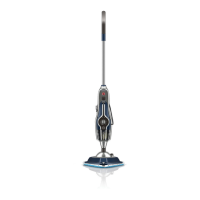




 To Next Page